

How to use the Community to ask questions, report bugs, or submit feature requests?
Create a Post in Premiere on iPhone Forums
Need to ask a question, report an issue, or create a feature request for Adobe Premiere Pro? You're in the right place! Here's how to create a post.
Navigation Bar

Navigation bar is atop each of the forums. You can navigate to any Premiere Pro forum from here. There are three main forums: Discussions, Bugs, and Ideas. You can choose the most appropriate forum in Step 3.
1. Click the "Post to Community" Button
 The process begins after clicking the "Post to Community" button at the top right of any Premiere Pro forum.
2. Type in a Subject
 Type in the title of your post in this field. Please be concise for search purposes.
3. Choose the right Conversation Type
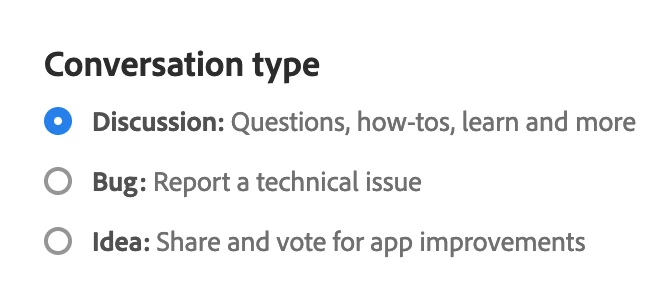 Click a radio button to choose from Discussions, Bugs, or Ideas. It might already be selected correctly for you.
4. Type the issue you wish to discuss in the Details pane.
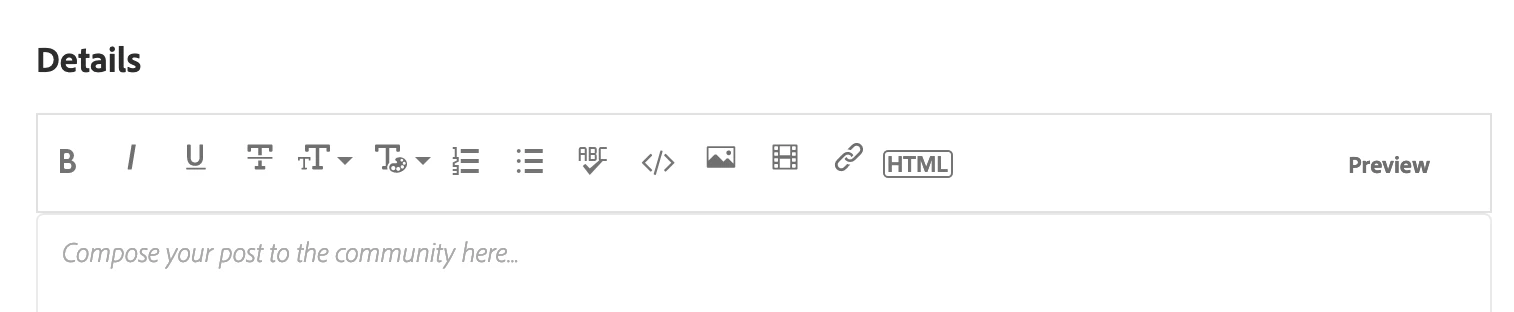 Provide specific information about your issue in the Details pane.
- Discussions: For the information the community would like, see this post: FAQ: What information should I provide when asking a question on this forum?
- Bugs: Fixing a problem requires that we get the right information: How do I write a bug report?
- Ideas: We love hearing your ideas! This post explains what we need to know: How do I write a feature request?
Use any tool in the toolbar to customize the layout of the post. Include screenshots, if possible. You can embed YouTube videos here, as well.
5. Choose a Relevant Topic Label
 Choosing the most relevant "topic label" for your post is helpful. Here are guidelines for topic labels. Selecting the appropriate topic to label your post helps others find it.
The Bugs and Ideas forums also contain unique topic labels. Feel free to edit your post there to choose a more appropriate topic label if needed.
6. Attach Files
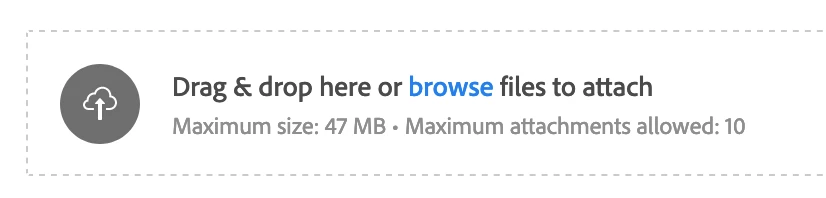 You can drag or browse files to attach at the bottom of the post if you would like.
7. Click the Post Button
 Click the Post Button, and your post will appear on the desired forum: Discussions, Bugs, or Ideas.


 AdChoices