


Known Participant
July 22, 2025
Question

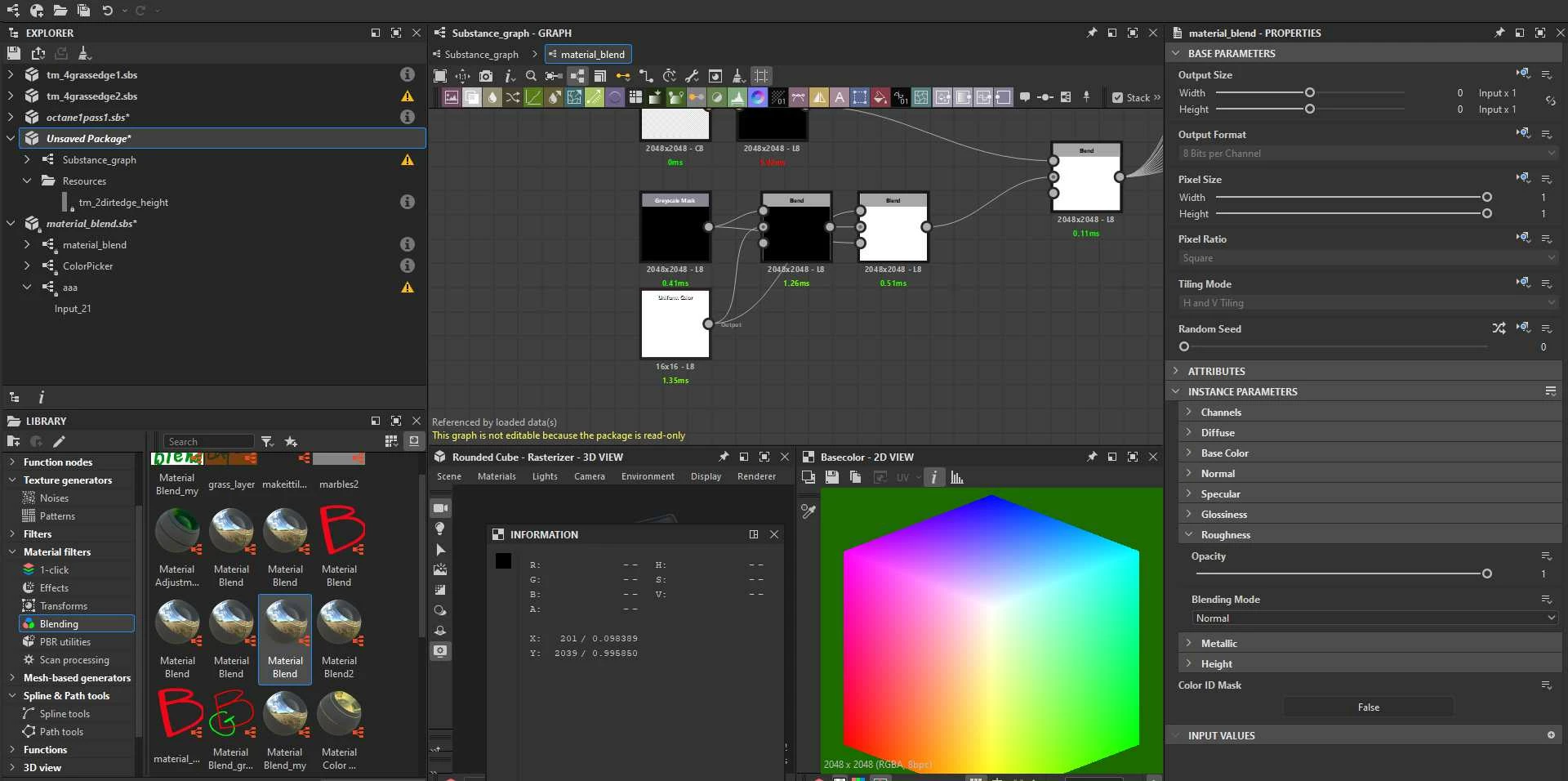
A mask with no input turns to white ?
  • July 22, 2025
  • 2 replies
  • 113 views

Can somebody  explain me how  this material blend node  gets white mask when nothing is connected  in  "grayscale mask " input ?    I copy nodes into separate  graph and the magic gone  still see no funtction or logic  in those two  blend nodes.  Am I having early dementia  or waht ?   Stack at this puzzle.

I would understand  if input node had default color set to white    but it isnt? 

2 replies

davescm
Community Expert
Community Expert
July 28, 2025

I don't see that here. I see black not white in SD v15.0.1

The grayscale mask input has a default of black and is multiplied at the following blend node with the white uniform colour, resulting in black.

That is fed to the second blend node (set to switch) with the foreground input from uniform colour (white) the background from the previous blend node (black) and the mask from the grayscale mask (also black). So the switch sets to background and the ouput is black (not white as shown in your screenshot).


You may or may not be aware, but if you save the node as a copy then open it, the copy becomes editable, which makes it easier to explore such nodes.

Dave

Community Manager
July 23, 2025

From what I remember it's a trick/hack we used before we had the defualt color on inputs. Basically the empty input is as if the connection to the blend didn't exist (if you remove the connection to the input on the blend node, it should give the same result).