

Participating Frequently
December 1, 2023
Answered

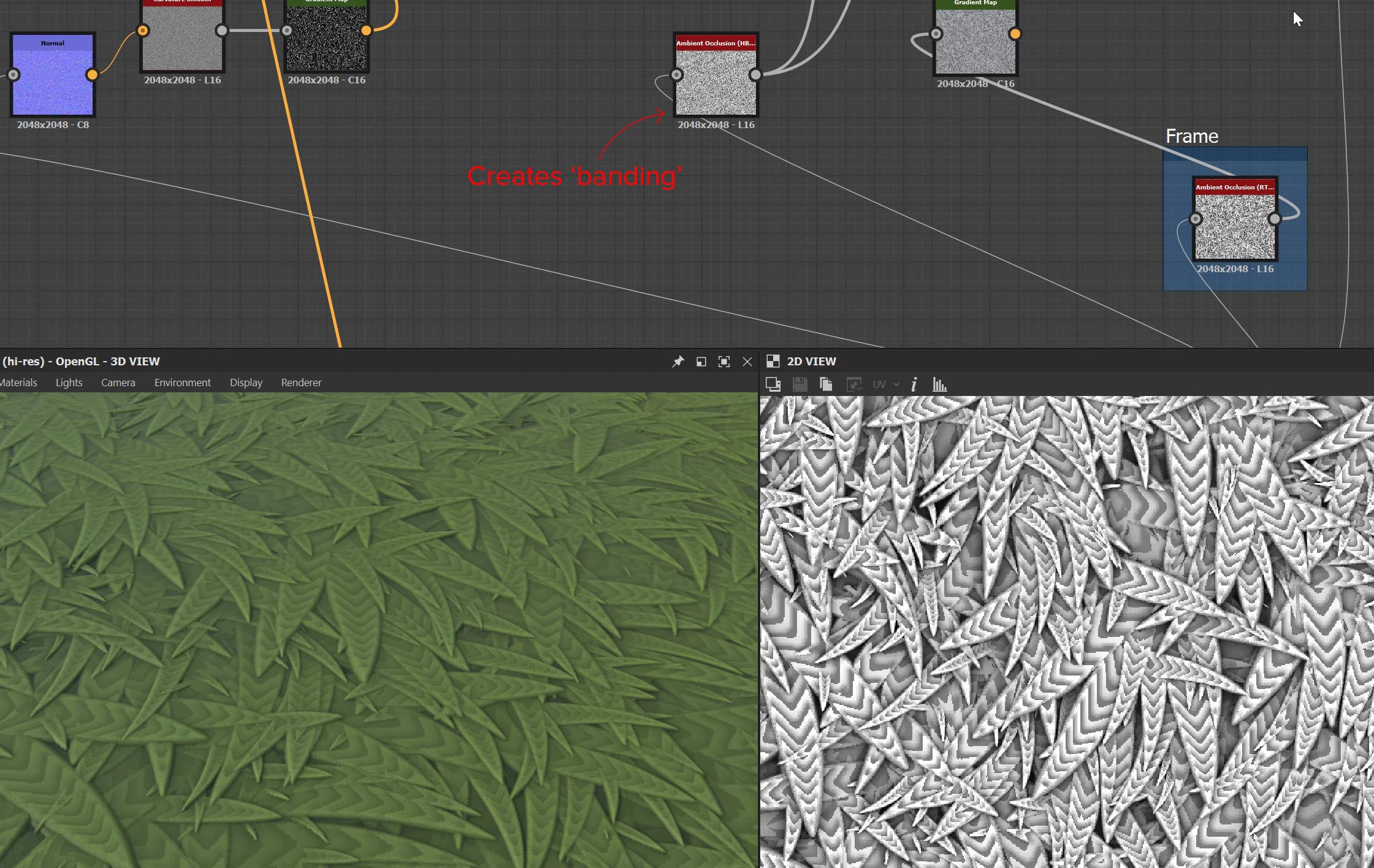
Ambient Occlusion (HBAO) causing 'banding'

I'm stuck on this issue, this hbAO node causes 'banding' and I don't know why. I've tried so many things but haven't got a clue how to fix it

This topic is closed to new replies. Start a new post to keep the conversation going.
Cyril Dellenbach
Cyril DellenbachCorrect answer
Community Manager
December 4, 2023

Hi @Miked08,


Thanks for the message.


The HBAO node uses the Height map and turn it into an AO. As you probably already know, the Height map needs to be in 16bit depth to avoid "steps" in other maps (like Normal, or AO). Therefore, I advise you to make sure all the upstream nodes use at least 16-bit Integer precision.


If this doesn't solve the issue, I'd gladly take a look at the .SBS file in order to find a solution.


Best regards,


Cyril Dellenbach (Micro) | Product Manager | Substance Painter

1 reply

Cyril Dellenbach
Community Manager
Cyril DellenbachCommunity ManagerCorrect answer
Community Manager
December 4, 2023

Hi @Miked08,


Thanks for the message.


The HBAO node uses the Height map and turn it into an AO. As you probably already know, the Height map needs to be in 16bit depth to avoid "steps" in other maps (like Normal, or AO). Therefore, I advise you to make sure all the upstream nodes use at least 16-bit Integer precision.


If this doesn't solve the issue, I'd gladly take a look at the .SBS file in order to find a solution.


Best regards,


Translate
Cyril Dellenbach (Micro) | Product Manager | Substance Painter
