Nitroleum
Known Participant
May 27, 2023
Answered

AO gets weird artefacts on edges

  • May 27, 2023
  • 1 reply
  • 760 views

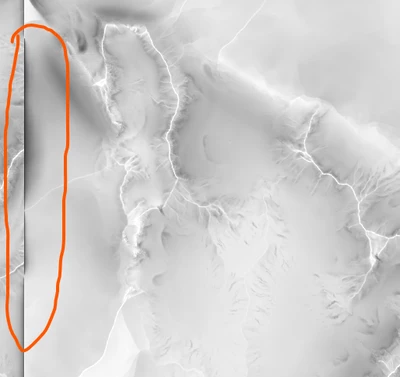
Hi, I'm trying to get an AO from my height map using AO (HBAO) node and it works fine except for the fact that on edges I'm getting this weird artefacting:

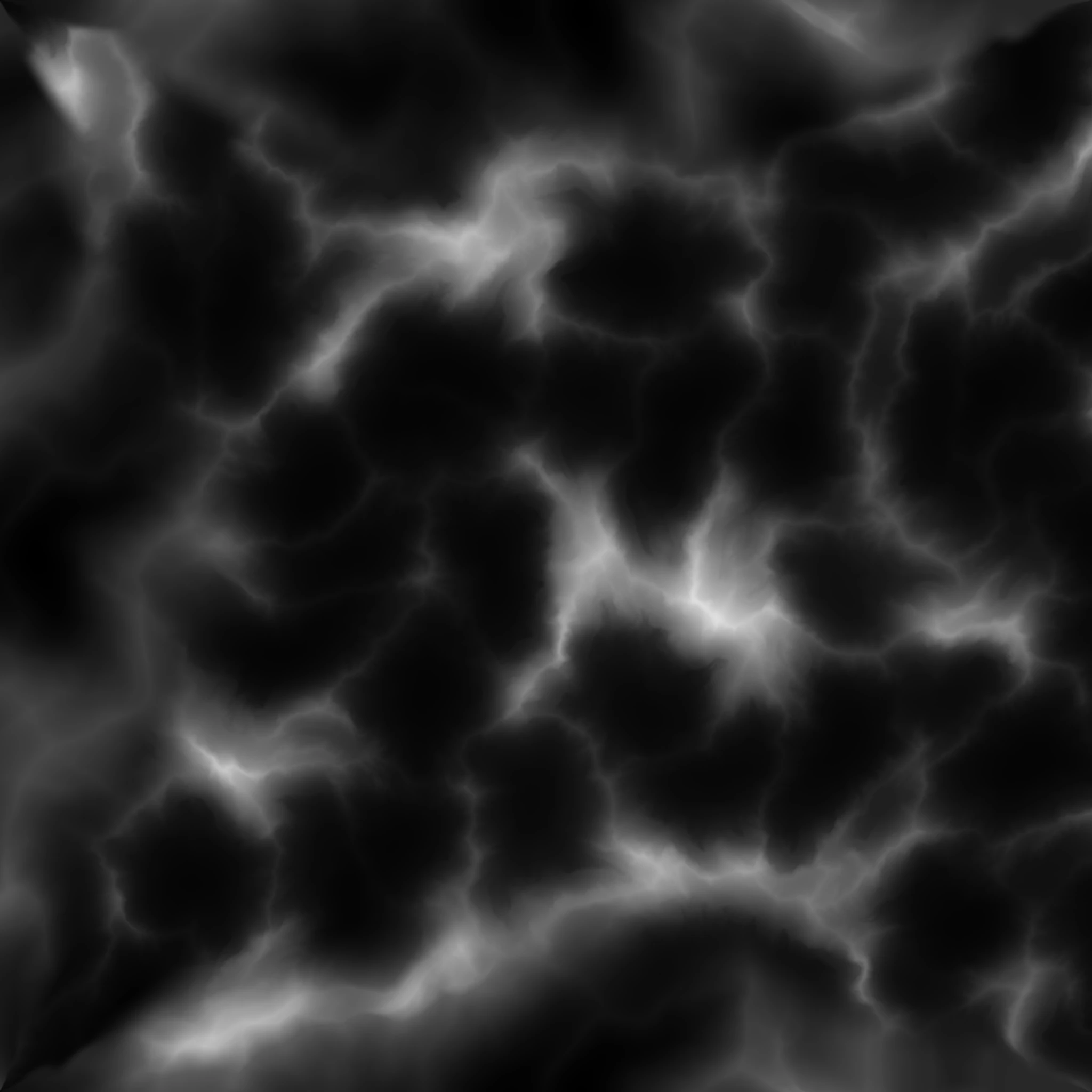
Which is strange as I can convert Normals abosultely fine from that same height map which is 16bit grayscale png:


Any ideas how to fix that? Thanks a lot in advance!


This topic has been closed for replies.
Correct answer davescm

Yeah they don't tile horizontally because this height map is part of 4 different height maps so unfortunately I can't make it tileable in that direction. 


Thanks for the advice, however I'm not too good with Pixel Processor, and don't even know how to sample those near-the-edge pixels and copy them in needed directions as you're suggesting. Is it possible to do it with some node(s) involved? 


An alternative :

I notice your map is 2048 x 2048


So what you could try is :

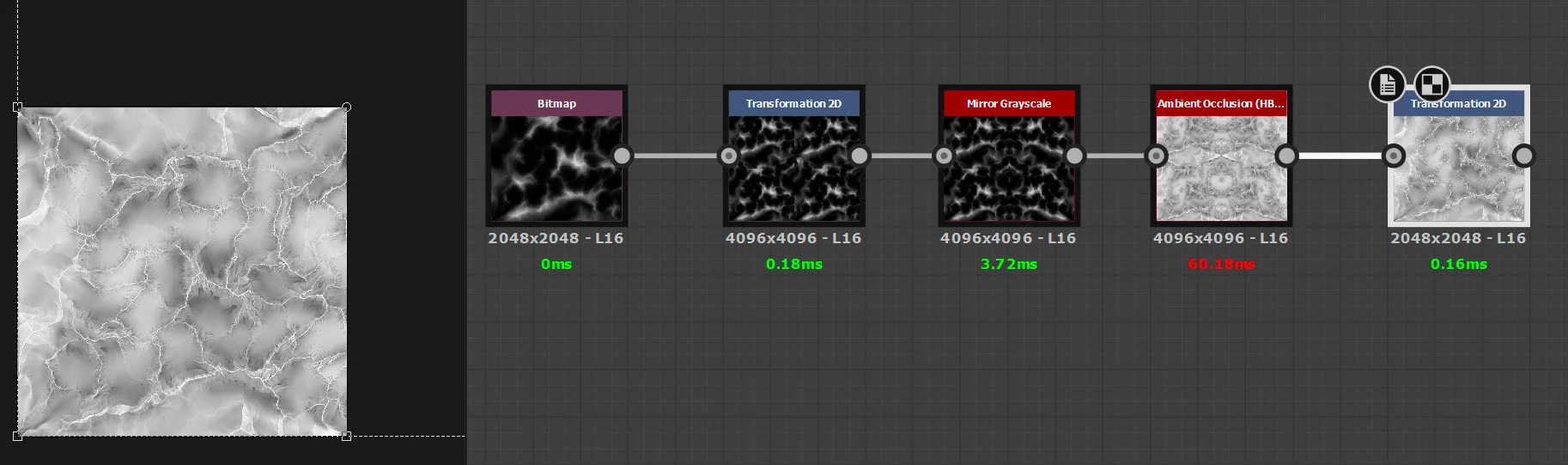
Add a transform 2D node set to absolute at twice the resolution i.e. 4096 x 4096. Set the transform to /2 and offset to X 0.5 and Y -0.5 . That puts the original image in the lower left quarter

Follow that by a mirror greyscale X axis 0.5  This makes the new larger image tile horizontally (it already tiles vertically)

Then HBAO

Then a transform node set to absolute 2048 x 2048 (same as original image) and offset x -0.25 Y 0.25 that takes the output image from the lower left quarter
 

Dave



1 reply

davescm
Community Expert
Community Expert
May 27, 2023

It is caused by the abrupt changes in height between the left/right edges on your height map. Your heightmap tiles perfectly top to bottom but not left to right.


Dave


Nitroleum
NitroleumAuthor
Known Participant
May 27, 2023

Hi Dave thanks for clearing this up! I see, indeed after switching off tiling in both H and V directions I now got rid of those artefacts but have pixel-wide white lined on the edges instead..

Is there a way hoq to fight it? 

davescm
Community Expert
Community Expert
May 27, 2023

The ideal way would be to start with a heightmap that tiles seamlessly both horizontally and vertically. That way you can leave tiling on in HBAO and let it do its thing. For some reason your heightmap tiles vertically without seams but not horizontally.


An alternative, if the heightmap cannot be made to tile seamlessly, would be to use the pixel processor to fill in the white edges from HBAO based on sampling adjacent pixels.


Dave