


Inspiring
January 23, 2023
Answered

Better extract maks form splatter circular

  • January 23, 2023
  • 1 reply
  • 393 views

Hi ,
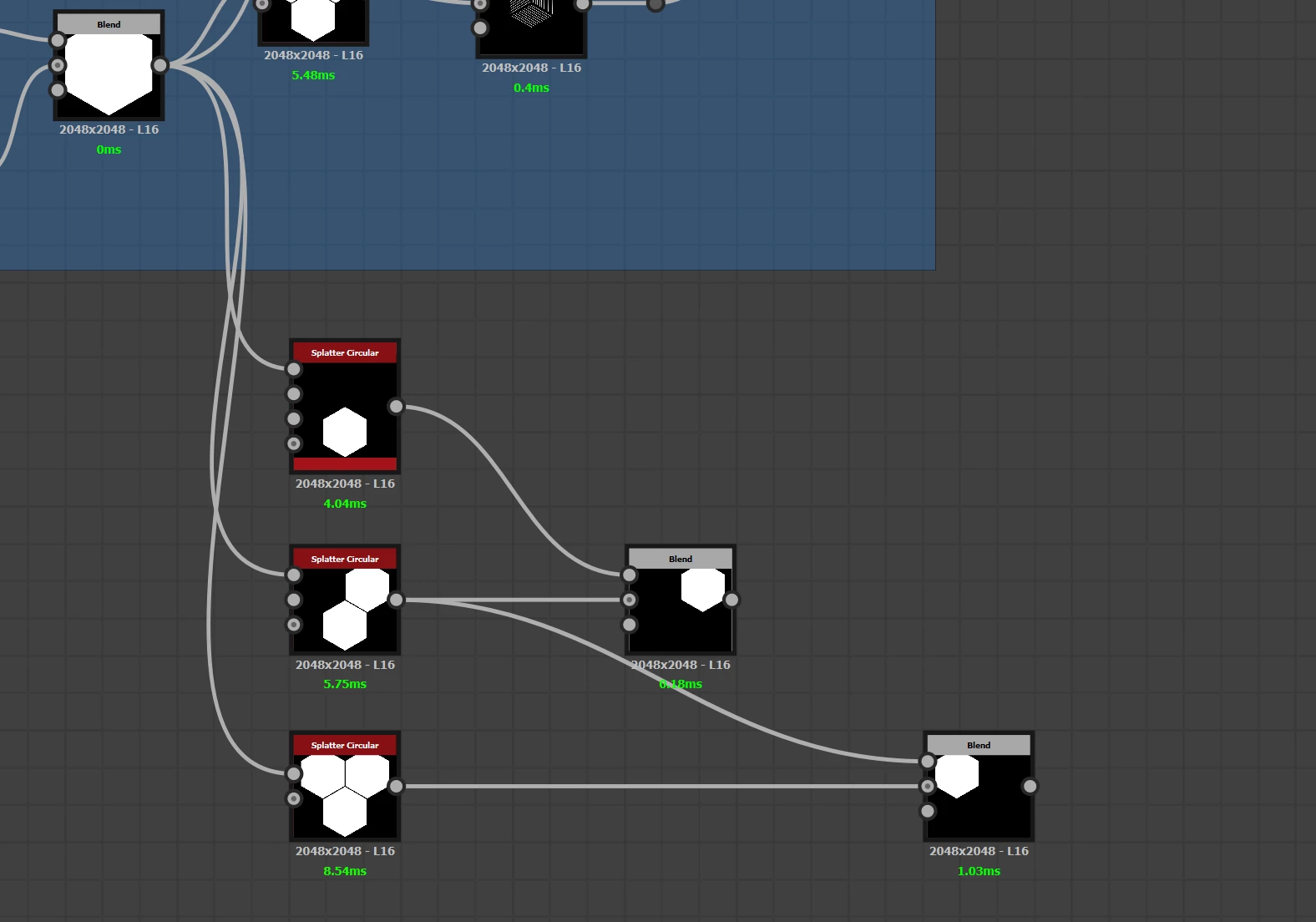
I have a splatter circular with a polygonal shape as input and I repeat that shape 3 times.
Can I create 3 inserts for the splatter circular and provide the same shape on all those 3 in order to extract masks for each one? Below I made it work but it's not very elegant imo. Is there a better solution? Thank you.

 

This topic has been closed for replies.
Correct answer Luca Giarrizzo

Hello,


This is caused by a narrow gradient on the shapes' border caused by bilinear filtering in the Splatter Circular node. Set the 'Pattern' > 'Image Input Filtering' parameter to 'Nearest' and the result of Histogram Select should be cleaner.


Shapes will be aliased as a result of this, you may smooth them out a bit using the Blur or FXAA nodes.


Best regards.

1 reply

Luca Giarrizzo
Community Manager
Community Manager
January 23, 2023

Hello Sergio,


A possible approach could be using the 'Luminance by pattern number' parameter of the Splatter Circular node, in combination with Histogram Select nodes, to select a specific pattern.


Best regards.

Luca Giarrizzo | Quality Engineer - Substance 3D Designer | Adobe
Inspiring
January 24, 2023

Thank you @Luca Giarrizzo ,


I´m having some problems selecting the shapes, can you please show me your settings on "Luminance by pattern number"?

Thank you


Luca Giarrizzo
Community Manager
Luca GiarrizzoCommunity ManagerCorrect answer
Community Manager
January 24, 2023

Hello,


This is caused by a narrow gradient on the shapes' border caused by bilinear filtering in the Splatter Circular node. Set the 'Pattern' > 'Image Input Filtering' parameter to 'Nearest' and the result of Histogram Select should be cleaner.


Shapes will be aliased as a result of this, you may smooth them out a bit using the Blur or FXAA nodes.


Best regards.

Luca Giarrizzo | Quality Engineer - Substance 3D Designer | Adobe