


Participant
September 23, 2025
Answered

Bevel Smooth Dilation - noisy result.

  • September 23, 2025
  • 1 reply
  • 156 views

Hello, folks.

I want to dilate a pattern gradually using Bevel Smooth's Dilation and getting lots of artifacts. Have a couple worakarounds (more like  hacks really), but would still like to know if that's intended behavior or am I doing it wrong.
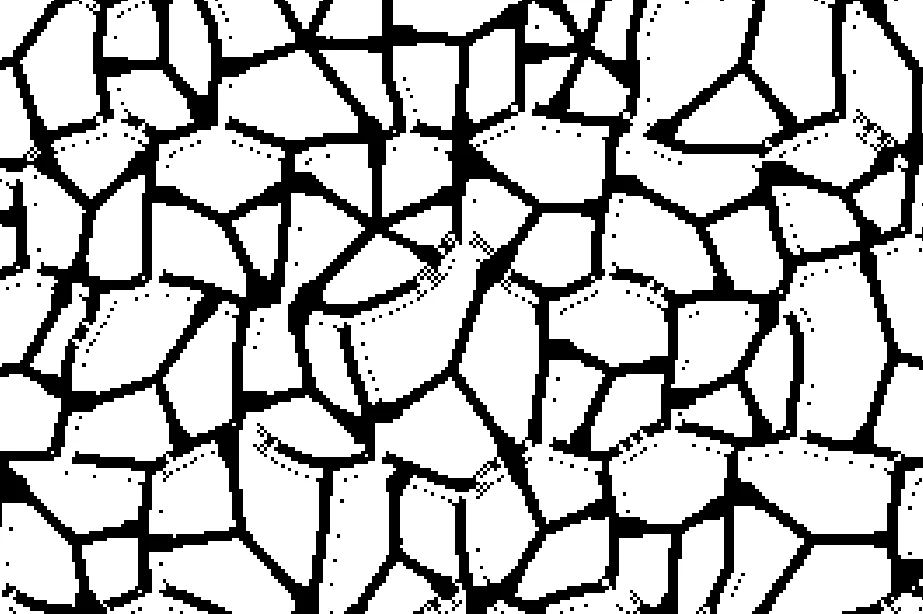

Attaching mask and source maps so you can test it out. Distance is Gradient Linear 1.



Correct answer Luca Giarrizzo

Hello! 


You can start by setting 'Mask threshold' to 1.0 to get rid of the artifacts, then playing around with 'Mask smoothness' to tidy things up to your liking.

Please let me know if that helped.


Best regards.

1 reply

Luca Giarrizzo
Community Manager
Luca GiarrizzoCommunity ManagerCorrect answer
Community Manager
September 24, 2025

Hello! 


You can start by setting 'Mask threshold' to 1.0 to get rid of the artifacts, then playing around with 'Mask smoothness' to tidy things up to your liking.

Please let me know if that helped.


Best regards.

Luca Giarrizzo | Quality Engineer - Substance 3D Designer | Adobe
dimwalkerAuthor
Participant
September 24, 2025

Yes, thank you!

Though I must admit I still don't understand what Mask Threshold value actually does here. Both inputs only have black and white pixels, usually there would be nothing to threshold without nuking whole image.


Luca Giarrizzo
Community Manager
Community Manager
October 1, 2025

Indeed, you reasoning makes sense. The Mask Smoothness parameter controls the intensity of blurring applied to the Mask Input before sampling it to run its algorithms. The threshold is applied on that blurred version. Therefore, the Mask Threshold parameter will have more of an effective range as Mask Smoothness increases.


I hope this makes sense. Let me know if you have any other questions!


Luca Giarrizzo | Quality Engineer - Substance 3D Designer | Adobe