


Inspiring
April 13, 2022
Answered

Bug in 3D Planar Projection Color node

  • April 13, 2022
  • 1 reply
  • 620 views

Hi All,


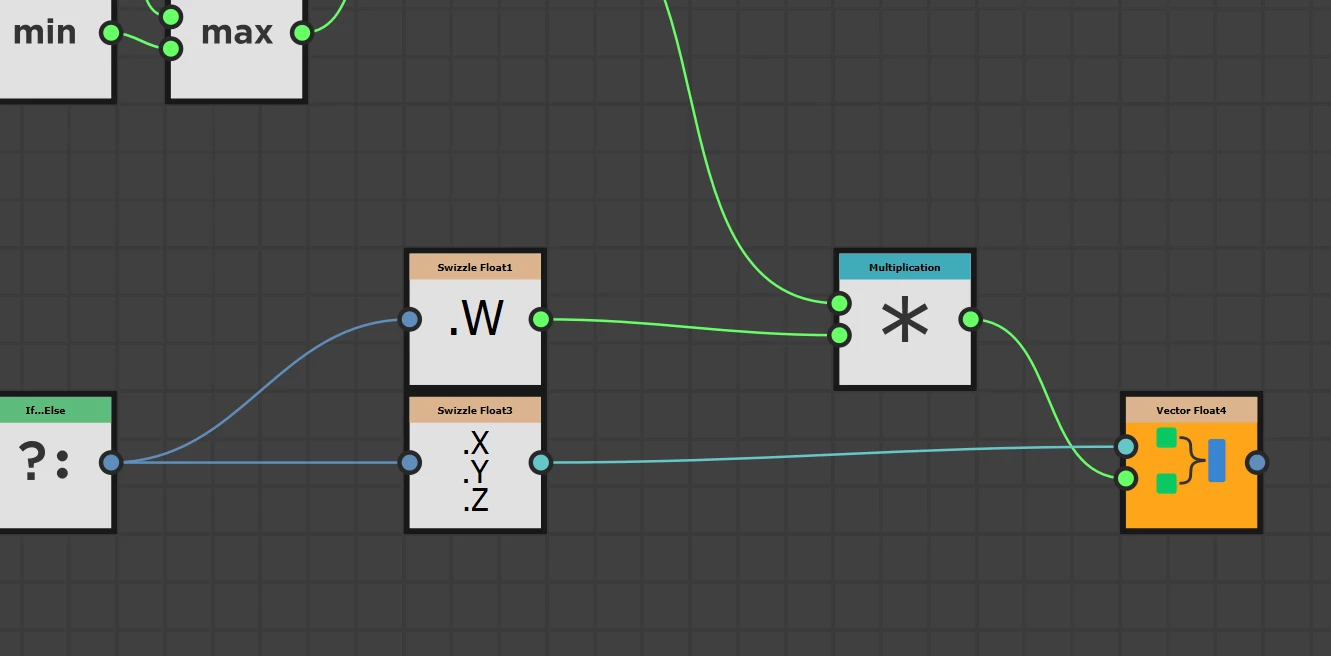
I think there's a bug in the color version of this node, it's only applying depth masking to the alpha channel not the color channels.  The grey scale version works fine.

You can see on the output from the pixel processor for the color version it's only multiplying the depth mask over the w (alpha) channel not the rgb channels as well.
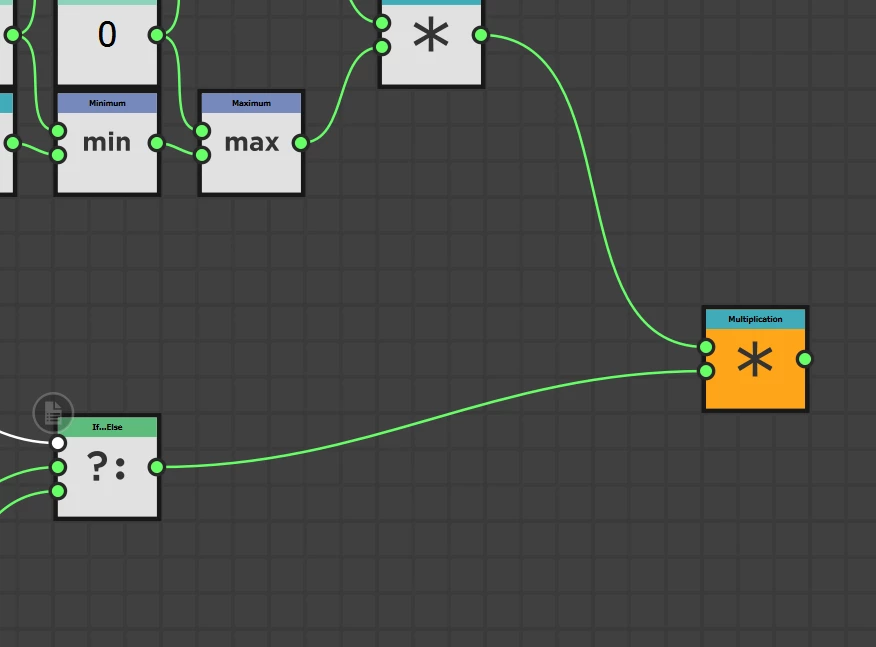
in the grey scale version it works fin because it's just multiplying the one output value with the mask


This topic has been closed for replies.
Correct answer Mark_Edwards

Actually I wonder if it's supposed to be like that I guess it makes sense to use alpha for the depth on color, it was just confusing because when you drag the output into the opengl view as baseColor is dosen't look to use the alpha mask so looks like it's not working.

1 reply

Mark_EdwardsAuthorCorrect answer
Inspiring
April 13, 2022

Actually I wonder if it's supposed to be like that I guess it makes sense to use alpha for the depth on color, it was just confusing because when you drag the output into the opengl view as baseColor is dosen't look to use the alpha mask so looks like it's not working.

Luca Giarrizzo
Community Manager
Community Manager
April 25, 2022

Hello Mark,


Indeed, data is packed into the channels of output images when possible if some channels are left unused and the packing makes sense.

We will do our best to mention this in the node's tooltips, especially the tooltips of output connectors. This is an ongoing process as there are a lot of nodes in the Library!


In any case, I appreciate the feedback!

Best regards.


Luca Giarrizzo | Quality Engineer - Substance 3D Designer | Adobe
Inspiring
April 25, 2022

Thanks Luca!


Not sure where to send feature requests, but having some sort of for loop capability would open up so much more.  total get why you wouldn't want that risk in real time published stuff but for batch processing it would be great, perhaps have a flag that stops you publising it as a material or something liek that if it had a for loop.


For example I was looking at the tri-planar node because I wanted to do pisson distribution of points in the bounds of the UV which you can do with fx maps etc. then use pixel processor to read each point get position and world space normal so all of that is achievable, but then I want to say for each point pass that information to tri planar node and project whatever image I've passed to that using the position and world space normal, you can do that manually but hard to loop if that makes sense.


ended up doing it outside of designer in a different way then using designer to sphere project the final combined image back but it would be nice to have it all in one tool.