JMW90
Participant
March 17, 2026
Question

Cant export an all white alpha chanel
  • March 17, 2026
  • 4 replies
  • 68 views

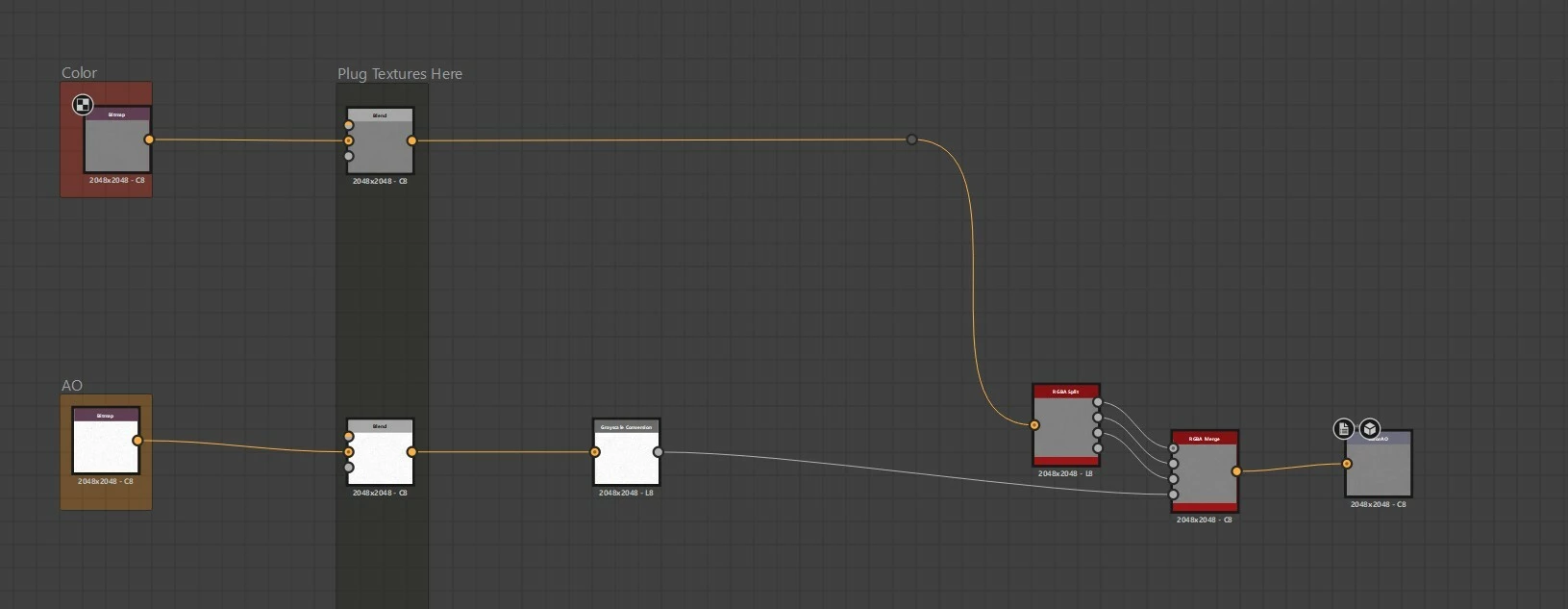
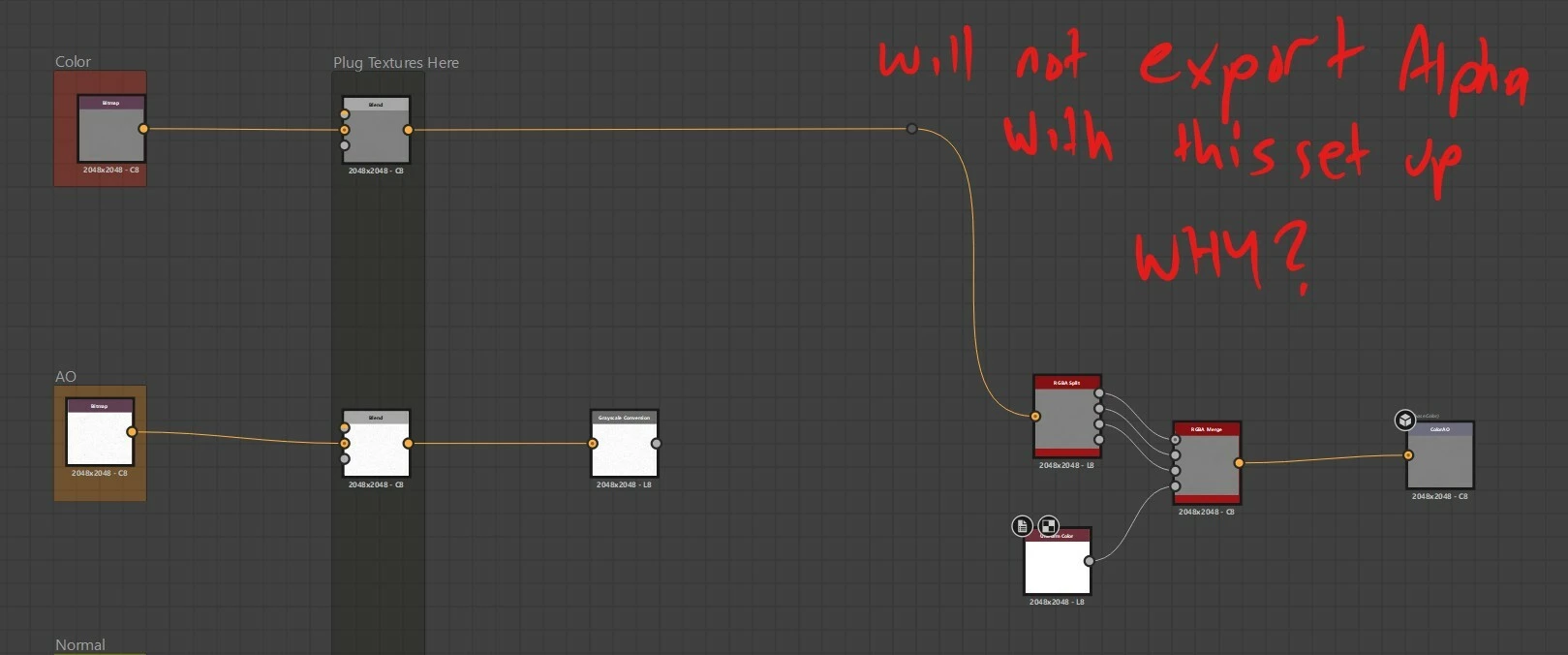
I am trying to create a packed texture -  Color_AO 

In some cases I don’t need an AO and so I want to pack the alpha channel with all white so my in game shader will still render correctly 

When I plug a uniform white into the alpha and export the alpha channel is not exported 

It will only export the alpha channel when I have some value range in whats being plugged into the Alpha of the RGBA Merge node 

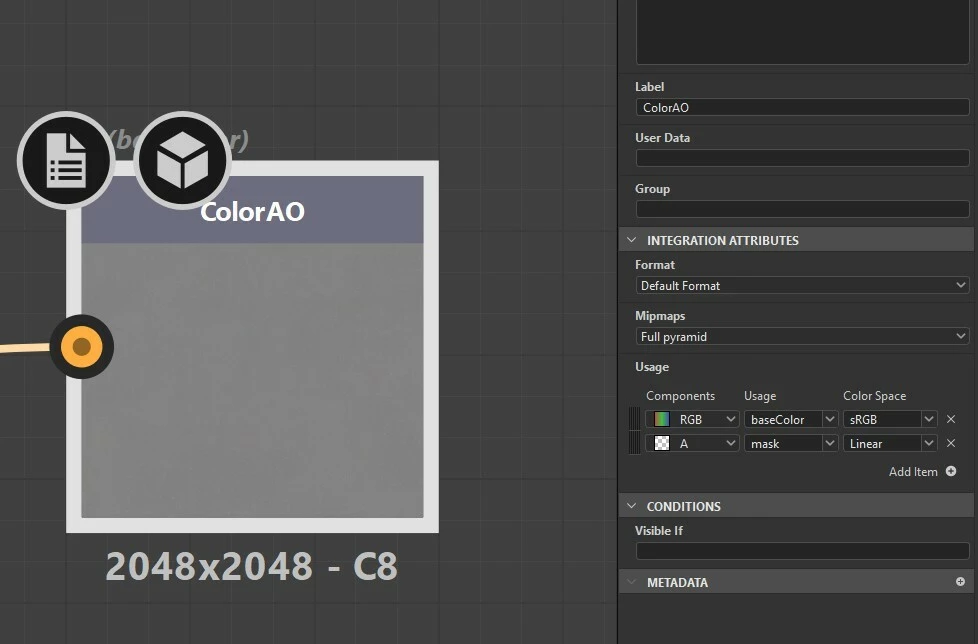
I am exporting as TGA in RAW color space 


    4 replies

    Cathodeus
    Participant
    April 21, 2026

    Our Need for a 255 [full white Alpha ] in 32 Bits textures make sense from a pipeline consistency and modding perspective. Forcing every texture in an array to have the exact same format [ including a full opaque alpha channel ] is a very common and robust practice in games that support heavy modding.

    The restriction we’re hitting in Substance Designer is likely an intentional "optimization" on DesignerDev side. The exporter (or the TGA writer) automatically discards or forces the alpha channel when it detects that it's fully opaque (255) but it allow 254 value ...

    It probably does this to save a few bytes or to avoid what “Substance Designer Devs” consider unnecessary 32-bit TGAs.

    BUT

    What about “Tga Format Specification”  ???

    The fact that gray 254 works but 255 doesn't strongly suggests it's not a hard technical limitation of the TGA format (which fully supports 32-bit with constant 255 alpha).

    Instead, it feels like “as design” or “a bug”  limitation in Substance Designer's export pipeline.

    I'm finding this kind of hidden restriction really frustrating, especially when the file format Specification itself allows it and our pipeline requires strict uniformity.

    I tried a tons of things as work arround … and ended using editing all our textures sets … in  photoshop … to set pure white … that’s an under optimisation.

    Cathodeus
    Participant
    April 21, 2026

    Substance Designer version

    16.0.0 build 10849 commit 6c35dc77 Release (04/07/2026)


    Engine Version

    [Direct3D 11 (x64)] 9.3.4 commit 0x5312cfd6 (04/07/2026)


    Platform Versions

    Laya : 0.21.0 commit acd7aa4

    Fusion : 14.2.0 commit 78fb9585


    Bakers Version

    3.20.2 commit 0xc79326005ffc07f8e144fc7ba62b8f1ba7223f96


    Windows Informations 


    Edition  Windows 11 Home
    Version  25H2
    Installed on  ‎20-‎12-‎24
    OS build  26200.8246
    Experience  Windows Feature Experience Pack 1000.26100.297.0

    Cathodeus
    Participant
    April 21, 2026

    Question 1:

    • Why do we need a final image with alpha set to 255?

    We use a User-Generated Content approach in our game development. All our data must follow a strict framework so our textures remain fully moddable by players.

    We use an RGBA texture array. Some textures in the array contain data other than pure white in the alpha channel.

    Therefore, every texture in the array must follow the exact same specifications: resolution, format, etc.Even if we (the devs) aren't currently using this channel as a mask, we still set it to alpha 255 because one day we might want to use it for something else — and above all, because it has to remain moddable.

    I’d also like to point out that, in principle, there is nothing wrong with creating 32-bit TGA files with alpha 255… except apparently in Substance Designer.

    With nearly 15 years of beta testing for Autodesk, I’ve learned that when developers silently (“transparently to the user”) forbid things that no actual rule or specification prohibits, it’s usually a bad idea.

    My question for Substance Designer Dev Team :

    • Why do you forbid it?
    • Why does it work with gray 254, but not with white 255?
    • Ok, it increases the texture’s file size slightly. But it should be the artist’s responsibility to optimize their data — or, at worst, the Tech Artists’ or Rendering Engineers’ job.
    Cathodeus
    Participant
    April 20, 2026

    Hello We have the exact same problem here on our game !

    But we need to have real white … so we are forced to open all textures in Photoshop to set the white 254 to 255 …

    That’s so ! … Under efficient ...