


Nitroleum
Known Participant
February 6, 2025
Answered

Compare neighbouring colors and draw a border line between them?

  • February 6, 2025
  • 2 replies
  • 1166 views

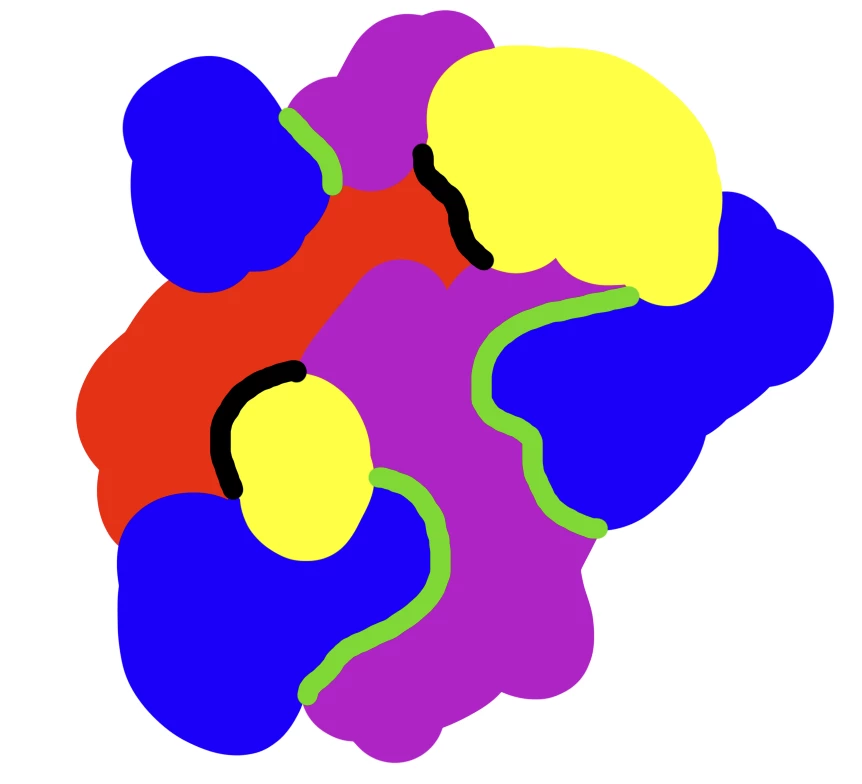
I need to make a following thing in substance designer - let's say I have an image with four areas overlapping each other Red, Purple, Blue and Yellow for example. Is it possible to compare all neighbouring colors in the image and draw a Black border line between Red and Yellow neighbouring colors, and to draw a Green  border line between Blue and Purple colors?


Something like this:
 

Correct answer Marco Vitale
color_separation.sbs

2 replies

Community Expert
February 7, 2025

Hey Nitrolium,

I made something real quick, it's not tested or optimized, but it does what you need and you can easily edit it.

The node takes 2 colors as input parameters, so you can decide which color you want to separate and a border color, so it does it one by one, to keep everything common and editable.


Stay healthy and creative Marco

Nitroleum
NitroleumAuthor
Known Participant
February 7, 2025

Oh this looks promising thanks! But for some reason I can't download the file you attached - it is stuck on Virus Scan in progress..


Marco VitaleCommunity ExpertCorrect answer
Community Expert
February 7, 2025
color_separation.sbs
davescm
Community Expert
Community Expert
February 6, 2025

You could use the pixel processor and write a function to compare neighboring pixels and decide what border colour you want at that pixel. I would use that to output just the borders and then use Shape stroke to expand the borderlines to the width you want them, before blending back with the original image.

Dave

Nitroleum
NitroleumAuthor
Known Participant
February 6, 2025

Oh ok, unfortunately I'm not sure how to do it in pixel processor.. Any guides / hints you could share on the setup please?


davescm
Community Expert
Community Expert
February 6, 2025

Hi,

The pixel processor is a bit of an advanced but very useful node. It looks at each pixel individually in the input image and applies a function, which you create, to that pixel. It then outputs that result at the same pixel location in the output. It then moves on to the next pixel and repeats the same function until all pixels have been processed.

In your use case, you would want the function to examine the neighbouring pixels around the one being processed and decide whether the output should contain a border pixel and of what colour or just be transparent i.e. alpha 0.


There is more on the pixel processor here:

https://www.youtube.com/watch?v=5s1p7etqlUw

and here:

https://helpx.adobe.com/substance-3d-designer/substance-compositing-graphs/nodes-reference-for-substance-compositing-graphs/atomic-nodes/pixel-processor.html

Dave