Participant
March 4, 2022
Answered

Creating a dynamic line

  • March 4, 2022
  • 1 reply
  • 287 views

Hello, I am in need of creating an asset in Designer but I have zero experiance. If someone could help, I would really appreciate it. 


I need to create a dynamic straight line. I need to be able to add width and length to it. (and rotate it)


If anyone can help me, I am desprate and dont have any idea where to start. If all else fails, I can go to photoshop or Illustrator and draw some lines, bring them into painter, and adjust from there. I thought having an asset I can easiliy adjust in Painter would be ideal however.


My ideal asset would be an "L" shape that would do the same thing for each of the legs, allowing one of the legs to be set to zero so it turns into a straight line. 


I hope that made sense. 


If you are able to either make this for me or point me in the right direction, I would be so grateful.


Thanks for your time, Dean

This topic has been closed for replies.
Correct answer Luca Giarrizzo

Hello Dean,


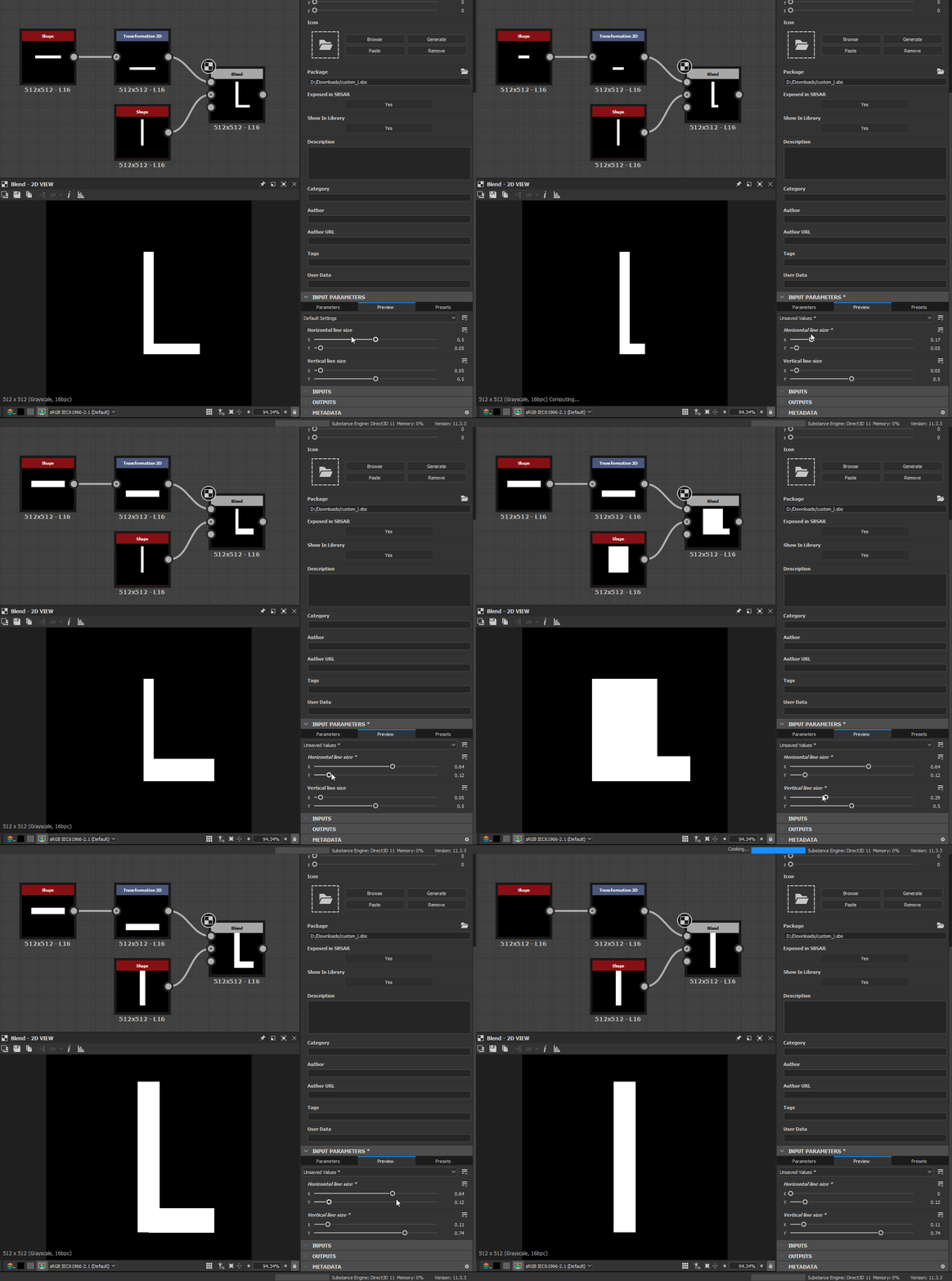
Here is a quick attempt for generating an L shape where the horizontal part follows the vertical part, while keeping all widths and lengths customisable.


The graph makes use of Function graphs for some of the nodes parameters, in order to have the horizontal part follow properly. A couple of exposed parameters at the graph level let you control the shape of the L.


I hope this is a gentle introduction to the concept of exposed parameters and Function graphs applied to node parameters!


Best regards.


1 reply

Luca Giarrizzo
Community Manager
Luca GiarrizzoCommunity ManagerCorrect answer
Community Manager
March 7, 2022

Hello Dean,


Here is a quick attempt for generating an L shape where the horizontal part follows the vertical part, while keeping all widths and lengths customisable.


The graph makes use of Function graphs for some of the nodes parameters, in order to have the horizontal part follow properly. A couple of exposed parameters at the graph level let you control the shape of the L.


I hope this is a gentle introduction to the concept of exposed parameters and Function graphs applied to node parameters!


Best regards.


Luca Giarrizzo | Quality Engineer - Substance 3D Designer | Adobe
Participant
March 7, 2022

Luca,


Thank you so much for taking the time to do that for me! You just saved me a lot of time on my short deadline. I'm going to use what you gave me but also experiment with it and see how it works and what else I could add to it for fun.


Thanks again!


Dean

Luca Giarrizzo
Community Manager
Community Manager
March 9, 2022

Hi Dean,


I am glad this was helpful, happy learning!


Best regards.


Luca Giarrizzo | Quality Engineer - Substance 3D Designer | Adobe