Participant
January 17, 2022
Answered

custom henrringbone node error

  • January 17, 2022
  • 2 replies
  • 822 views

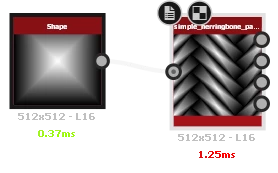
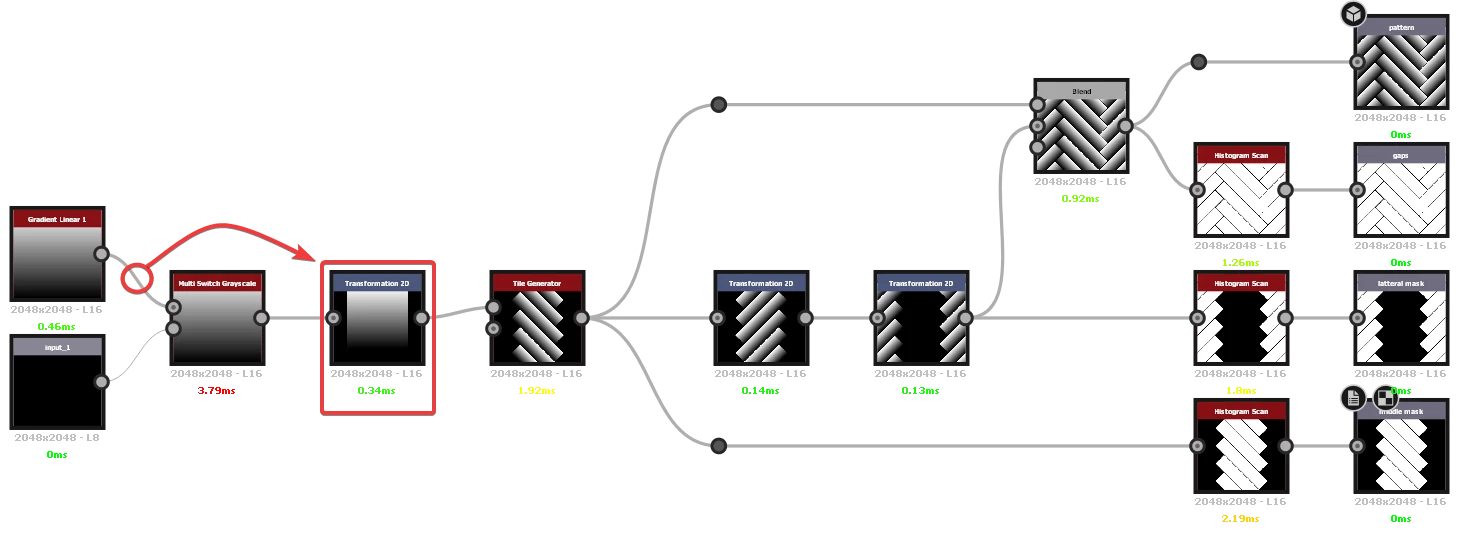
well I'm new to the designer and I decided to make a simple herringbone node, the idea is that the external "brick" has its dimensions changed by me to suit the pattern and it was working correctly with the brick I created for preview, I used a multi switch to choose between the "default" and a custom one but when I put the custom one it doesn't work right (follow the print, I use in a test graph the node created using the same brick of the preview, it is a ctrl+c ctrl+v than it's inside the node and it's still not working, I'm sending the node in case anyone wants to see it)

This topic has been closed for replies.
Correct answer Luca Giarrizzo

Hello @se bem me226843968vo5,


Thank you for reaching out to us!


In the graph you kindly shared, the Transformation 2D node only impacts the default pattern, however the transformation is accounted for in the Tile Generator node downstream, which means the custom input which does not include this transformation in its stream will result in patterns overlapping each other in the Tile Generator output.


A simple adjustment would be moving the Transformation 2D node so it is placed after the Multi Switch node, so its transformation is applied regardless of the selected input.


This is the result:


If I misunderstood the issue, feel free to provide more details and screenshots.


Best regards.


2 replies

Luca Giarrizzo
Community Manager
Luca GiarrizzoCommunity ManagerCorrect answer
Community Manager
January 17, 2022

Hello @se bem me226843968vo5,


Thank you for reaching out to us!


In the graph you kindly shared, the Transformation 2D node only impacts the default pattern, however the transformation is accounted for in the Tile Generator node downstream, which means the custom input which does not include this transformation in its stream will result in patterns overlapping each other in the Tile Generator output.


A simple adjustment would be moving the Transformation 2D node so it is placed after the Multi Switch node, so its transformation is applied regardless of the selected input.


This is the result:


If I misunderstood the issue, feel free to provide more details and screenshots.


Best regards.


Luca Giarrizzo | Quality Engineer - Substance 3D Designer | Adobe
Participant
January 18, 2022

oh thanks, never thought the problem was this node

Luca Giarrizzo
Community Manager
Community Manager
January 19, 2022

I am glad this was helpful.


Feel free to get back to us if you need further assistance, and have fun with the Substance 3D tools!


Best regards.


Luca Giarrizzo | Quality Engineer - Substance 3D Designer | Adobe
Participant
January 17, 2022

I know there are other methods and I even made a more complex node with this type of pattern, but this simple one is not working and is making me intrigued