Participant
September 9, 2022
Answered

Display timings all ms at 0

Hi guys,


When I activate display timings all nodes are at 0ms and I just can't figure out how to make it work.


Thank you for your time.

This topic is closed to new replies. Start a new post to keep the conversation going.
Luca Giarrizzo
Luca GiarrizzoCorrect answer
Community Manager
April 5, 2024

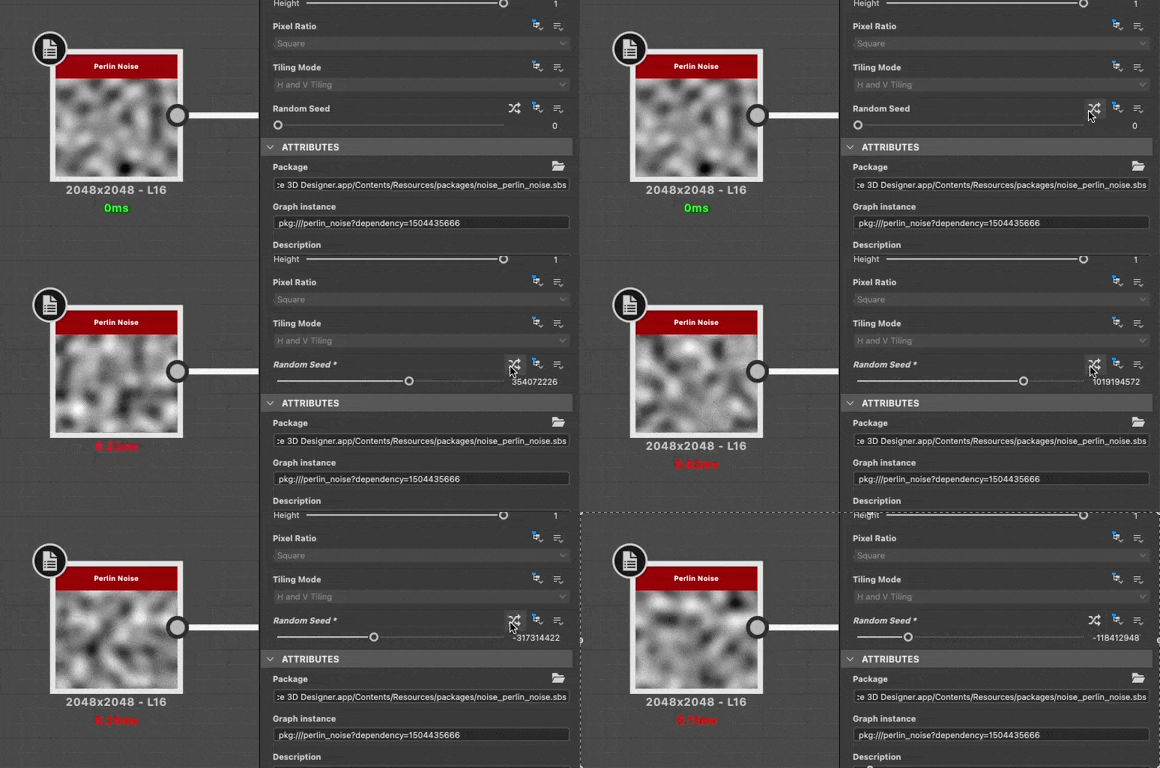
In addition to Dave's suggestion, a good way to have a rough estimate of a node's timings is to click a few times the 'Randomise' button for the node or graph's 'Random seed'. Averaging the values can give you a ballpark estimate.


Please note the timings may not reflect 'real world' performance once the graph is published to SBSAR, as Designer does additional computations that impact timings.


Best regards.

Luca Giarrizzo | Quality Engineer - Substance 3D Designer | Adobe

5 replies

david5E86Author
Participant
September 9, 2022

Omg nevermind I just had to continue my graph and connect new stuff around for it to wake up. No wonder I couldn't find anything about this.

Translate
Participating Frequently
March 30, 2024

I'm glad I found this. However for me I have a fairly complex node network from following a tutorial and unplugging and replugging in every part of the graph seems sub optimal. Were you able to find a way to refresh the entire node network in a few clicks or am I going to the wire connector dungeon for an hour. 

Translate
Participating Frequently
March 30, 2024

Boosting for visibility. While I still did not find a way to refresh the entire network through conventional "update grid" type of button. I did  figure out a scarey hacky way to refresh everything. Make sure to save all files 

first before anything else happens.


Instructions:

1) Select everything in your graph

2) Delete EVERYTHING (fear intensifies)

3) Ctrl + Z to brings everything back with the proper timings so you can prune them.

Translate