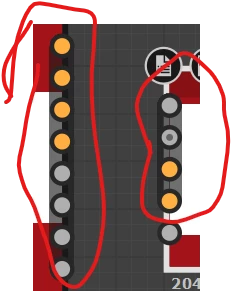
'does this shaded/marked area in a node means smth'
The output / or inputs are set as a group and can be collapsed in your graph (right click on one and choose 'Collapse Group..' Once collapsed you can right click and 'Expand Group' again.
You can also drag a link from them and have them connect to a group of suitable outputs in one go. For example drag the ouput from a Base Material node to one of several PBR based outputs and the others will all connect at the same time.
'btw what does remove low frequencies mean? ex. highpass grayscale'
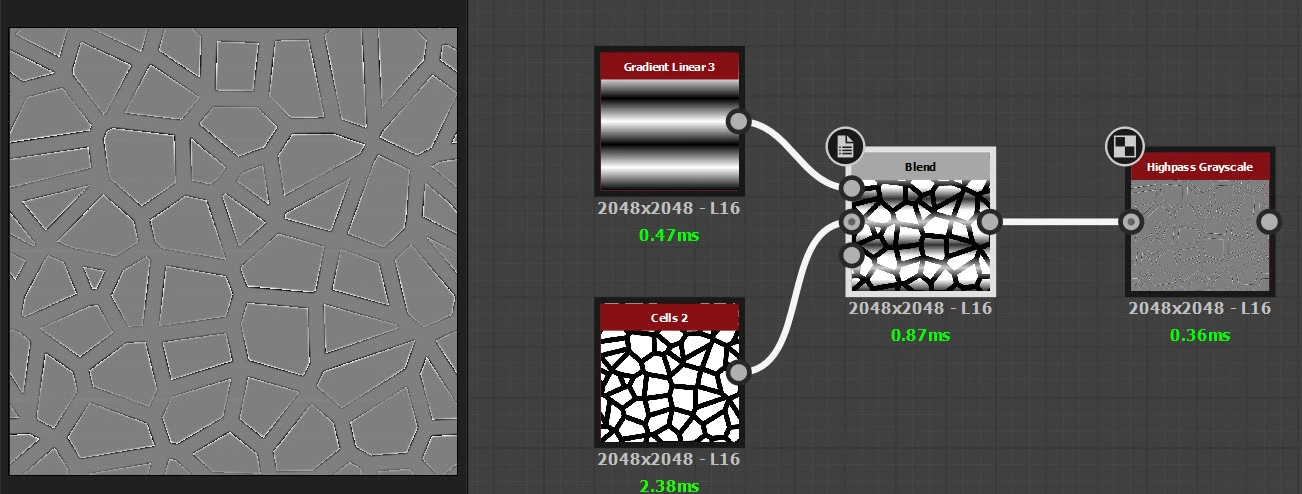
A highpass filter removes slow and gradual (low frequency) changes whilst keeping abrupt and sharp changes (high frequency)
https://helpx.adobe.com/substance-3d-designer/substance-compositing-graphs/nodes-reference-for-substance-compositing-graphs/node-library/filters/adjustments/highpass.html
Dave





 AdChoices