Participant
October 12, 2022
Answered

Drive one exposed parameter with another

  • October 12, 2022
  • 1 reply
  • 265 views

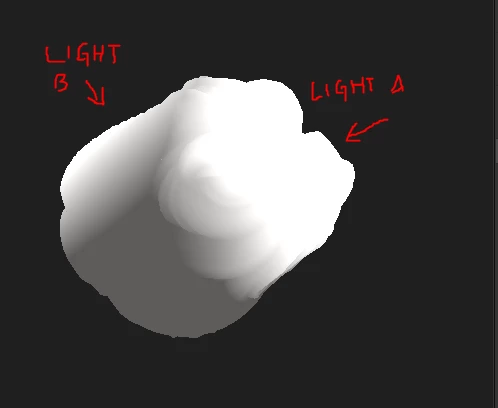
Hello, I have two light nodes in my substance file that I am adding together with a blend node. I'd like their horizontal angles to be opposite, and be controlled with one horizontal angle control. So, Light A's horizontal angle is facing the front of the model, and Light B's angle is facing the back. Essentially, Light A would control the horizontal angle of both Light A and Light B, while maintaining the opposite positions. 

Is there a way to do this through functions? 

Thanks for the help

 

This topic has been closed for replies.
Correct answer davescm

You could do this :

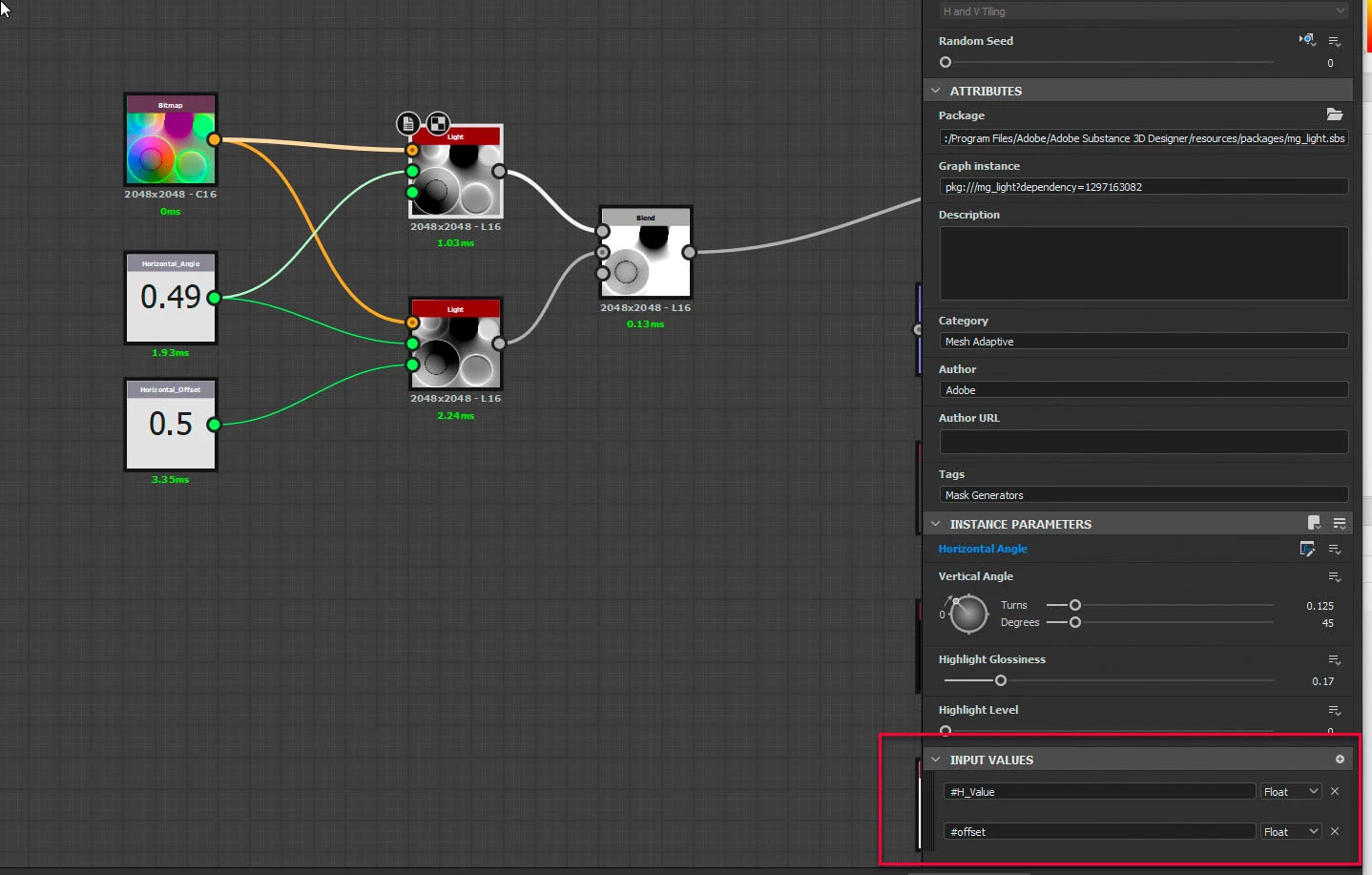
Add two inputs to the Light node. Name the first #H_Value and second #Offset

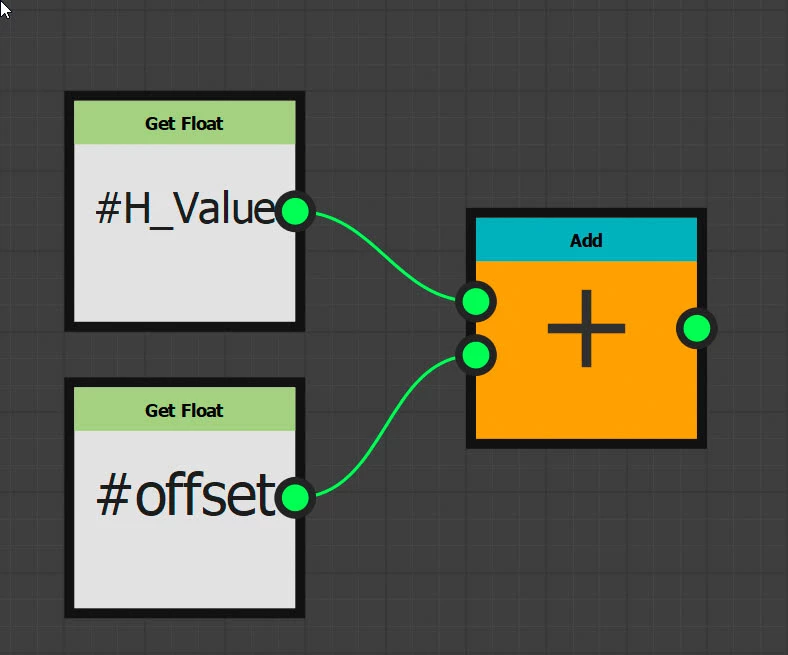
Control the Horizontal angle with a function that adds those inputs:


Add to input value nodes - the first for horizontal angle and the second for offset. Connect just the Horizontal Angle value to the first Light node and both values to the second Lighht node. You now have control over horizontal angle and the offset between the two lights (0.5 offset = 180 degrees)


Dave

1 reply

davescm
Community Expert
davescmCommunity ExpertCorrect answer
Community Expert
October 13, 2022

You could do this :

Add two inputs to the Light node. Name the first #H_Value and second #Offset

Control the Horizontal angle with a function that adds those inputs:


Add to input value nodes - the first for horizontal angle and the second for offset. Connect just the Horizontal Angle value to the first Light node and both values to the second Lighht node. You now have control over horizontal angle and the offset between the two lights (0.5 offset = 180 degrees)


Dave

Participant
October 31, 2022

This is wonderful, thank you for the informative response!