Participating Frequently
May 21, 2022
Answered

extrude text

  • May 21, 2022
  • 2 replies
  • 845 views

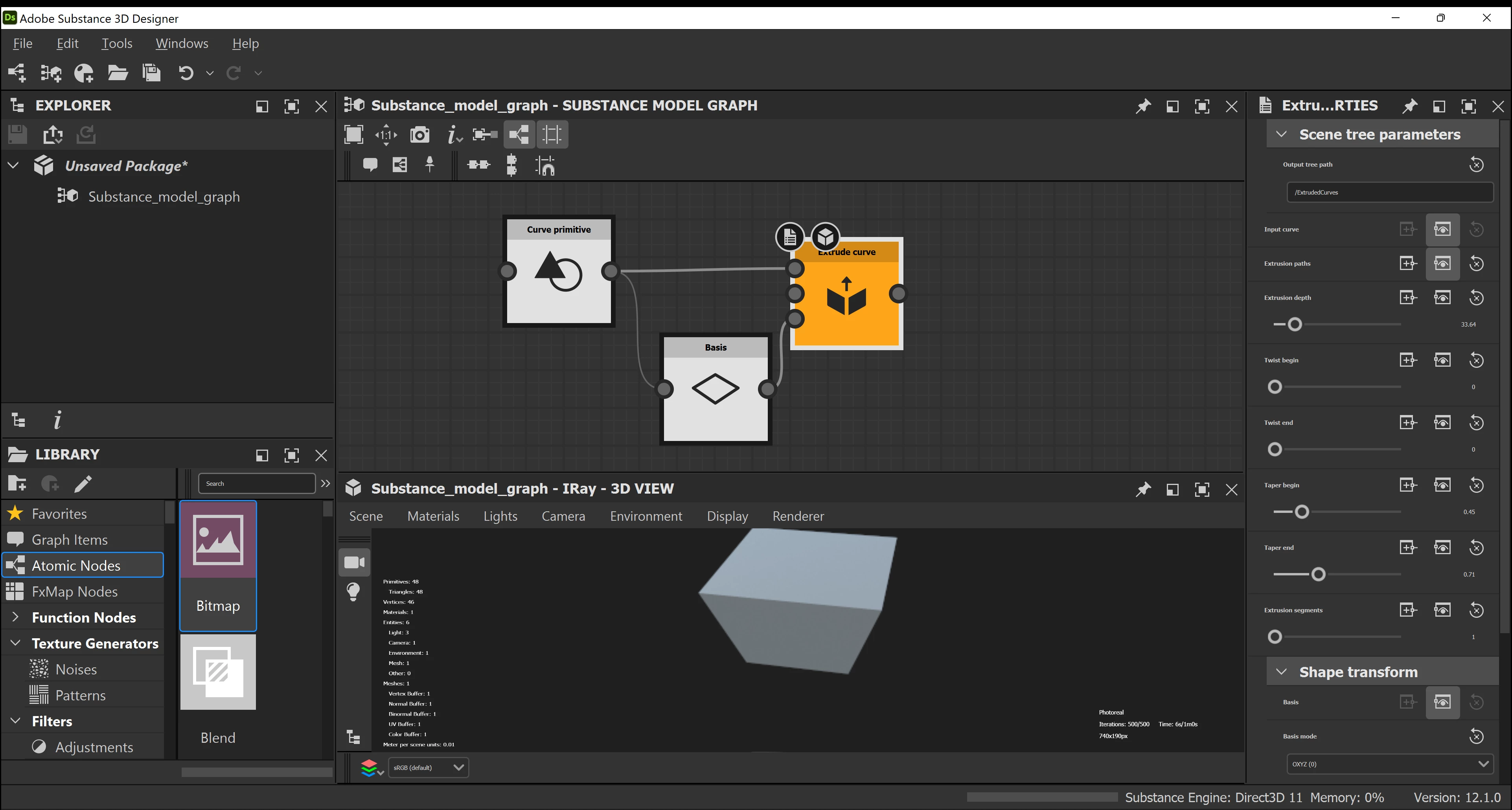
I am new to 3d design and have a basic question. I am trying to extrude text. I was able to extrude a curve primitive


This topic has been closed for replies.
Correct answer davescm

You have two questions here.

1. Text extrusion. At present the Substance model graph, used for procedural modelling, does not have a text node. You could use Stager or a 3D app for text extrusion.


2. The curve node you show, which is in the normal Substance Graph used to make materials is for adjusting the levels in an image fed to its input. It is more powerful than a simple levels adjustment as it allows several control points to be set - each describing how the output will change in comparison to the input level. So for example an S shaped curve can be used to increase contrast in the mid tones without clipping the dark and light ends.


Substance Designer started as a procedural material design tool. Only recently has the procedural modelling graph been added. You might want to look at some basic tutorials to get you going :

https://substance3d.adobe.com/tutorials?software=Substance%203D%20Designer


Dave

2 replies

davescm
Community Expert
davescmCommunity ExpertCorrect answer
Community Expert
May 23, 2022

You have two questions here.

1. Text extrusion. At present the Substance model graph, used for procedural modelling, does not have a text node. You could use Stager or a 3D app for text extrusion.


2. The curve node you show, which is in the normal Substance Graph used to make materials is for adjusting the levels in an image fed to its input. It is more powerful than a simple levels adjustment as it allows several control points to be set - each describing how the output will change in comparison to the input level. So for example an S shaped curve can be used to increase contrast in the mid tones without clipping the dark and light ends.


Substance Designer started as a procedural material design tool. Only recently has the procedural modelling graph been added. You might want to look at some basic tutorials to get you going :

https://substance3d.adobe.com/tutorials?software=Substance%203D%20Designer


Dave

Participating Frequently
May 24, 2022

@davescm thank you as that did explain how to extrude text.  My only graphic design experience is using Corel Draw's curve functions (bezier,bspline,polyline,etc...).  So far all of the Substance 3D Designer tutorial videos I have seen start from predefined shapes (squares, circles, numbers...) but not an enclosed custom curve.  Here is an example of what I have designed in Corel Draw and wish to duplicate in Adobe's 3D package.  It is just simple enclosed curves that I want to extrude to make it look 3D.  Thank you for any advise


Luca Giarrizzo
Community Manager
Community Manager
May 24, 2022

Hello,


If all you need is an image and the 3D model is not required, you may use a Shape Extrude or Height Extrude node to extrude the output of a Text node.


Please note the Shape Extrude and Height Extrude nodes are very intensive to compute. I recommend using the lowest resolution possible, and adjusting your system's TDR values beforehand to ensure the best stability.


Best regards.


Luca Giarrizzo | Quality Engineer - Substance 3D Designer | Adobe
Participating Frequently
May 22, 2022

I am trying to understand the basics of the curve node.  I have created a basic curve with a few control points but there is nothing showing up in the 2d viewer.  I am brand new to this application and the documentation doesn't cover everything that a new developer needs