Siegfried Baldauf
Participant
May 12, 2023
Answered

Fading pattern size

  • May 12, 2023
  • 1 reply
  • 330 views

How can I change the size of a pattern depending on the distance to the UV edge (like "Generator UV Border" does in Painter)?
I want to create a pattern that fades to the edge of any surface/.

This topic has been closed for replies.
Correct answer Cyril Dellenbach

Hello @Siegfried Baldauf,


Thanks for the message.


First of all, to obtain the UVs info from your mesh, you'll need to use Substance Baker (right click on your mesh > Bake Model info).


Then Add a Baker, chose Convert UV to SVG and switch the color mode to Uniform. This way you'll be able to import the UVs in a SVG node.


You can now turn this SVG into a gradient (with a bevel node, or anything of your choice) and use it as a Scale Map in a Tile Sampler.
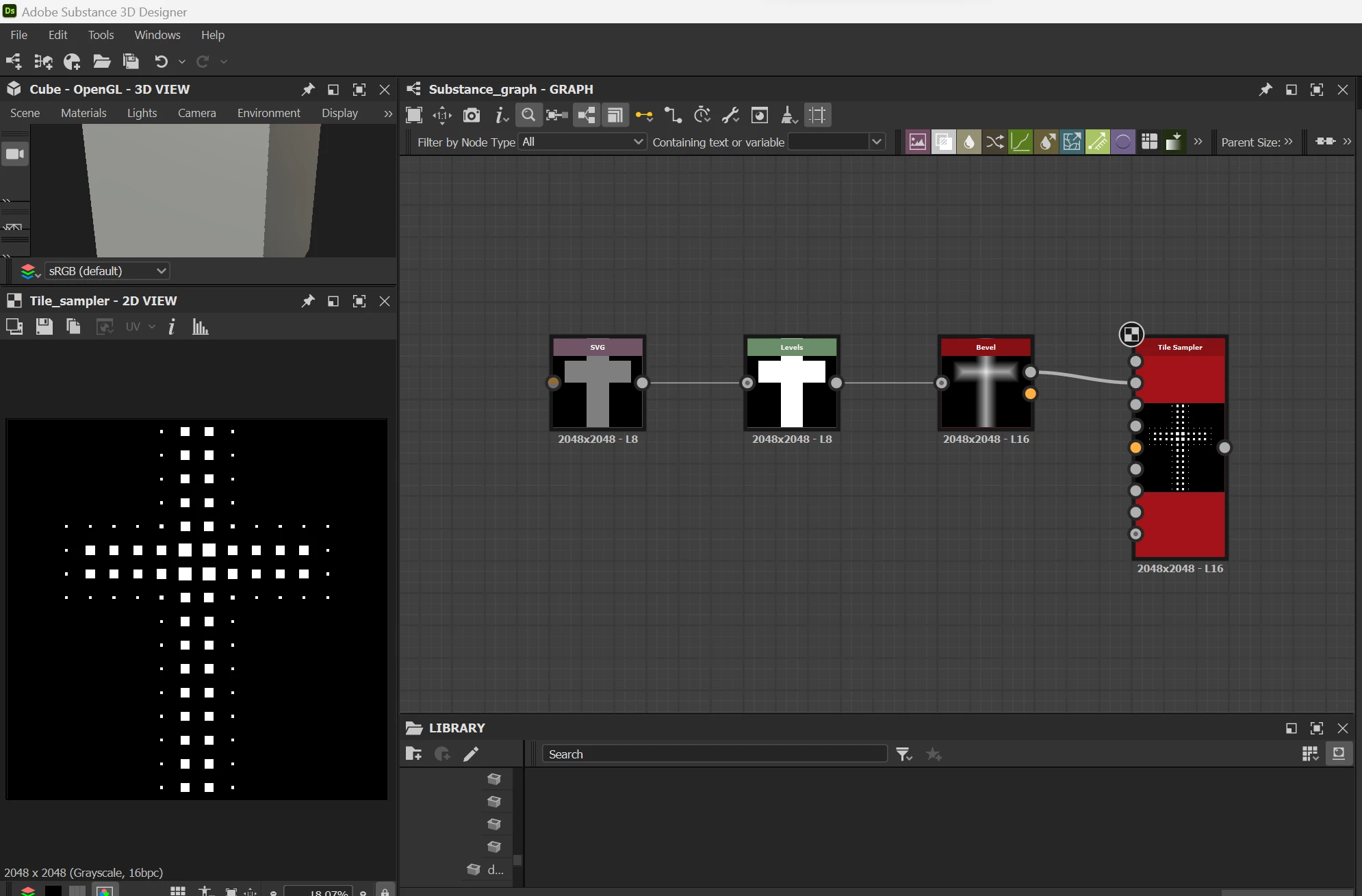
 

Tell me if you need anymore guidance.

 

1 reply

Cyril Dellenbach
Community Manager
Cyril DellenbachCommunity ManagerCorrect answer
Community Manager
May 12, 2023

Hello @Siegfried Baldauf,


Thanks for the message.


First of all, to obtain the UVs info from your mesh, you'll need to use Substance Baker (right click on your mesh > Bake Model info).


Then Add a Baker, chose Convert UV to SVG and switch the color mode to Uniform. This way you'll be able to import the UVs in a SVG node.


You can now turn this SVG into a gradient (with a bevel node, or anything of your choice) and use it as a Scale Map in a Tile Sampler.


Tell me if you need anymore guidance.

 

Cyril Dellenbach (Micro) | QA Support Artist | Adobe
Siegfried Baldauf
Participant
May 15, 2023

Thank you very much. It worked and is exactly what I need.