


sschoellhammer
Participant
March 14, 2025
Answered

Failing to use user channels in Painter filter

  • March 14, 2025
  • 1 reply
  • 742 views

I'm trying to use a user channel in a filter for Painter like described in 
https://helpx.adobe.com/substance-3d-painter/content/creating-custom-effects/channel-specific-filter.html

I made a very simple setup, where the user0 channel should blend between 2 colors and multiply with the base color:
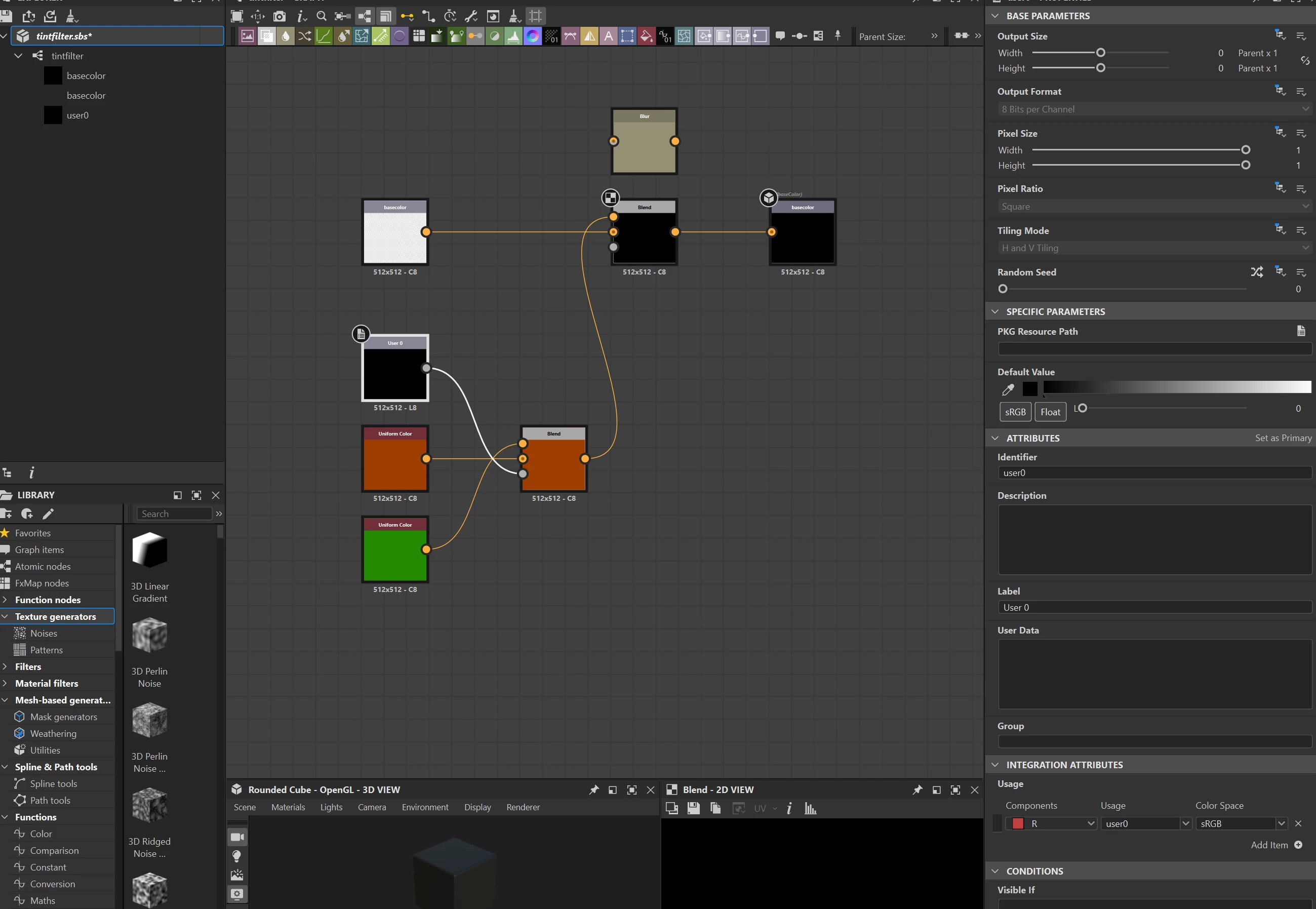
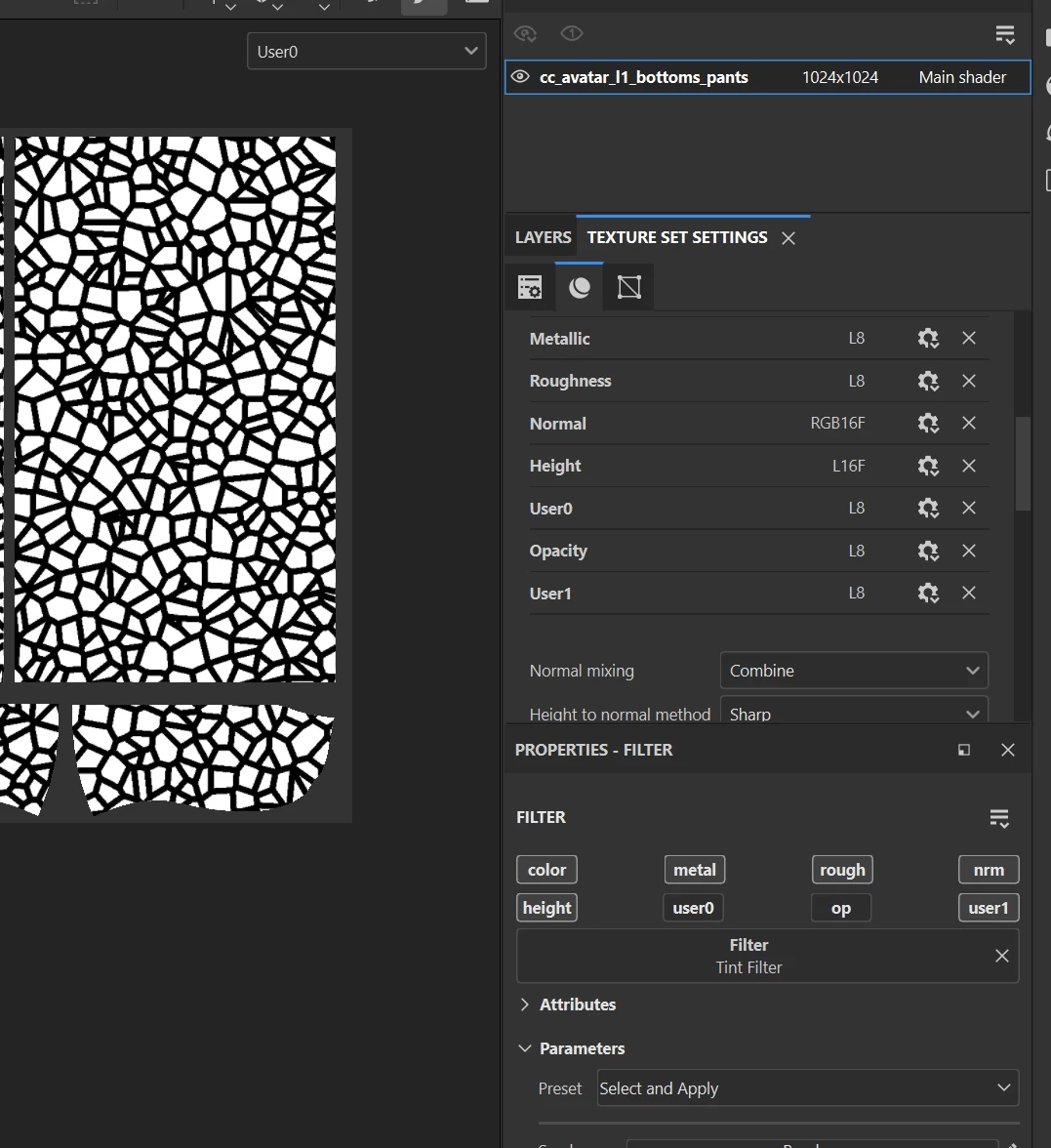
 

I spent *hours* trying all possible combinations but I am just not able to get the user channel data. It simply uses the default color assigned in the input node. 

Can please someone tell me what I might be doing wrong?
The user channel exists in painter of course, I tried all the different color formats not being sure if it matters.

There is the sentence:

"Note: 

It is not possible to combine generic setup (input/output nodes) and specific channels (basecolor/basecolor)."

in the above documentation page but I'm unsure what it should mean but I feel it may be related

Note: I AM able to modify the basecolor using itself as an input, I can also write something to the user channels but I can't use THEIR value as input.

Thanks for any help!
seb

Correct answer sschoellhammer

Hey Dave,


thanks for your patience!

This is exactly what I'm doing but sadly I don't get the same result. I must assume this might be a subtle bug, either in painter or in designer. I will try this on some of the other artists machines..

seb


OK, we figured it out. The problem was that I had added the filter on a group ontop of the stack. Even though the group was set to pass through, it didn't work but I suppose that might be by design.
Case closed and my sanity is saved.


1 reply

davescm
Community Expert
Community Expert
March 14, 2025

The filter you describe works fine here.  A couple of things to check:

1. There is no need for anything in the Integration Attributes.

2. What blend mode are you using - I've use copy in the initial blend node and overlay in the second (impacting the basecolor).

3. Is your graph type set as Filter before you publish it?


The filter in Designer:


In painter showing the user channel, I just painted on that channel to test it:


In painter showing the overlay filter on the basecolor (which was a wood material)


Dave

sschoellhammer
Participant
March 15, 2025

Hi Dave, 


thanks so much for looking into this, I really appreciate it!

I don't see a difference between our setups and yet for me the user0 color doesn't seem to be read 😕😕


I have attached the sbs, maybe your eyes see something that's off in there..


Again, thanks for your time!

seb 


davescm
Community Expert
Community Expert
March 17, 2025

Hi

I took your sbs file and removed the resource references, under PKG Resource Path, from the the two input nodes (baseColor and User 0) before publishing as sbsar.  The published sbsar worked fine in Substance Painter.

Dave