


Participant
November 1, 2021
Answered

FX-map Color Issue

  • November 1, 2021
  • 2 replies
  • 631 views

Hey all,

I'm looking for a solution and help about the color function in my FX-map.
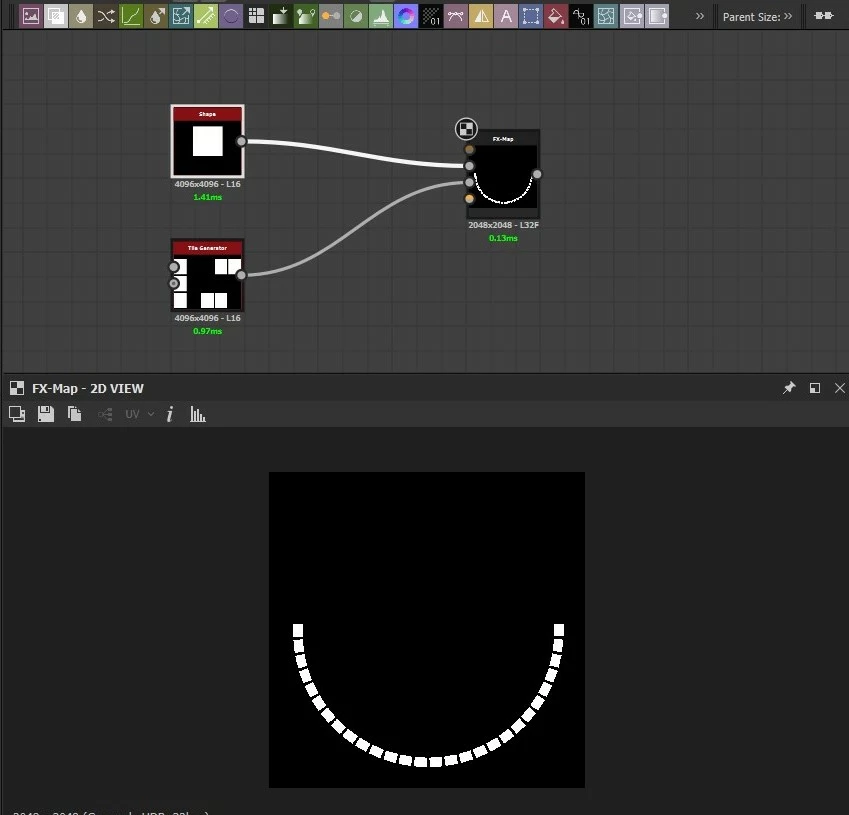
 

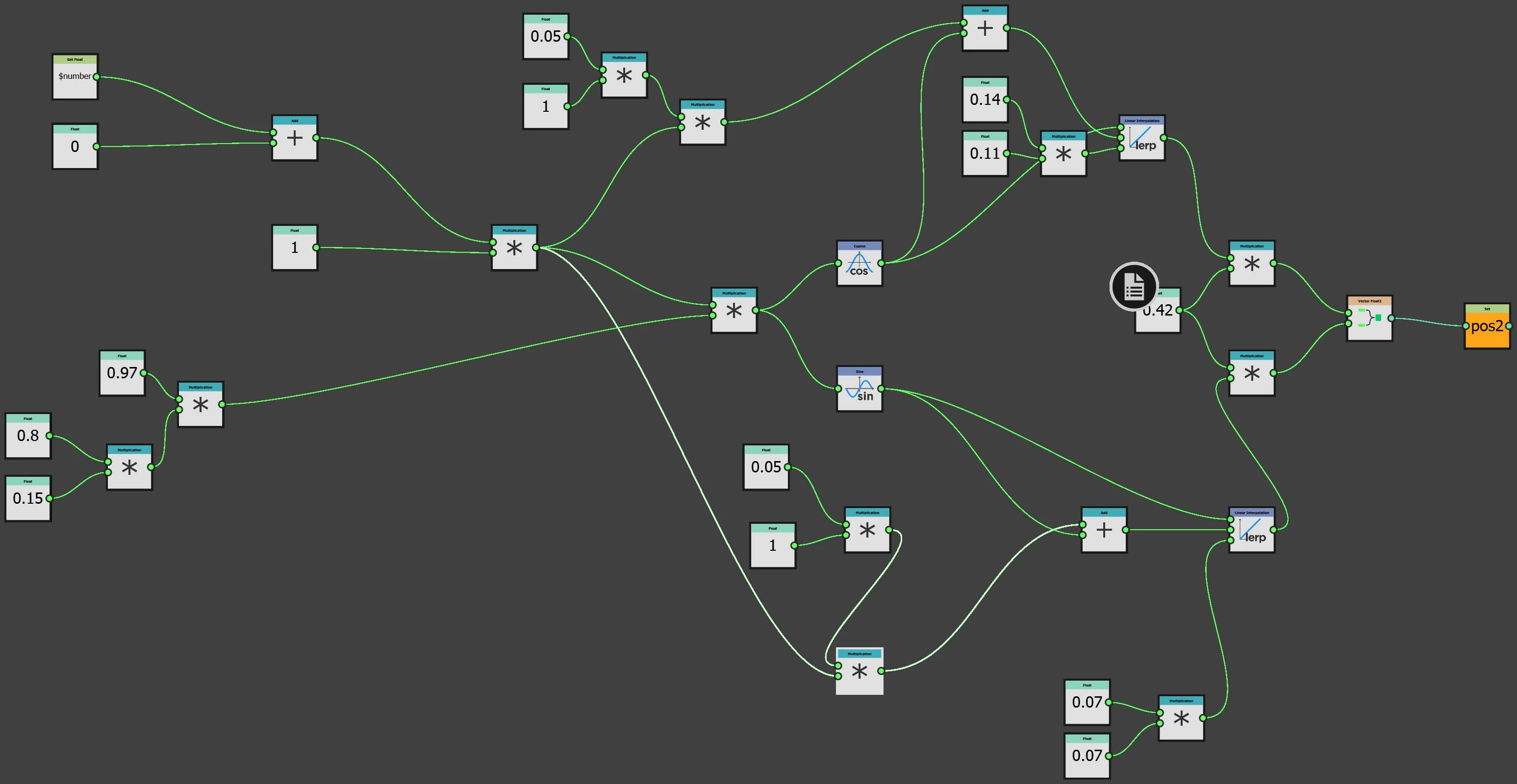
I made a function in order to drive offset (screen) and another one for the rotation 
 After that I needed to mask some pattern with a mask, so I added a tile sampler and made a condition:
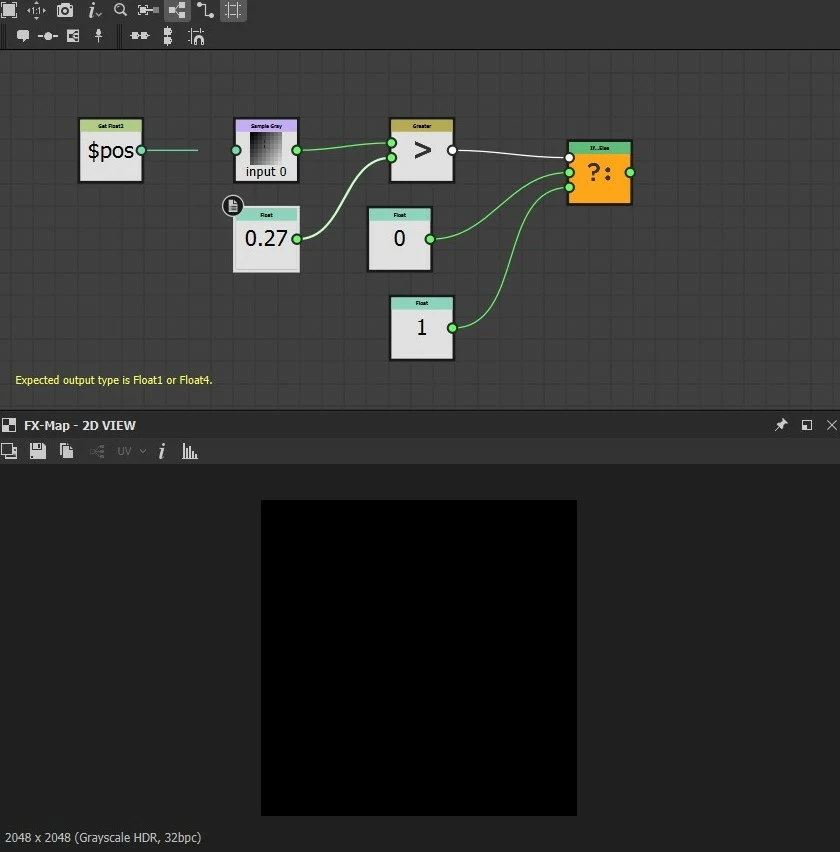
In this case I expected that where it sample white (from input image 1) pixel from the tile sampler it makes my "input image 0" black and keeps the other whites, but it doesn't.

If someone can explain me what I'm missing I would be grateful


Thx



This topic has been closed for replies.
Correct answer davescm

Hi

I believe $pos returns the "birth position" of each pattern. As you are creating each iteration in the same place (centre) then offsetting it, the birth position is identical for each iteration. Therefore your input one image is being sampled at the centre of that image every on every iteration. 

You will need to change the sampling position to $pos plus the calculated offset in order to sample image 1 correctly and have an effect on the quadrant node luminosity.


Dave

2 replies

davescm
Community Expert
davescmCommunity ExpertCorrect answer
Community Expert
November 3, 2021

Hi

I believe $pos returns the "birth position" of each pattern. As you are creating each iteration in the same place (centre) then offsetting it, the birth position is identical for each iteration. Therefore your input one image is being sampled at the centre of that image every on every iteration. 

You will need to change the sampling position to $pos plus the calculated offset in order to sample image 1 correctly and have an effect on the quadrant node luminosity.


Dave

Amtrs_8Author
Participant
November 5, 2021

Hi Davescm!

I just say really thank you! I didn't think about it, I've just fixed.

davescm
Community Expert
Community Expert
November 5, 2021

Excellent ! I'm glad I could help 🙂

Dave

Luca Giarrizzo
Community Manager
Community Manager
November 2, 2021

Hello @Amtrs_8,


Thank you for reaching out!


In the last screenshot, I see that the Image input 0 is being sampled, however you mentioned wanting to sample Image input 1. May that be the issue?

Feel free to send me your Substance 3D file (SBS) so I can investigate the graph and gain a better understanding of the issue.


Best regards.


Luca Giarrizzo | Quality Engineer - Substance 3D Designer | Adobe
Amtrs_8Author
Participant
November 2, 2021

Hi Luca,

really thank you for your reply.

I checked if it was about the input but it seems everything ok.

In attach you will find the sbs with some comments (in color/luminosity function) I hope it would be quick to investigate

Regards