


Answered
Getting one shapes height to overright that of another (newbie)
Hi
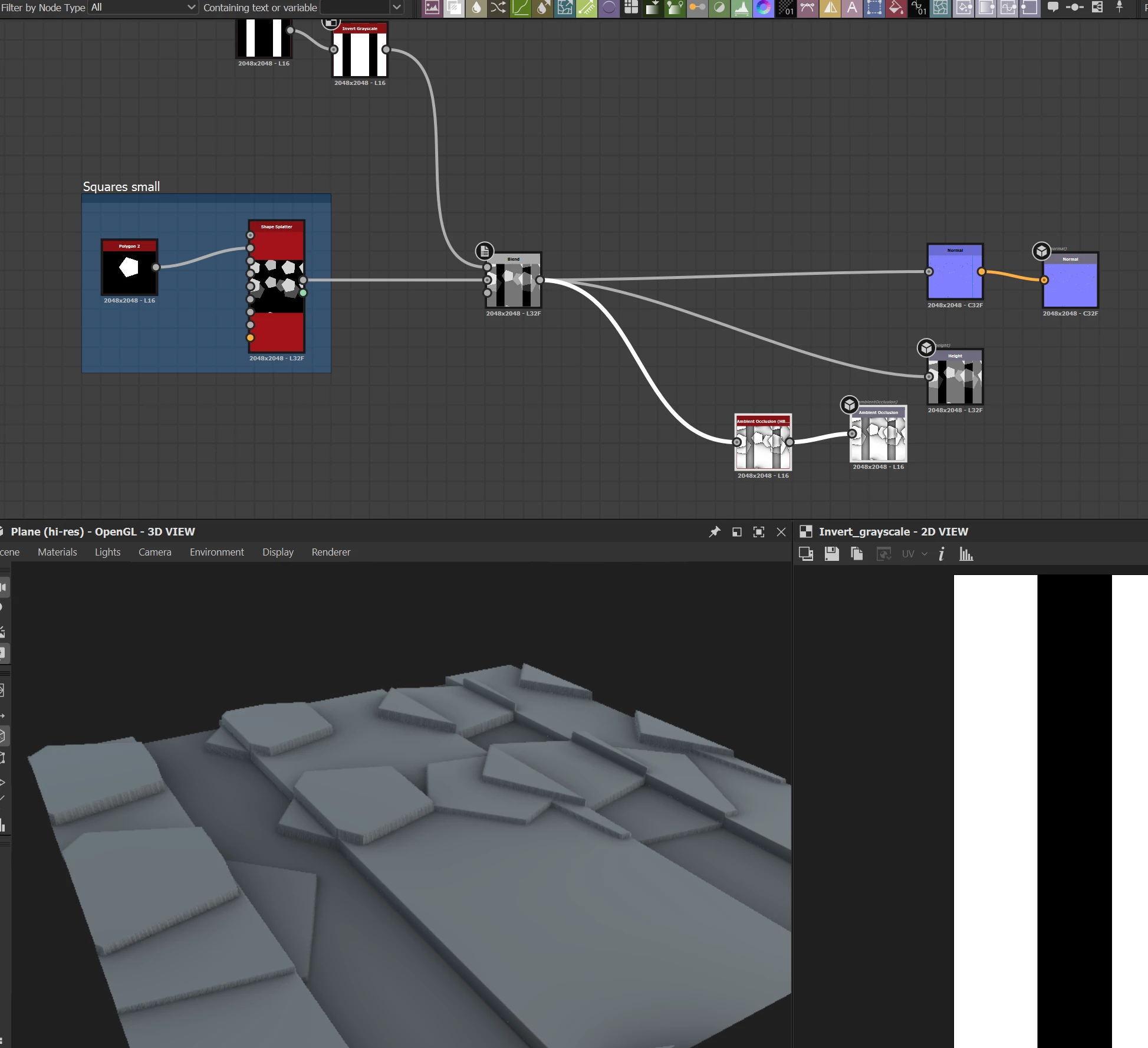
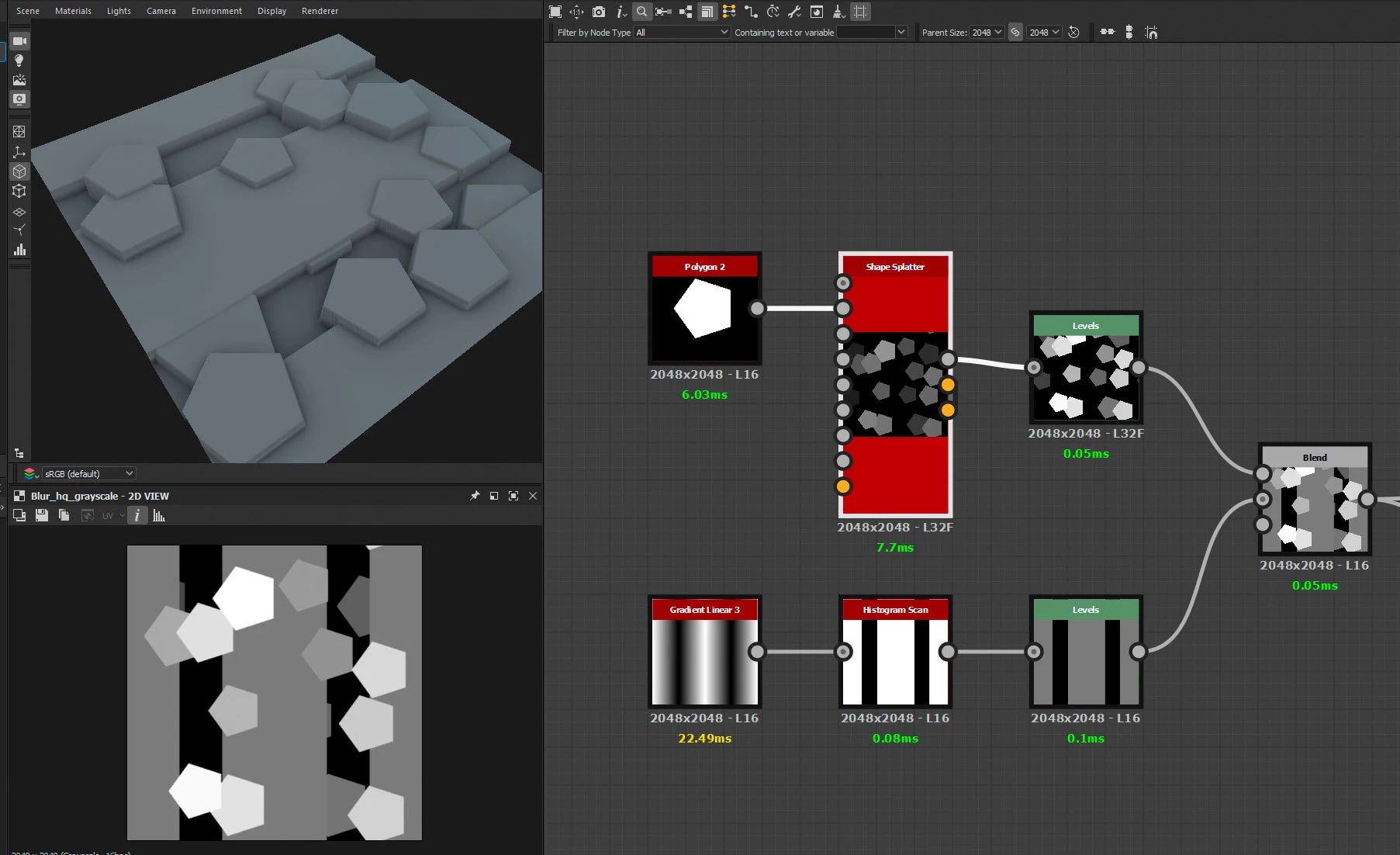
Ive very much starting on my substance designer journey and just trying to overlay some shapes.
Currently im trying to get this hexagonal shape to sit above the stripes beneath it, but currently its height is stepping, id like to get it to be all of an equal height. Ive played with the blend modes but none seem to give me the effect im after. (in painter id select the 'replace' mode on the height layer)
Would anybody be able to help? many thanks

 AdChoices