



Layton224WI
Participant
June 11, 2022
Answered

Hot use the Isoparametric curve node

  • June 11, 2022
  • 2 replies
  • 256 views

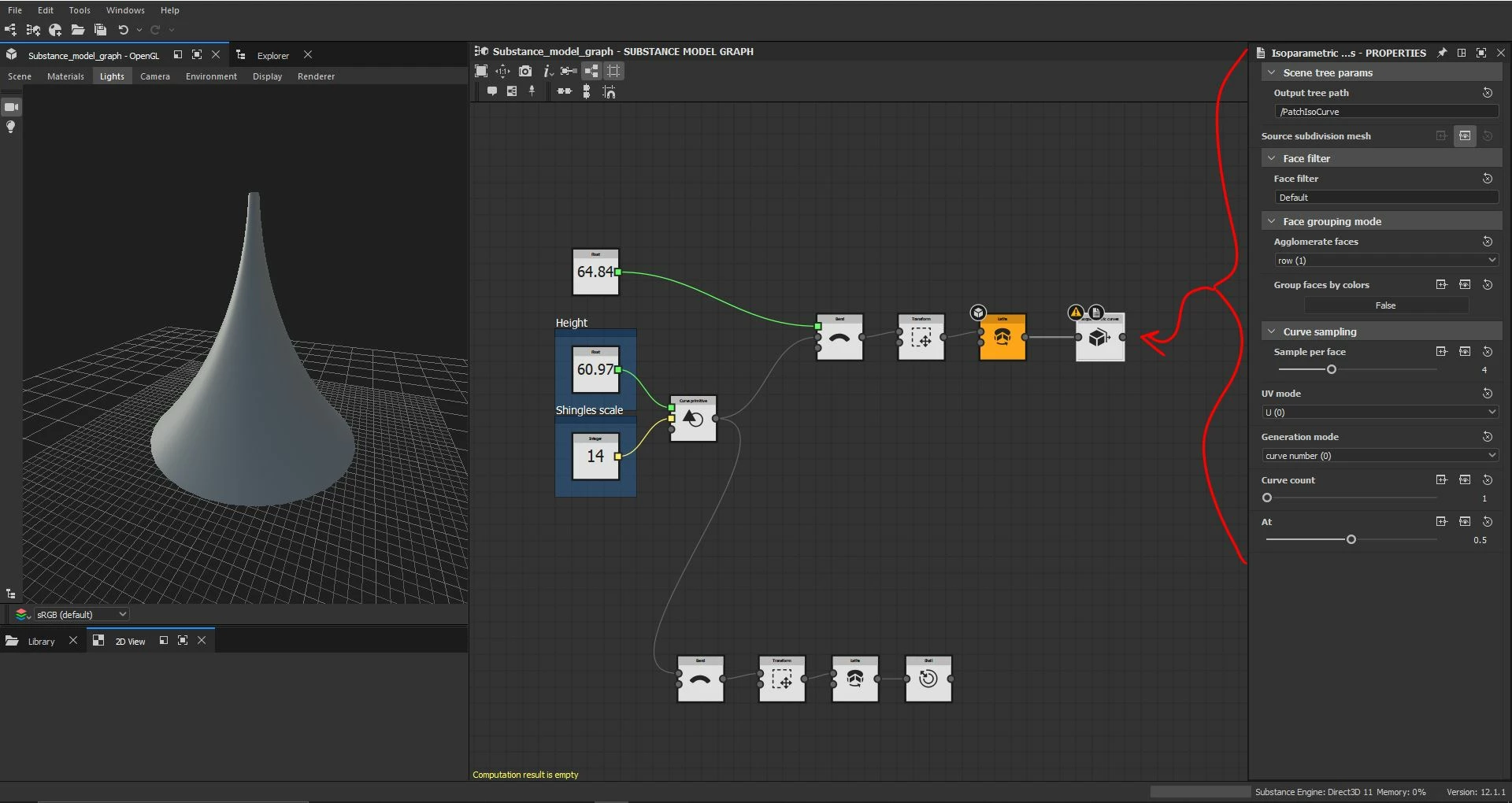
Hello today I was trying to use the isoparametric curve node and it keeps giving me an error, "computation result is empty." I was wondering if anyone else has run into this issue or might have a solution to why this doesn't work as I am trying to feed into it a mesh that was made buy a curve and a sweet note. From what I've understood there must be some way to highlight or designate the mesh has a target but I haven't been able to understand how, any help would be appreciated thank you so much in advance advance.



This topic is closed to new replies. Start a new post to keep the conversation going.
Correct answer davescm

That node is designed for use with a SubD mesh (which is different to a normal geometric mesh that has been subdivided). For example, its input can be from a SubDivision primitive node or from an imported mesh with the As Subd property of the Asset loader set to 'True'

https://substance3d.adobe.com/documentation/sddoc/types-of-items-in-a-scene-215286318.html

https://substance3d.adobe.com/documentation/sddoc/scene-asset-loader-215286577.html


Dave


2 replies

davescm
Community Expert
davescmCommunity ExpertCorrect answer
Community Expert
June 15, 2022

That node is designed for use with a SubD mesh (which is different to a normal geometric mesh that has been subdivided). For example, its input can be from a SubDivision primitive node or from an imported mesh with the As Subd property of the Asset loader set to 'True'

https://substance3d.adobe.com/documentation/sddoc/types-of-items-in-a-scene-215286318.html

https://substance3d.adobe.com/documentation/sddoc/scene-asset-loader-215286577.html


Dave


Layton224WI
Participant
June 21, 2022

Thank you Dave I will be trying this out