

Participant
May 17, 2022
Answered

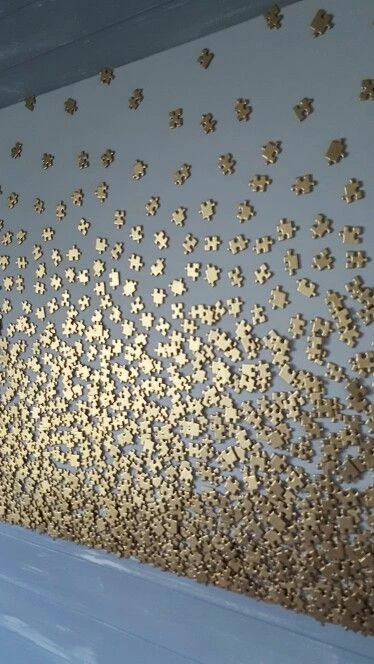
How can I create this gradient pattern?

  • May 17, 2022
  • 1 reply
  • 445 views

For the life of me I can't figure it out. I love how the amount of these jigsaw pieces is high at the bottom and tapers off in number nearer the top, but I can't figure out how to do it in designer

 

This topic has been closed for replies.
Correct answer davescm

Hi

I knew I should have saved it 🙂  

Never mind, I quickly remade it and have attached the sbs file to this post.

Play with the Levels mid grey setting, the Blend opacity setting and the Tile Sampler Mask Map Threshold. All three interact.


Dave

1 reply

davescm
Community Expert
Community Expert
May 18, 2022

You could use the Mask Map input on the tile sampler and under Colour set the Mask Map Threshold. I've just used a couple of simple shapes below to demonstrate but hopefully that will get you started.


Dave


Participant
May 18, 2022

Hey Dave, thanks so much for the reply. I still can't manage to get that nice gathering of shapes near the bottom that you have. could you share your other node settings just so I can try to match?

davescm
Community Expert
davescmCommunity ExpertCorrect answer
Community Expert
May 18, 2022

Hi

I knew I should have saved it 🙂  

Never mind, I quickly remade it and have attached the sbs file to this post.

Play with the Levels mid grey setting, the Blend opacity setting and the Tile Sampler Mask Map Threshold. All three interact.


Dave
