Inspiring
January 25, 2023
Answered

How can I make an input for a function graph?

  • January 25, 2023
  • 1 reply
  • 405 views

Like the input node for a regular graph?    I see it's just get float   in functions graph but when I put it in my  function graph i dont get  the green dot  to connect. What am I missing?

This topic has been closed for replies.
Correct answer davescm

Hi

To use Get Float with a 'green dot' input you have to add that input to the node for it to 'Get'. So in way of a demonstration:


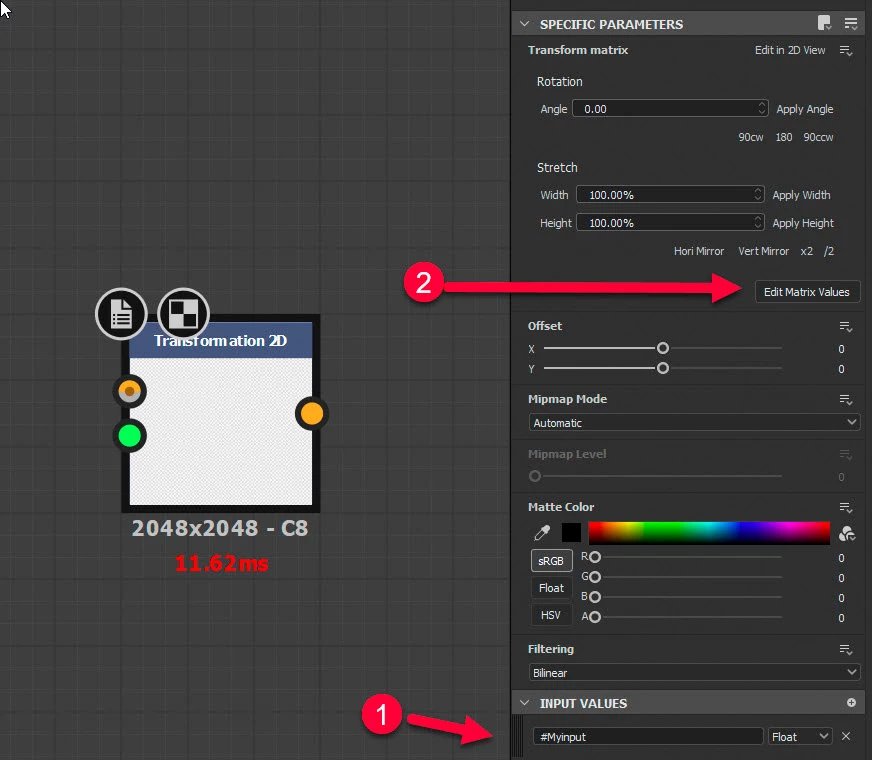
First, add an input to the node within which you are using the function. In the example below, which uses the 2D transform function, I've called it #Myinput. I've made the type Float but you could also alter it to Float2, Float3, Integer etc as required.

Then click on Edit Matrix Values as, in this example, I will use #Myinput to control the scale for this node.

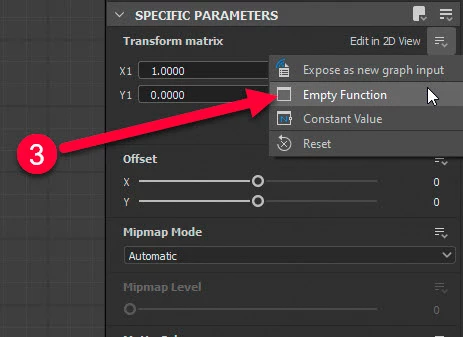
Next add the function to control that matrix.


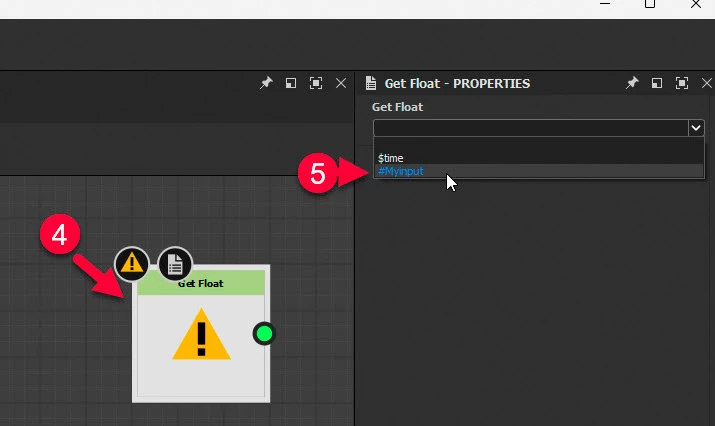
In the function I add a Get Float node and in properties choose, from teh drop down list, the input I added in step 1 above.


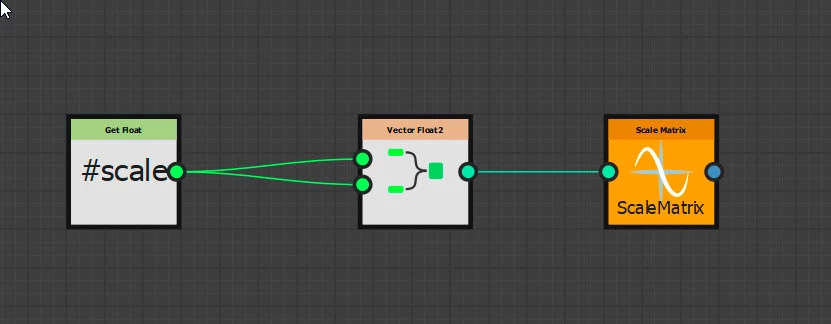
Finally I added a couple of function nodes to make that Float input do something (in this case control the scale). The scale node is set as the output node for the function.


I hope that helps


Dave


1 reply

davescm
Community Expert
davescmCommunity ExpertCorrect answer
Community Expert
January 25, 2023

Hi

To use Get Float with a 'green dot' input you have to add that input to the node for it to 'Get'. So in way of a demonstration:


First, add an input to the node within which you are using the function. In the example below, which uses the 2D transform function, I've called it #Myinput. I've made the type Float but you could also alter it to Float2, Float3, Integer etc as required.

Then click on Edit Matrix Values as, in this example, I will use #Myinput to control the scale for this node.

Next add the function to control that matrix.


In the function I add a Get Float node and in properties choose, from teh drop down list, the input I added in step 1 above.


Finally I added a couple of function nodes to make that Float input do something (in this case control the scale). The scale node is set as the output node for the function.


I hope that helps


Dave


kirkr5689Author
Inspiring
January 25, 2023

Thank you Dave