

Participant
September 25, 2022
Answered

How change default option in view 3D ?

  • September 25, 2022
  • 2 replies
  • 315 views

Hello,

I would like to know how to change the default rendering of the 3D view to ACES sRGB to avoid changing it each time a new project is created.
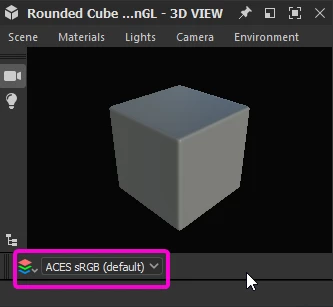


Thanks 

This topic is closed to new replies. Start a new post to keep the conversation going.
Correct answer davescm

With no project loaded go to Edit > Preferences > Projects > Color Management

Set Color Management to OpenColorIO

Set OpenColorIO Configuration to ACES 1.0.3 or 1.2

Set 2D and 3D Display default to your requirement

Click Apply and then OK

Restart Substance 3D Designer


Dave

2 replies

davescm
Community Expert
davescmCommunity ExpertCorrect answer
Community Expert
September 25, 2022

With no project loaded go to Edit > Preferences > Projects > Color Management

Set Color Management to OpenColorIO

Set OpenColorIO Configuration to ACES 1.0.3 or 1.2

Set 2D and 3D Display default to your requirement

Click Apply and then OK

Restart Substance 3D Designer


Dave

Participant
September 25, 2022

Thanks
