Participating Frequently
August 8, 2023
Answered

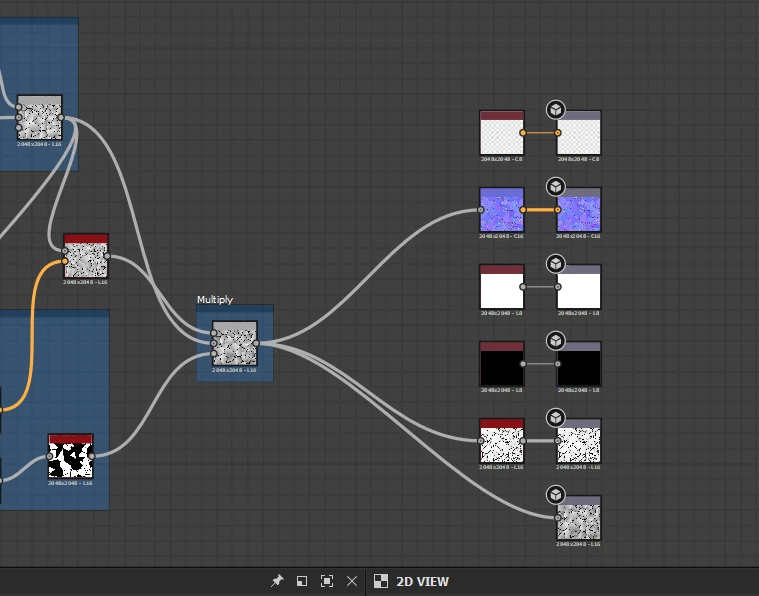
How do i mask this?

  • August 8, 2023
  • 1 reply
  • 557 views

Hi, So my main reason for learning design is for making decals for unreal engine 5.


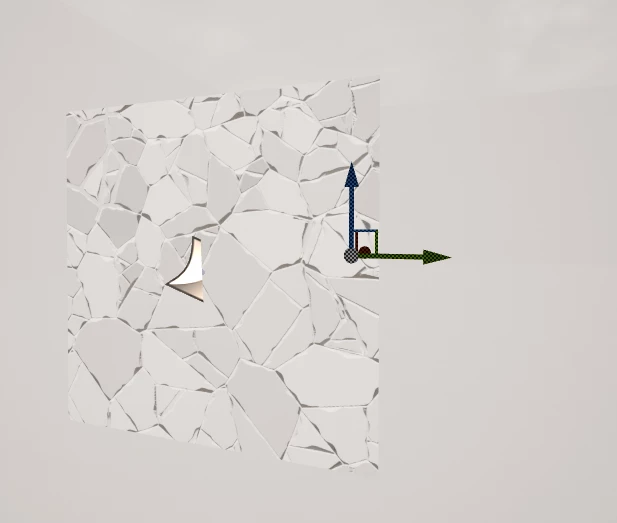
How would I mask this so it doesn't look like a square? I was looking at the docs and I would guess it would be some sort of mask generator. No idea where I would plug in though.


Thanks for any help
 

This topic has been closed for replies.
Correct answer Cyril Dellenbach

The opacity map has to be build, but don't worry this is something simple. Basically, the opacity is a map in black and white (greyscale), where the white parts are visble and the black parts aren't.


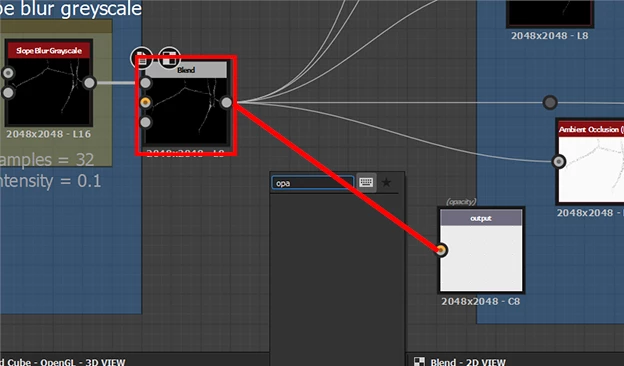
Therefore, considering your graph, you could directly plug the cracks height to the Opacity output.


This way, only the cracks will be visible, and the rest will be the underneath material. Don't hesitate to add a Level node in between if you want to tweak the values.


In Unreal Engine, you'll simply have to plug the opacity map to the corresponding input of the decal material.


Best regards,


1 reply

Cyril Dellenbach
Community Manager
Community Manager
August 8, 2023

Hi Hector,


Thanks for the question.


Usually, when adding a Decal in Unreal Engine, an Opacity map is indeed needed in order to work properly.


This is something you can easily do in Substance Designer. Create a new Output node, set the usage to Opacity, and you can now plug your opacity to the new output.


Best regards,


Cyril Dellenbach (Micro) | QA Support Artist | Adobe
Participating Frequently
August 9, 2023

Hi Cyril,

Thank you very much for your help, it's appreciated. I managed to put an output node and changed it SRGB (not sure if that should be greyscaled), but I can't find an opacity map when I search for it. I saw on the docs there is a mask builder. However, that does look a bit complex for what I need. Basically trying to create random-type masks like the image below. 

Thanks very much for the help.


Cyril Dellenbach
Community Manager
Cyril DellenbachCommunity ManagerCorrect answer
Community Manager
August 10, 2023

The opacity map has to be build, but don't worry this is something simple. Basically, the opacity is a map in black and white (greyscale), where the white parts are visble and the black parts aren't.


Therefore, considering your graph, you could directly plug the cracks height to the Opacity output.


This way, only the cracks will be visible, and the rest will be the underneath material. Don't hesitate to add a Level node in between if you want to tweak the values.


In Unreal Engine, you'll simply have to plug the opacity map to the corresponding input of the decal material.


Best regards,


Cyril Dellenbach (Micro) | QA Support Artist | Adobe