
Resuelto
How do I remove tiling on Transformation 2D node?
I'm trying to transform a shape without tiling it.
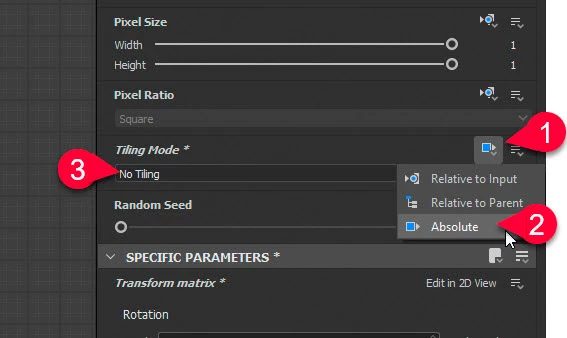
I tried using a Transformation 2D node, but, the node tiles the shape. The node has a 'Tiling Mode' field, but it is disabled and I can't find any way of enabling it. I tried changing different fields on the node, tried different types of inputs, even restarted Substance Designer. So this is either a really weird bug, or I need to set something up differently.
The field does not have any sort of tooltip that explains why it's disabled. So I have no idea whats going on here. Thanks for the help.


 AdChoices