


Known Participant
July 5, 2023
Answered

How does one replicate the Musgrave texture from blender

  • July 5, 2023
  • 1 reply
  • 2152 views
 

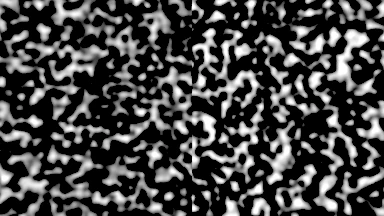
The image below is a musgrave noise map created by the Musgrave Texture node in Blender. I was wondering how would one recreate a musgrave texture (like the one in the image) in Substance Designer?

This topic has been closed for replies.
Correct answer davescm

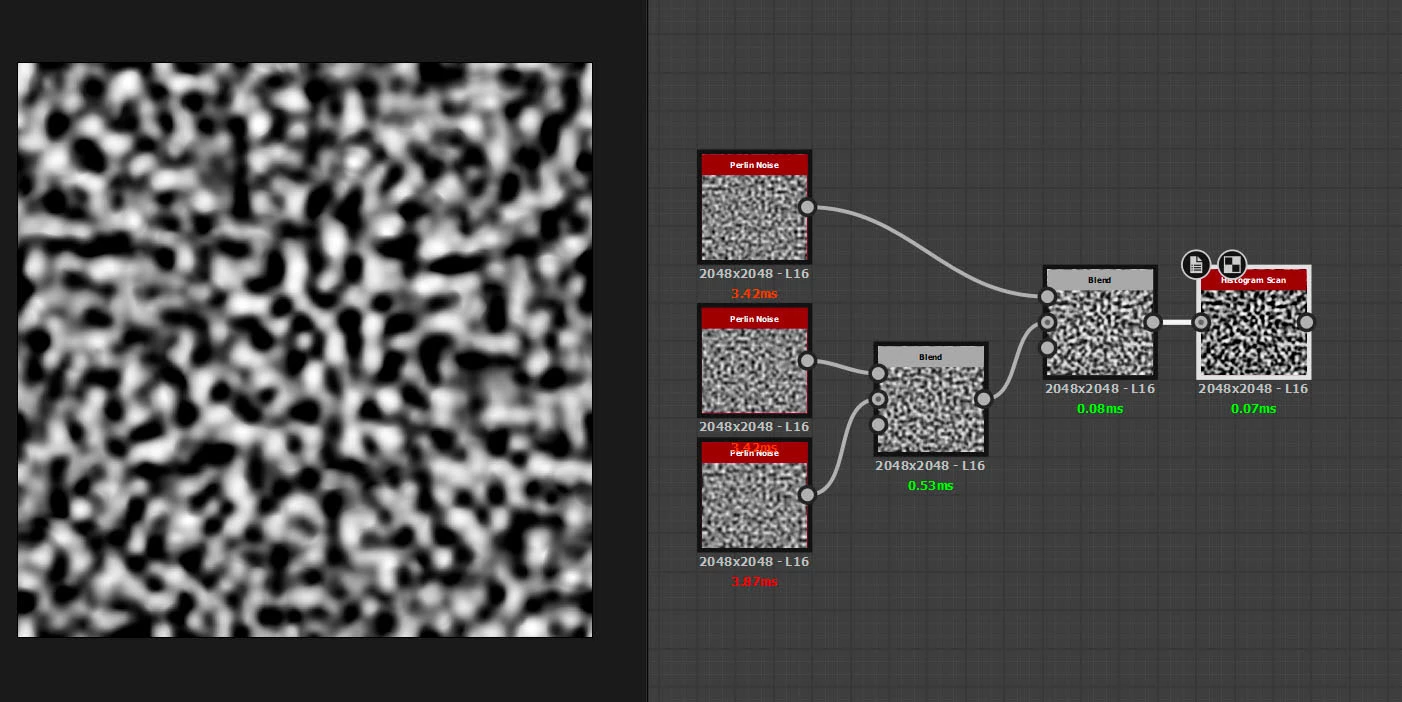
Try blending Perlin Noise nodes each with slightly different scale/disorder values. Here I used Overlay in the blend nodes.


You can play with the number of Perlin generators, the scaling between them and the blending methods which is what is done by the various controls within the Musgrave node in Blender3D

https://docs.blender.org/manual/en/2.79/render/cycles/nodes/types/textures/musgrave.html


Dave

1 reply

davescm
Community Expert
davescmCommunity ExpertCorrect answer
Community Expert
July 5, 2023

Try blending Perlin Noise nodes each with slightly different scale/disorder values. Here I used Overlay in the blend nodes.


You can play with the number of Perlin generators, the scaling between them and the blending methods which is what is done by the various controls within the Musgrave node in Blender3D

https://docs.blender.org/manual/en/2.79/render/cycles/nodes/types/textures/musgrave.html


Dave