
Participant
May 14, 2025
Answered

How to add color to individual splines?

  • May 14, 2025
  • 2 replies
  • 228 views

Hello!
Im trying to make twisted wires in substance designer, Ive gotten the twists well enough with spline nodes.
I cant figure out how to add colors to the splines/wires, everything I've tried adds color uniformly and not per-spline. Might anyone know how to solve this? Thank you!

I've attached a screenshot of my current setup
Correct answer Louise24043630919a

Hello Christian, 

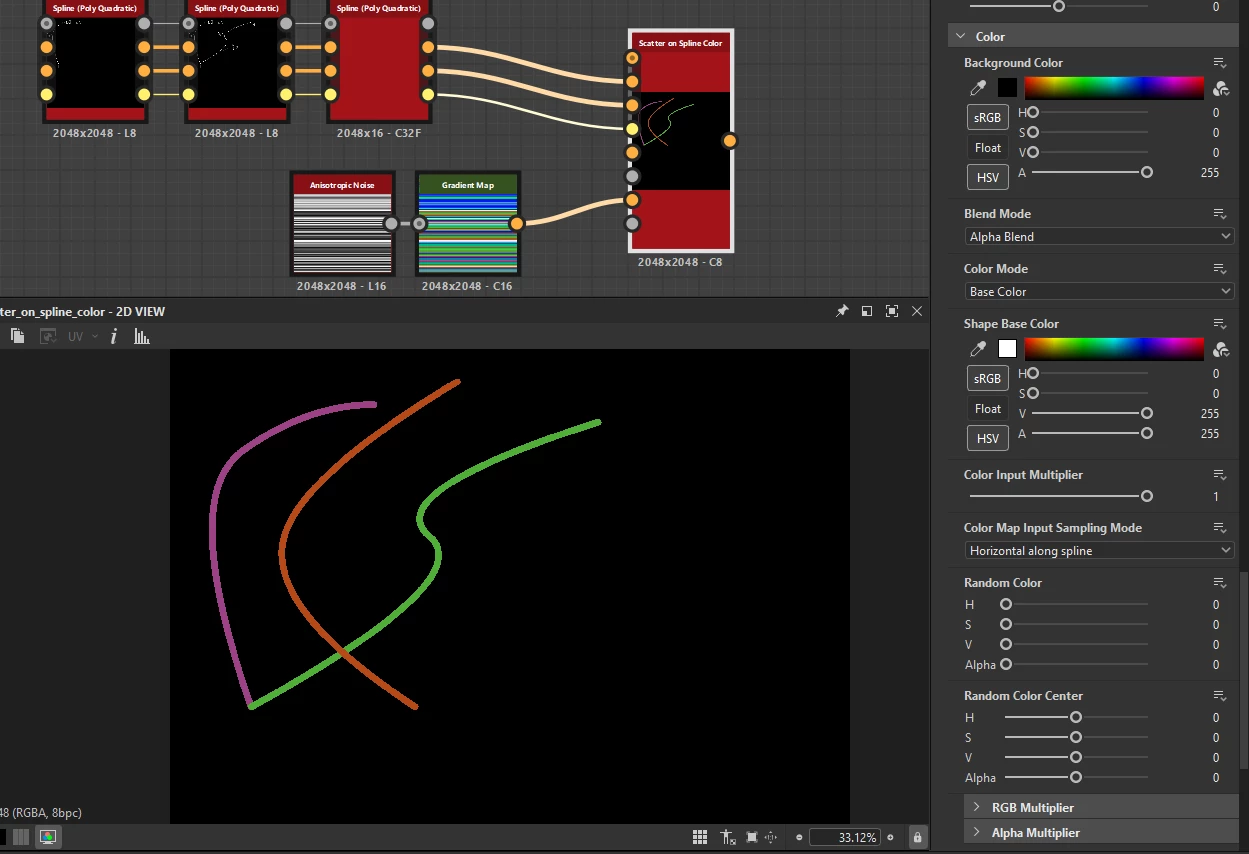
One way you can do this is by rendering your splines with a Scatter on Splines color

Here you want to enable the color map multiplier and plug in your color map: the trick is to switch the Sampling Mode to "horizontal along spline" (with or without random offset, up to you), and to pick a horizontal noise like an anisotropic noise to distribute the colors. The Color mapping will then pick a line of this noise and assign it to a specific spline. 

Hope this helps! 

2 replies

Louise24043630919aCorrect answer
Adobe Employee
May 15, 2025

Hello Christian, 

One way you can do this is by rendering your splines with a Scatter on Splines color

Here you want to enable the color map multiplier and plug in your color map: the trick is to switch the Sampling Mode to "horizontal along spline" (with or without random offset, up to you), and to pick a horizontal noise like an anisotropic noise to distribute the colors. The Color mapping will then pick a line of this noise and assign it to a specific spline. 

Hope this helps! 

Participant
May 15, 2025

I could have SWORN I tried this node many ways but I think I was definitely not understanding the way it reads the input color map, this worked perfectly thank you so much!

Participant
May 14, 2025

I feel like I didn't clarify well enough. I can add color to the splines however, I can only change every spline to the same color. Im looking for a way to have each spline be a different color please