Inspiring
May 17, 2024
Answered

How to figure out what makes SD freez?

  • May 17, 2024
  • 1 reply
  • 607 views

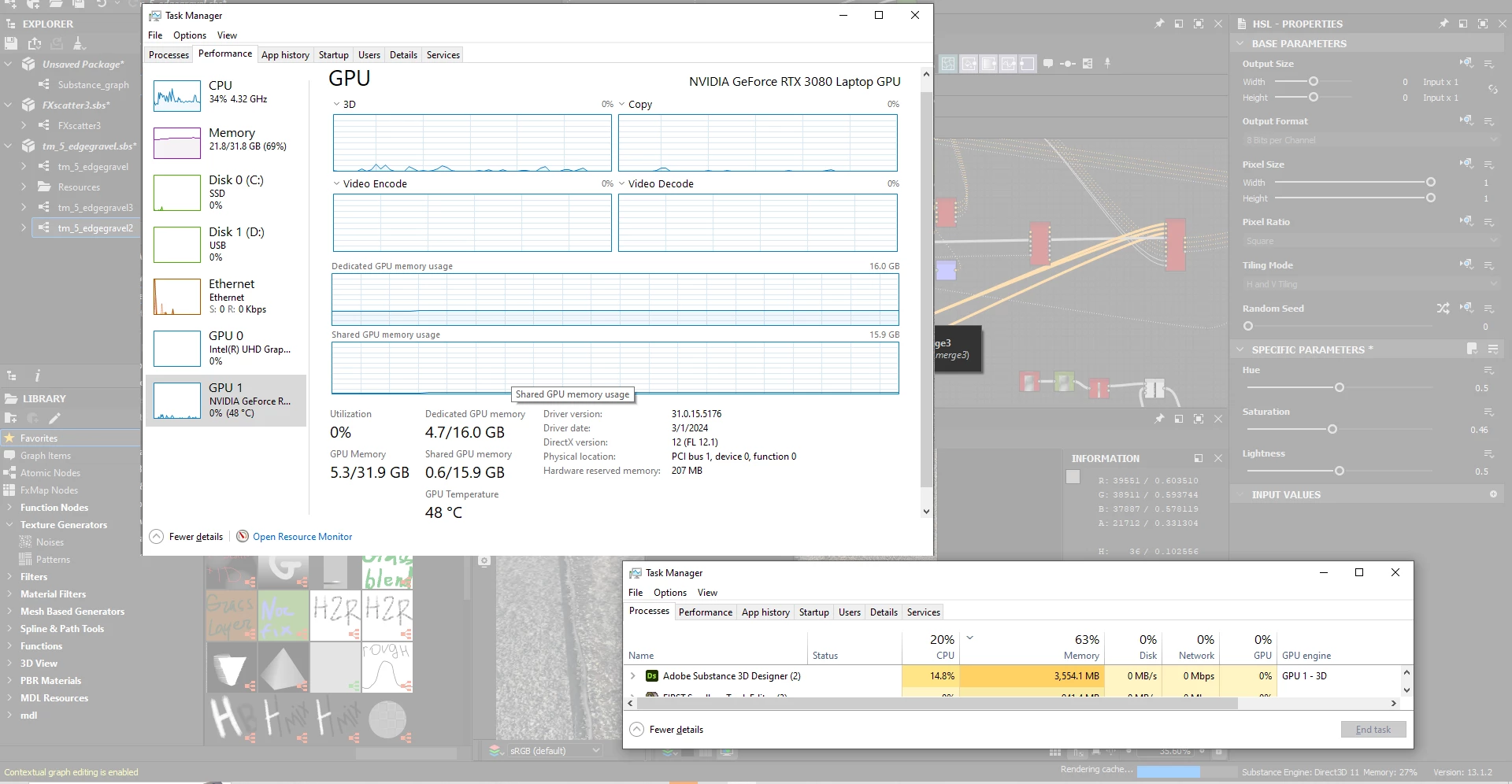
I often get Designer doing that temporary couple minutes freezes  when it gets grey saying  "coocking" or "renderenig cash"  while showing  only 20% of using memory  , close to zero gpu  usage and not that much of cpu stress too.    Still I hear how my pc cooling system is getting lauder .     


So what may be an issue ?

This topic has been closed for replies.
Correct answer Luca Giarrizzo

Hello,


Thank you for reporting this. If this occurs after making a change in the graph, such as adjusting a parameter value, then the unresponsiveness is likely caused by the invalidation process. Invalidation involves traveling the graph and assessing everything that needs to be recomputed. If a graph uses a lot of subgraphs, with multiple levels of depth, then that process can take a long time.


We are actively working on making this process more efficient and improve Designer's responsiveness when working in large projects.


In the meantime, you can reduce the invalidation time by limiting the portion of a project that needs to be recomputed when making a change. For instance, do not view a main graph's outputs in the 3D View or 2D View when working on a subgraph.  I understand this is not ideal, this issue is impacting our own technical artists as well.


Also, feel free to share your project with me so I can assess what optimisations can be made to reduce invalidation times


Thank you for your patience.

1 reply

Luca Giarrizzo
Community Manager
Luca GiarrizzoCommunity ManagerCorrect answer
Community Manager
May 24, 2024

Hello,


Thank you for reporting this. If this occurs after making a change in the graph, such as adjusting a parameter value, then the unresponsiveness is likely caused by the invalidation process. Invalidation involves traveling the graph and assessing everything that needs to be recomputed. If a graph uses a lot of subgraphs, with multiple levels of depth, then that process can take a long time.


We are actively working on making this process more efficient and improve Designer's responsiveness when working in large projects.


In the meantime, you can reduce the invalidation time by limiting the portion of a project that needs to be recomputed when making a change. For instance, do not view a main graph's outputs in the 3D View or 2D View when working on a subgraph.  I understand this is not ideal, this issue is impacting our own technical artists as well.


Also, feel free to share your project with me so I can assess what optimisations can be made to reduce invalidation times


Thank you for your patience.

Luca Giarrizzo | Quality Engineer - Substance 3D Designer | Adobe
kirkr5689Author
Inspiring
May 25, 2024

Thank you Luca .    My sbs used a node from  some other sbs  I used as a test ground with lots of saved functions   and dozens of copies of same things as versions with lots of links to other sbs and so on and on .    Once I  recreated that node  cleaning everything redundant  keeping only what absolutely necessary and deleting all unnecessary switches   it started to work like a breeze.    My guess it's got nothing to invalidate .          


Luca Giarrizzo
Community Manager
Community Manager
May 28, 2024

Indeed, that is the most likely cause. It makes sense that performance would be better in that case.
Thank you for following up, I am glad you can now work smoothly!


Best regards.

Luca Giarrizzo | Quality Engineer - Substance 3D Designer | Adobe