Participant
June 9, 2022
Answered

How to handle blending with gradients in tile sampler?

  • June 9, 2022
  • 1 reply
  • 339 views

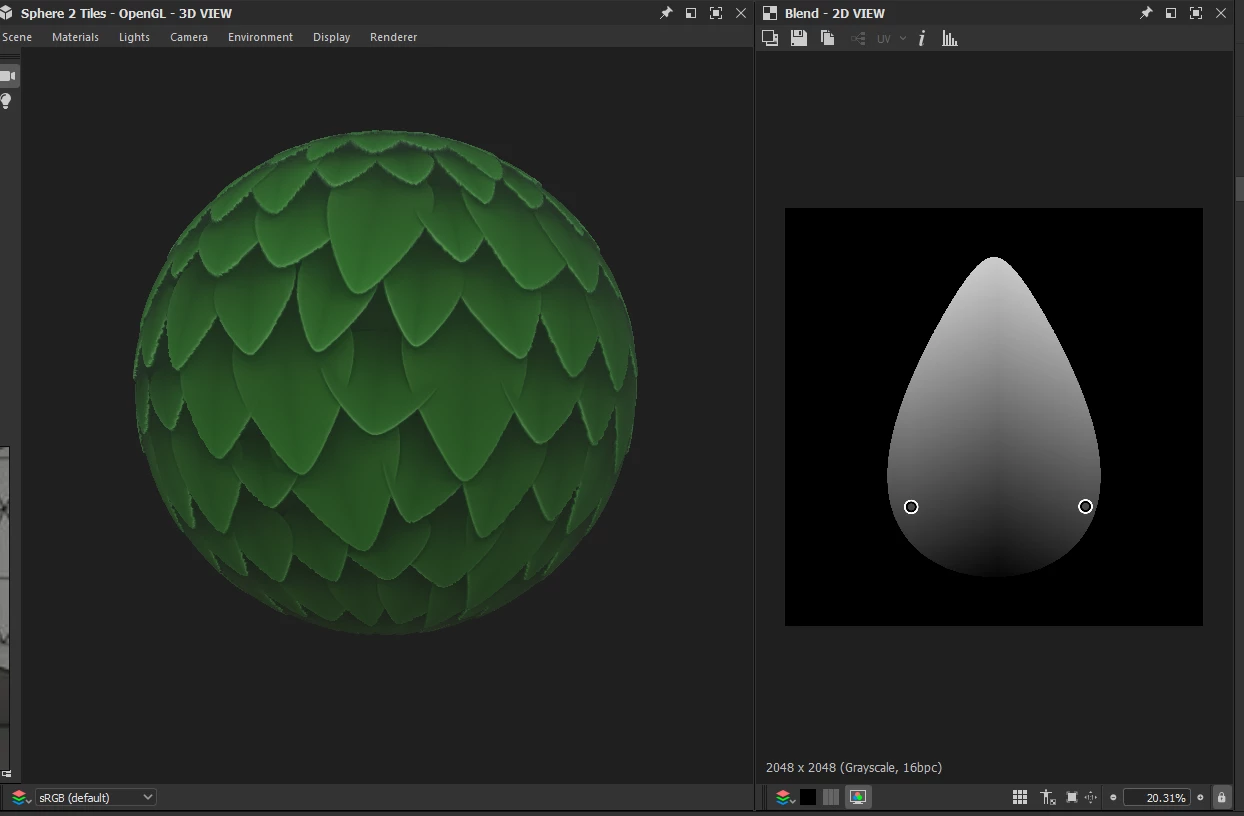
One big problem I keep facing, especially when making foliage type assets, is getting awful looking intersection between the shapes. Here I have a simple leaf shape blended with bottom-up gradient, and placing it in Tile sampler to tile it, but some of the leaves go through each other very un-naturally.


Is there better way to achieve this kind of effect with smarter blending on the areas where they overlap?

This topic has been closed for replies.
Correct answer davescm

Hi

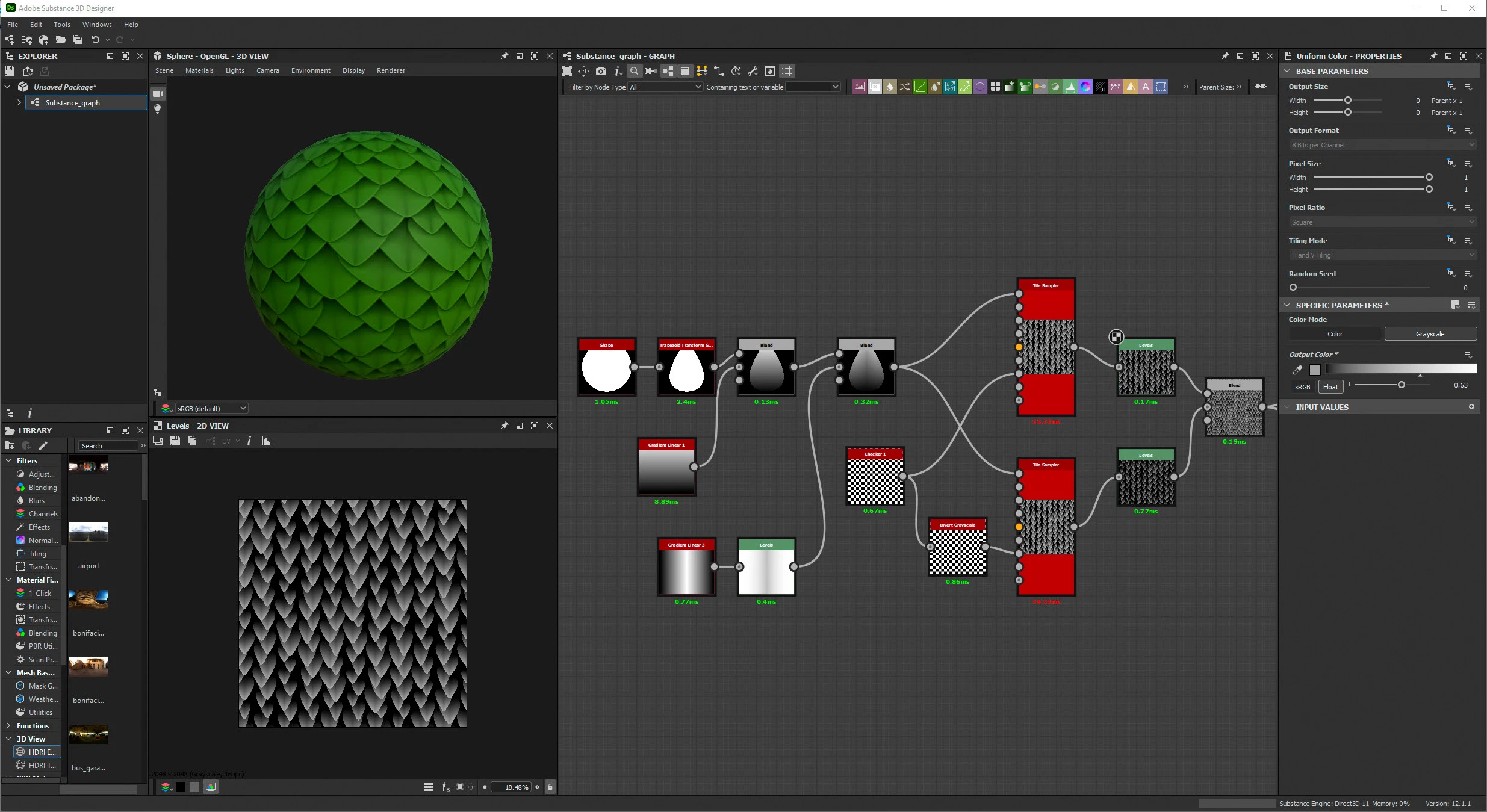
You might get away with using a checkerboard pattern to control the colour and adjusting the color parametrization multiplier.

However a more controlable way would be to duplicate the tile sampler and use a checkerboard pattern to control the mask on one and an inverted checkerboard to control the mask on the other . Then control the height of each with a levels node before blending them back together.


Dave


1 reply

davescm
Community Expert
davescmCommunity ExpertCorrect answer
Community Expert
June 9, 2022

Hi

You might get away with using a checkerboard pattern to control the colour and adjusting the color parametrization multiplier.

However a more controlable way would be to duplicate the tile sampler and use a checkerboard pattern to control the mask on one and an inverted checkerboard to control the mask on the other . Then control the height of each with a levels node before blending them back together.


Dave