haigeplay3d
Participant
March 11, 2024
Question

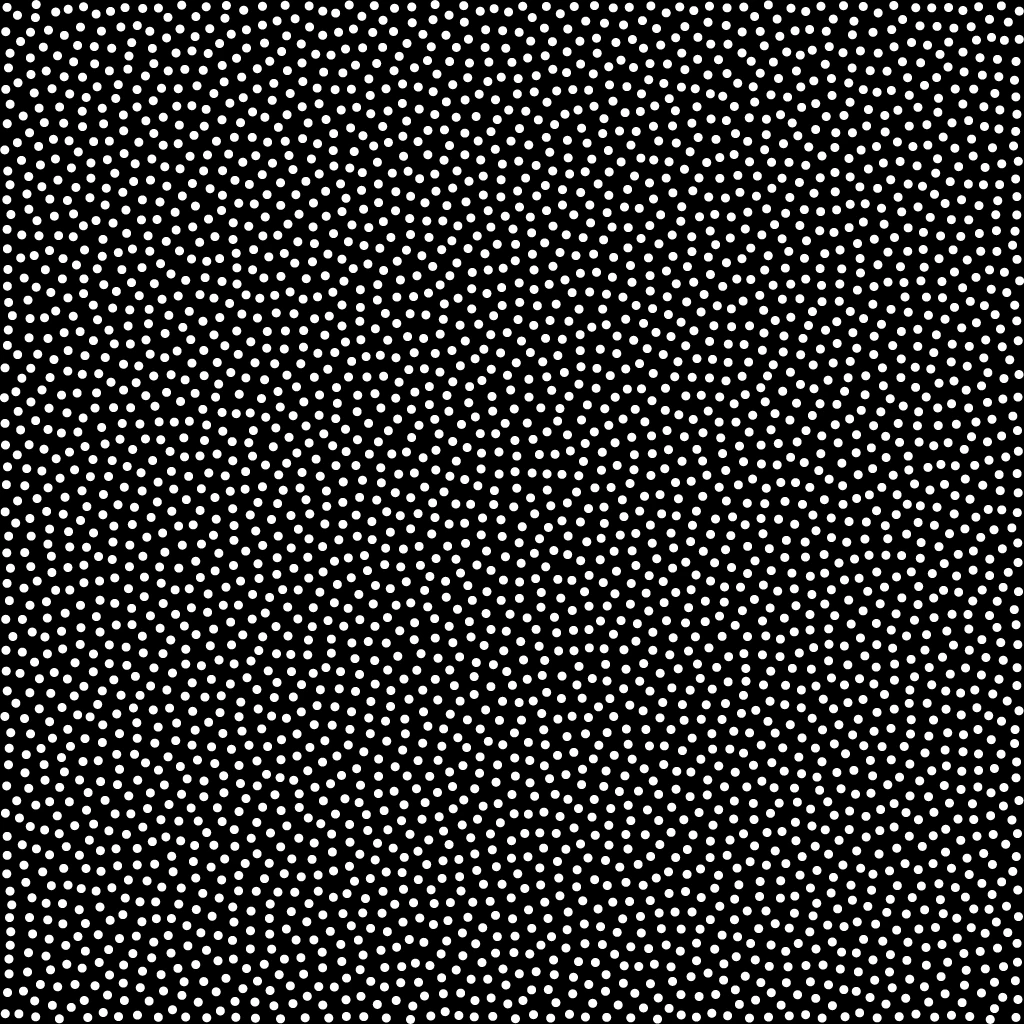
How to make a "dot plot with average density, random location, and no overlap"

  • March 11, 2024
  • 1 reply
  • 672 views

大家好,
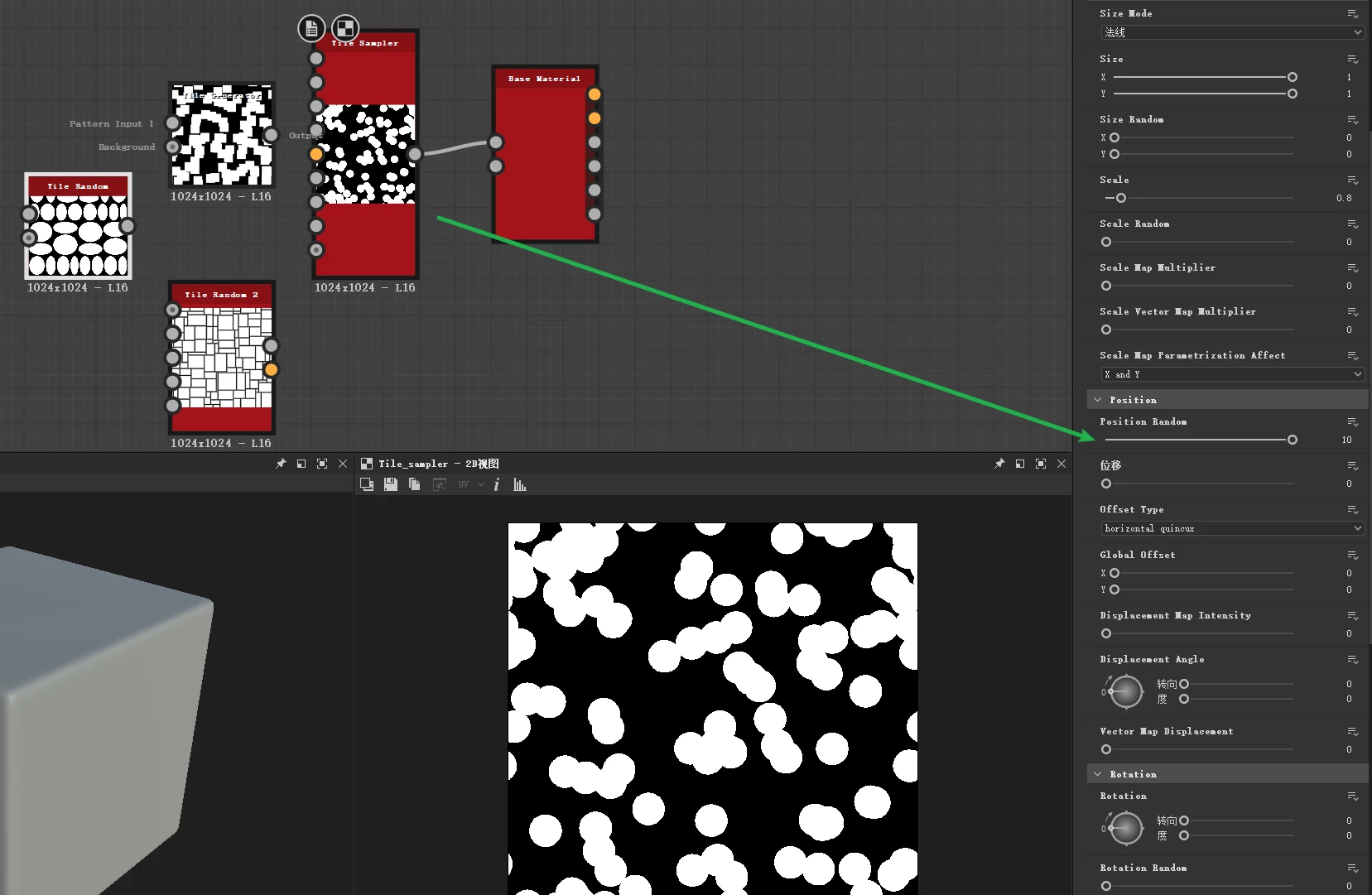
例如,在图2中,如何制作“平均密度、随机位置、无重叠的点图”,
我是新手,随机使用平铺采样器位置后,我不知道如何制作使它们不重叠。
尊敬的社区专家,请教我,谢谢!
 

This topic has been closed for replies.

1 reply

haigeplay3d
Participant
March 11, 2024

Sorry, the following is the translation, I accidentally uploaded Chinese, do not know how to undo it!


Hello, everybody,
For example, in figure 2, how to make a "dot plot with average density, random position, and no overlap ",
I am a novice and after using the tile sampler position randomly, I don't know how to make them not overlap.
Dear community experts, please teach me, thank you!

Cyril Dellenbach
Community Manager
Community Manager
March 11, 2024

Hello @Hai25228272yf27,


Thanks for the question.


Just so you know, this behavior can be reproduce with a Poisson distribution, but this is a complex workflow to reproduce.


Alternatively, I advise you to use a Tile Generator instead of Tile Sampler. This way, you'll be able to set the intensity of Position Random manually (X & Y axis), and you can make sure the dots aren't overlapping.


The result will keep some sort of structure considering you can't push the position too far, but it is surely an easy solution that could do the job depending on your needs.


Regards,


Cyril Dellenbach (Micro) | QA Support Artist | Adobe