Participant
February 20, 2025
Question

How to make a shell overlay effect on the wallpaper?

  • February 20, 2025
  • 1 reply
  • 320 views

Hi everyone, I'm just a novice texture artist and recently I wanted to try to make a simple enough wallpaper texture, but when I got to the moment when I needed to put these shells on top of each other like in the photo, I couldn't do it. I've been digging into Time Sampler for a long time, but I haven't found any settings that could do this. I also searched on the Internet but also did not find it. Could you help to make this effect?
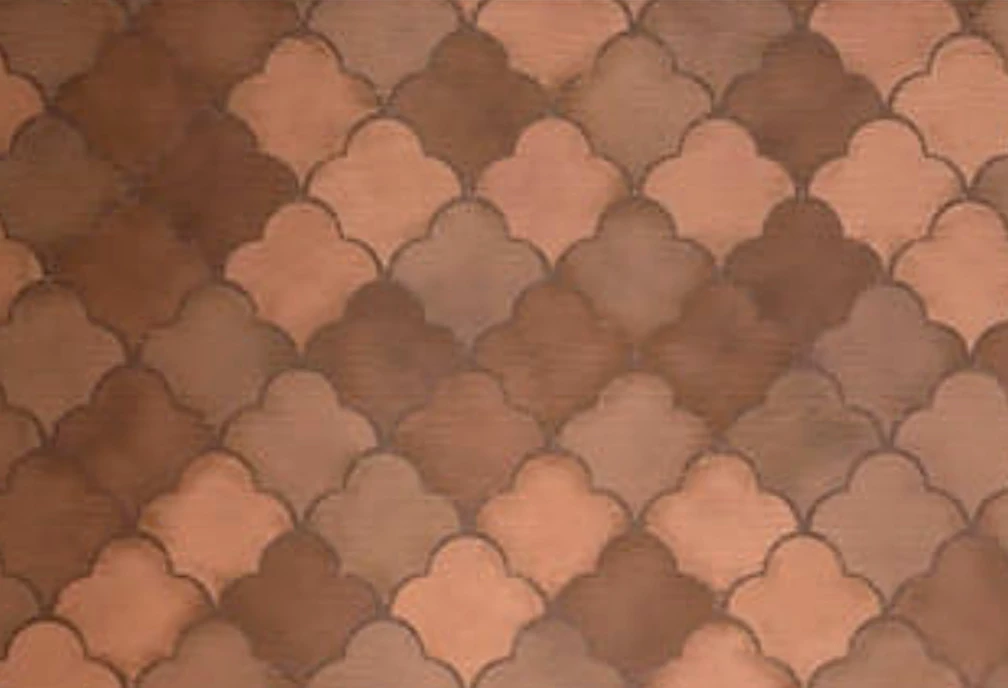


I also tried to select individual rows of shells to move them, but nothing worked for me.

Thank you in advance!

1 reply

Luca Giarrizzo
Community Manager
Community Manager
February 21, 2025

Hello!


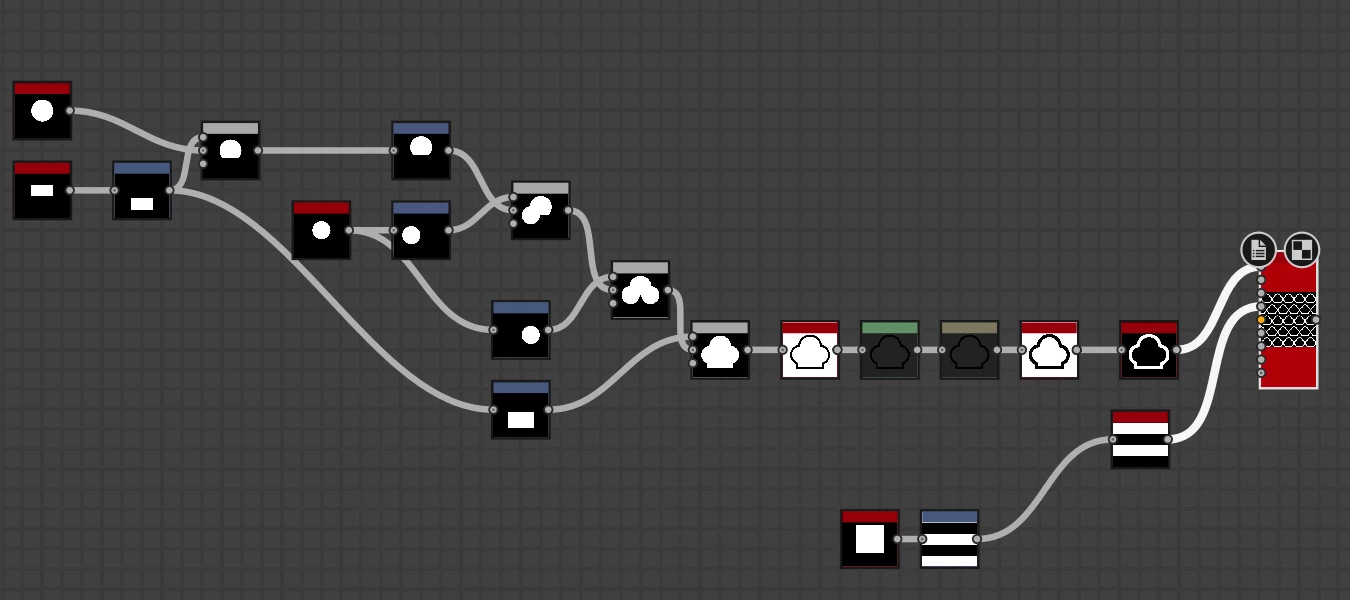
The Tile Sampler node will indeed let you do that. What we aim to do is create a grid in the Tile Sampler that lets us have double the tiles vertically than horizontally, then increase the vertical size of the tile to have the overlap we want, then color the tiles so that the next row is in front.


To achieve this, I have used these parameter values:

  • Y amount should be double the X amount
  • Size Y should be double Size X
  • Scale should be higher than 1
  • Offset = 0.5
  • Global offset Y = 0.5 (to ensure proper alignment for vertical tiling)
  • Color parameterization mode: Row index (to color tiles according to their row)
  • Color parameterization multiplier = 1.0


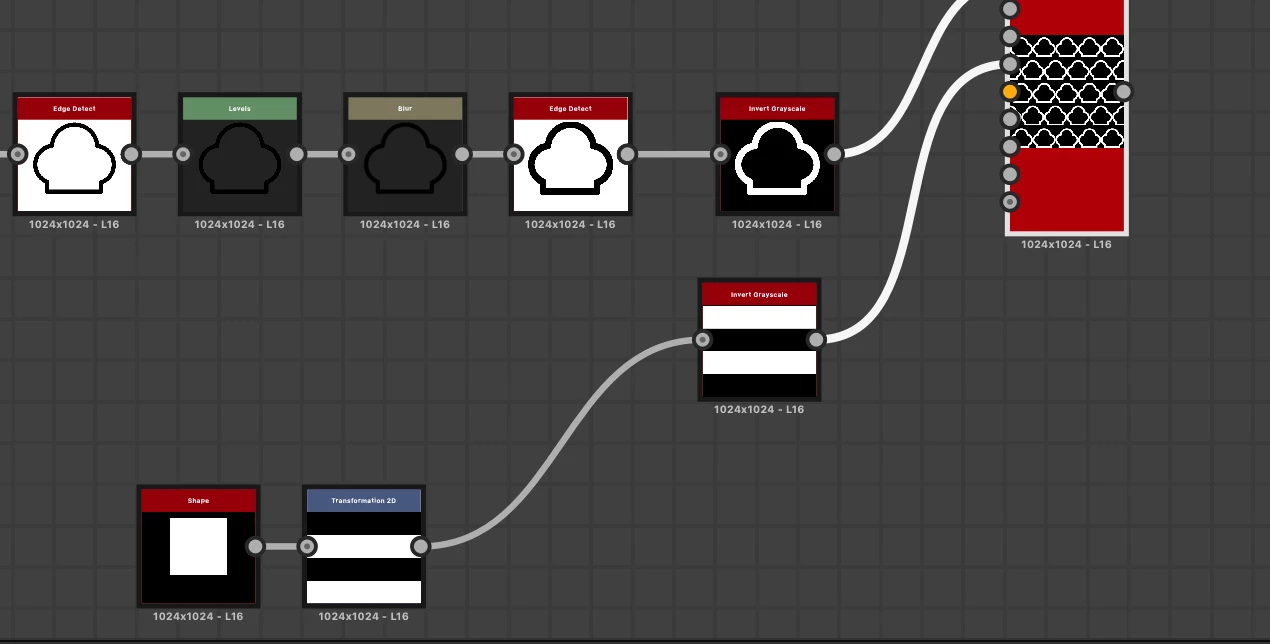
Finally, we change the Tiling Mode to Horizontal Tiling only to prevent the last row of tiles from covering the first row. Full tiling is restored downstream in the Edge Detect node.


This is the result, with a couple of additional tricks for you to learn.


I have attached the SBS file for this graph. I hope this is helpful!


Best regards.

Luca Giarrizzo | Quality Engineer - Substance 3D Designer | Adobe
Participant
February 21, 2025

Thank you very much!

Iris