
How to make the function for Crop Area of Blend node?
Hi everyone, I have a question about working with a function in the Blend node. I created a flower pattern tile material that has 8 limbs by default. In the parameters for the user, I made the function of replacing the number of limbs by 4 in the form "+" and in the form "x". Screenshots are attached.

8 sides

4 sides "+" form

4 sides "x" form
In general, it looks like this. (By default, my tile is 4x4)
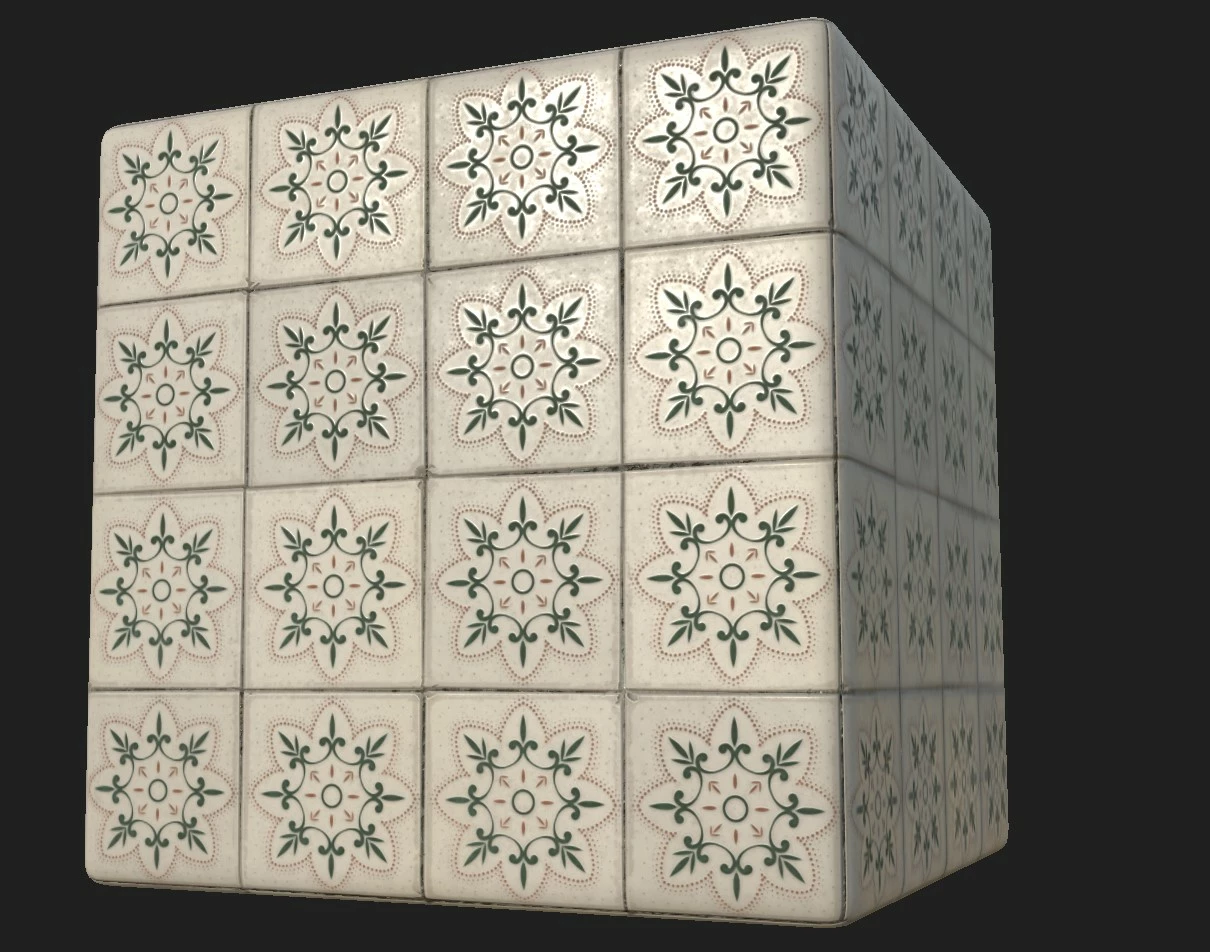
8 sides
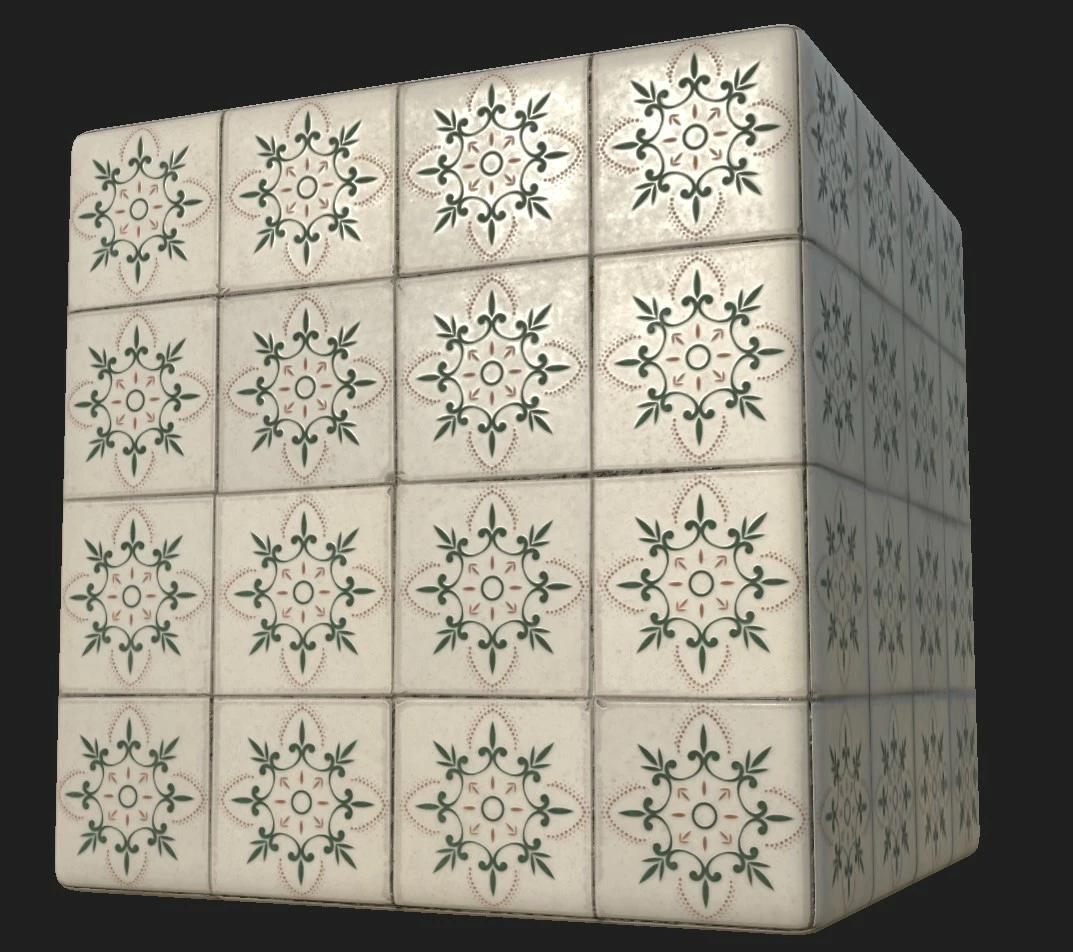
4 sides "+" form
In short, I exposed the Multi Switch Grayscale parameter and enabled it to work. Everything works great.
But the problem is different, I decided to go further and allow the user to change the location of the flower shapes through a custom checker mask. Where the user can choose a flower with 8 limbs and 4 limbs at the same time through 1 tile.
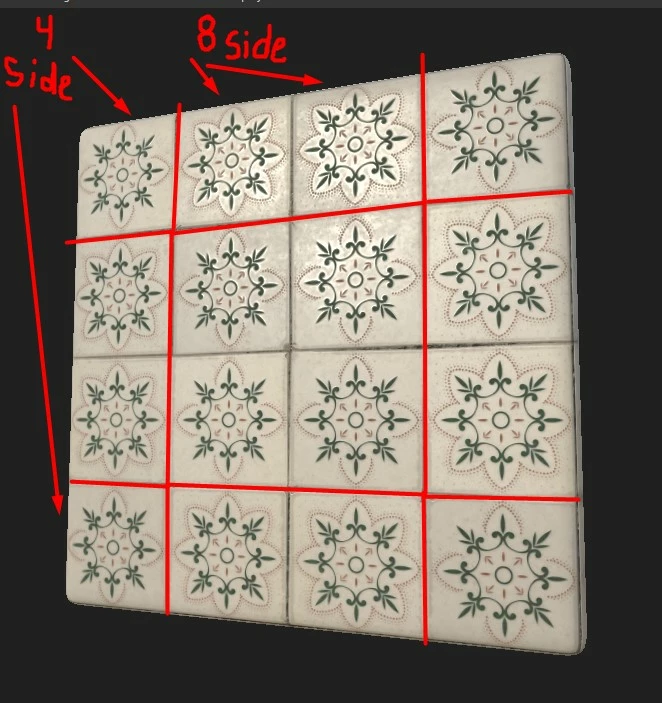
I used the Checker 1 node, then through the Crop Grayscale I increased the mask hit area exactly where I want. This area has 4 options for (tile amounts 3x3, 4x4, 5x5 and less than 3x3). I also used for each option the Multi Switch Grayscale node and made a condition. For example: (if Tile Amount = 4, then use input 1 and so on, to each tile amount your input). So this one also works fine. Each number of Tile Amount parameter has own imput for checker mask
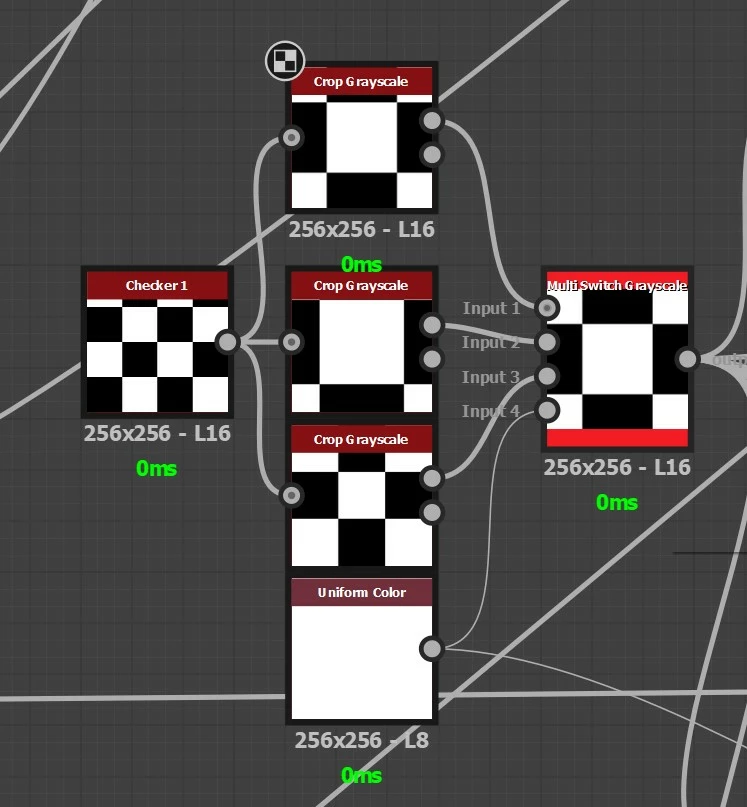
checker masks and switcher
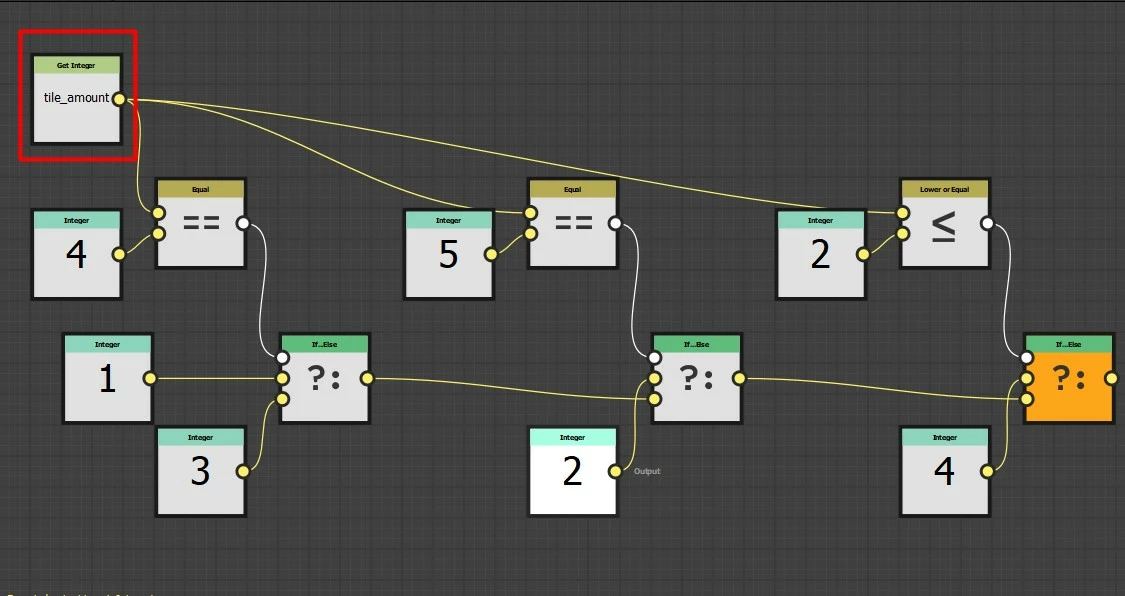
function graph, I exposed Input Selection in Multi Switch Grayscale

tile amount parameter, this is the pooled x, y amount function in the Tile Generator
And now the essence of the problem, I decided to go even further with the parameters with making a variation of the checker mask (mask in the center, mask at the edges, mask at the corners, and so on)
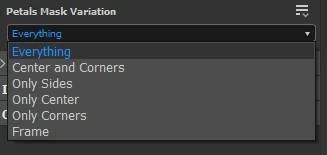
Since the Crop Grayscale was used only for one node and was copied three times for Multiswitch Grayscale I didn't want to make additional Crops for each Mask Variation and connect them with new Switches, then there would be a million nodes in the project. So I decided to optimize the work of other Mask Variations, through the manual crop in the Blend node. I started to make new function in Cropping Area.
So I used functions such as Float4. I thought that cropping area has 4 distinct values. (I remind that I should have 4 of them with the amount of variation of Tile Amount. And each Float4 connected to 4 inputs to Switch Float4 4 Inputs. As I understood in practice, Switch Float4 Values start from 0 numeric, that is, Value1 = 0, Value2 = 1, and so on. Since my custom Tile Amount has a maximum value of 5 and Swtich Float4 4 Inputs has only 4 values where 4 value = 3, then I created a formula when my Tile Amount (get integer) minus 3. In theory everything should work perfectly but does not work or work incorrectly. Why, can anyone help, who is well versed in the functions and explain how to work with Switch Float and how to make the Cropping Area in Blend node function working at all?
Thank you in advance, I am constantly online and I will check my topic all the time, if you have any questions please write, I will try to answer right away.


 AdChoices