


Madeira 3D
Participant
January 9, 2023
Answered

How to re-use blend crop

  • January 9, 2023
  • 1 reply
  • 351 views

Hi,

I'm curious if it's possible to parametrize the blend crop into some variable so I can maybe convert it to a mask and use it in other situations? I converted it and got "Get Floa4" but I don't know how to use it. Thank you.



This topic has been closed for replies.
Correct answer davescm

You contacted me via PM and said you were still unsure of the steps. See if the attached mp4 video helps


Dave


1 reply

davescm
Community Expert
Community Expert
January 9, 2023

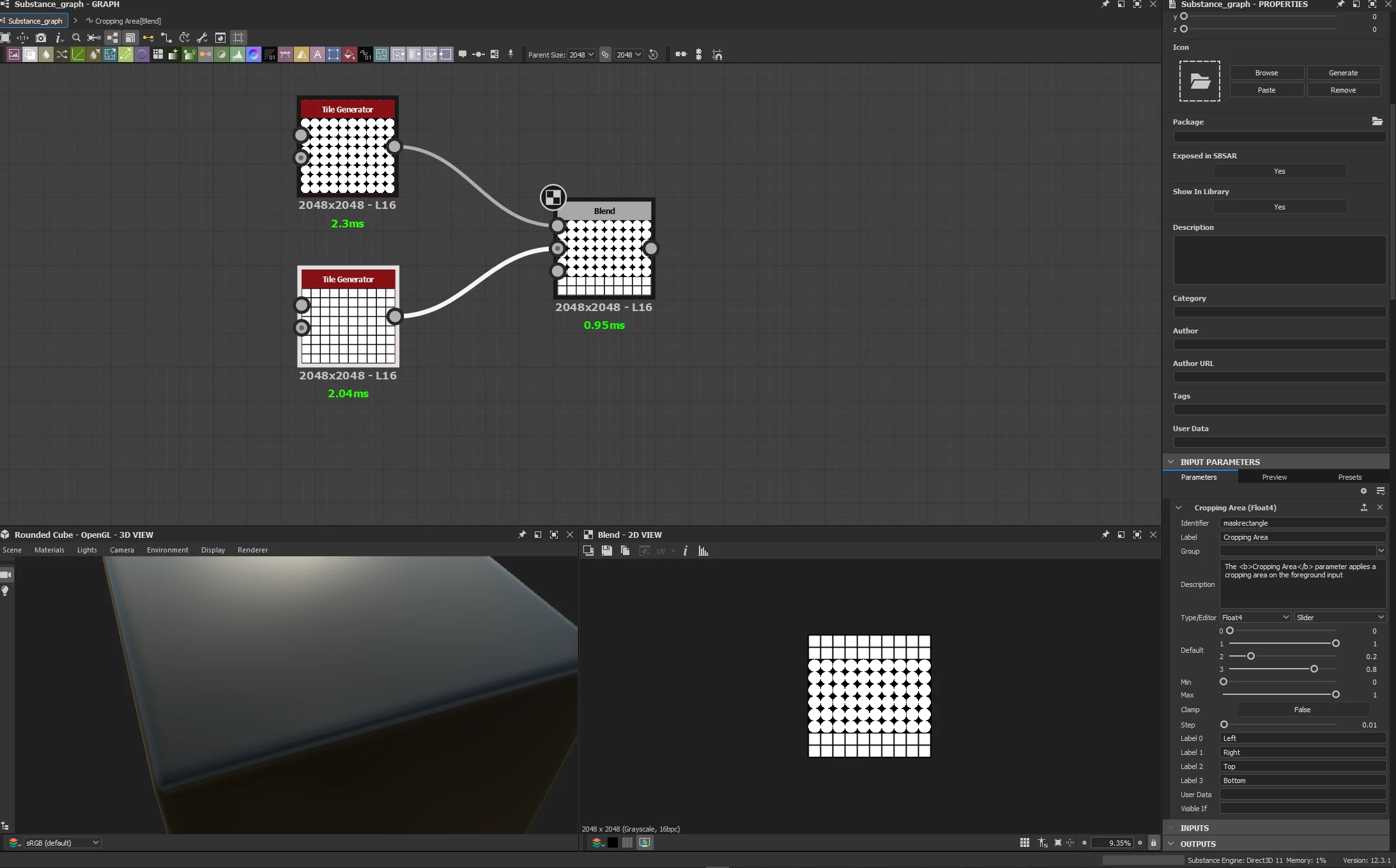
If you want to drop it into another graph with an input that you can feed with a float 4 value then build it like this, which uses the ability to add input :

a. In the blend node add an input and set it to Float 4 , I called it #crop area

b. Set your cropping area to use that node input value

c. Add an input node and set that to Float 4 and label that Crop area and set the defaults that you want to use if it is not connected

d. I also added an output node

e. Save the graph


To use it in another graph just drag it in and drive that input value as you require - I've shown it connected to a simple input value here but you could drive with functions through a value processor node as needed

Dave


davescm
Community Expert
davescmCommunity ExpertCorrect answer
Community Expert
January 11, 2023

You contacted me via PM and said you were still unsure of the steps. See if the attached mp4 video helps


Dave


Madeira 3D
Participant
January 11, 2023

Thanks a lot @davescm , understood! 🙂