


Participant
September 5, 2024
Answered

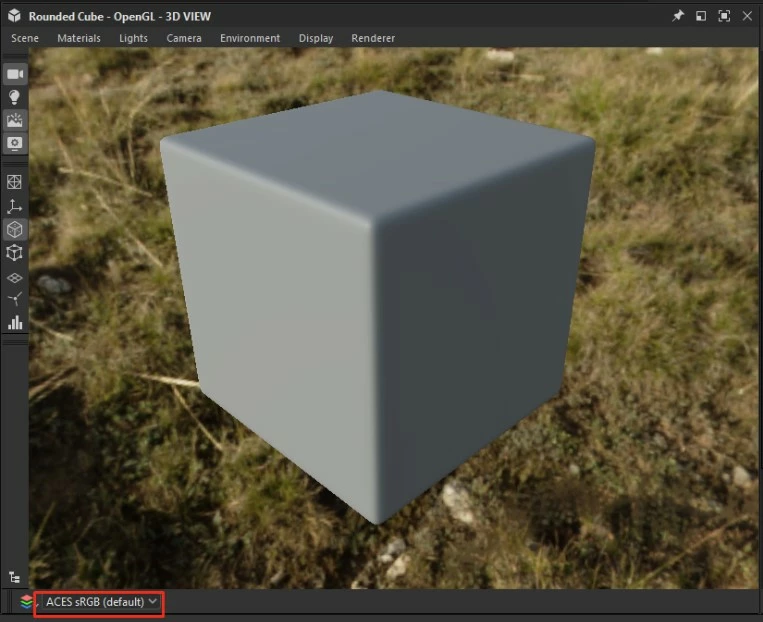
How to set up default Display Transform for 3D View

  • September 5, 2024
  • 1 reply
  • 208 views

Hi,

Does anybody know how to set up default Display Transform for 3D View? I need it to be ACES sRGB by default, but every time I restart Designer, it reverts back to sRGB. I tried to save State File, but. for some reason. this file does not store Display Transform. I also checked other files with different settings, but had no luck.

This topic has been closed for replies.
Correct answer Luca Giarrizzo

Hello Denis,


Thank you for the feedback. Indeed, the display color space selected in the 3D View should be stored and restored when possible. I will log this issue for the development team.


Feel free to let me know about any other issues you experience in Designer.


Best regards.

1 reply

Luca Giarrizzo
Community Manager
Luca GiarrizzoCommunity ManagerCorrect answer
Community Manager
September 6, 2024

Hello Denis,


Thank you for the feedback. Indeed, the display color space selected in the 3D View should be stored and restored when possible. I will log this issue for the development team.


Feel free to let me know about any other issues you experience in Designer.


Best regards.

Luca Giarrizzo | Quality Engineer - Substance 3D Designer | Adobe
Participant
September 10, 2024

Thank you Luca!