Participant
October 7, 2021
Question

How to use aliases

  • October 7, 2021
  • 1 reply
  • 1114 views

Hi,


Please tell me how to use aliases in project configuration.

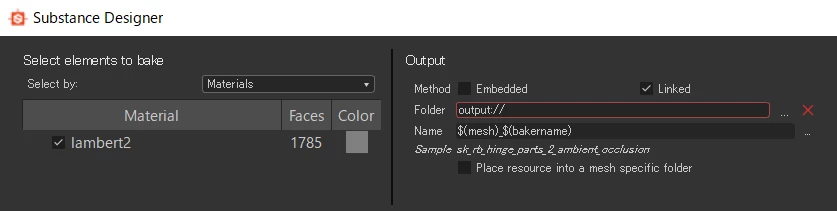
Now, I want to export baked textures to the path using aliases. But I can't.

When I input the path containing aliases to field, the validation of the path is failed.

Maybe, I misuanderstand something about aliases. I don't know what I'm doing wrong...


Version: 2021.1.2


Thank you,
Shinya


This topic has been closed for replies.

1 reply

Luca Giarrizzo
Community Manager
Community Manager
October 7, 2021

Hello Shinya,


Aliases are not meant to be a shortcut for path inputs in the application. Rather, they are used when writing files and are resolved automatically by the application when displaying paths in the user interface.

This means you see and use unaliased paths in the application while the files you save will have aliased paths.

Aliases are meant for collaboration as they empower teams to work on shared files which use the same aliases, for instance:

  • each team member can map an alias to the location on their specific system where their version of the shared files are stored
  • the team can have a common alias mapped to a network location

You can learn more about Aliases in these pages of our documentation:

I hope this is helpful and informative.


Best regards.


Luca Giarrizzo | Quality Engineer - Substance 3D Designer | Adobe
Participant
October 8, 2021

Hi Luca,


Thanks for reply.


> Aliases are not meant to be a shortcut for path inputs in the application. Rather,
> they are used when writing files and are resolved automatically by the application when displaying paths in the user interface.


Do you mean that input path can be resolved by aliases, application will replace the path with another path containing aliases automatically ?


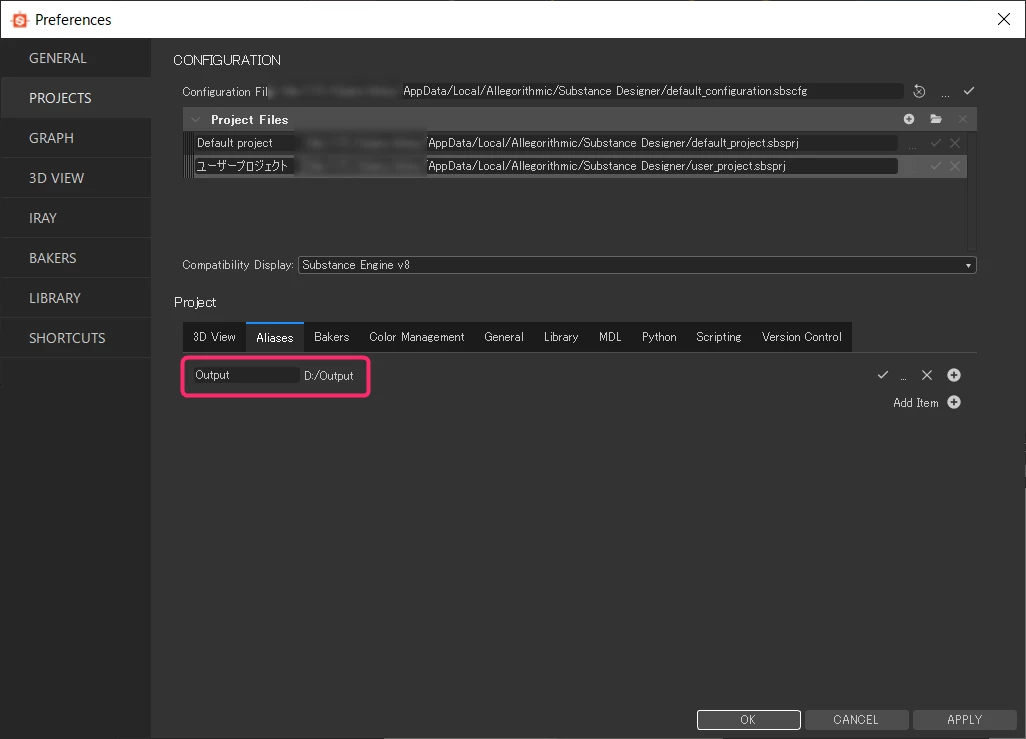
With the configurations in above screenshots, when opening my .sbs file by text editor, I could see that 'D:/Output/Texture.png' has been replaced with 'Output://Texture.png'.


Thank you,

Shinya