



Lucia.
Known Participant
July 2, 2024
Answered

I just want to export an alpha normal with exposed graph inputs from designer to painter...

  • July 2, 2024
  • 4 replies
  • 793 views

But all it does is export it as a base material.
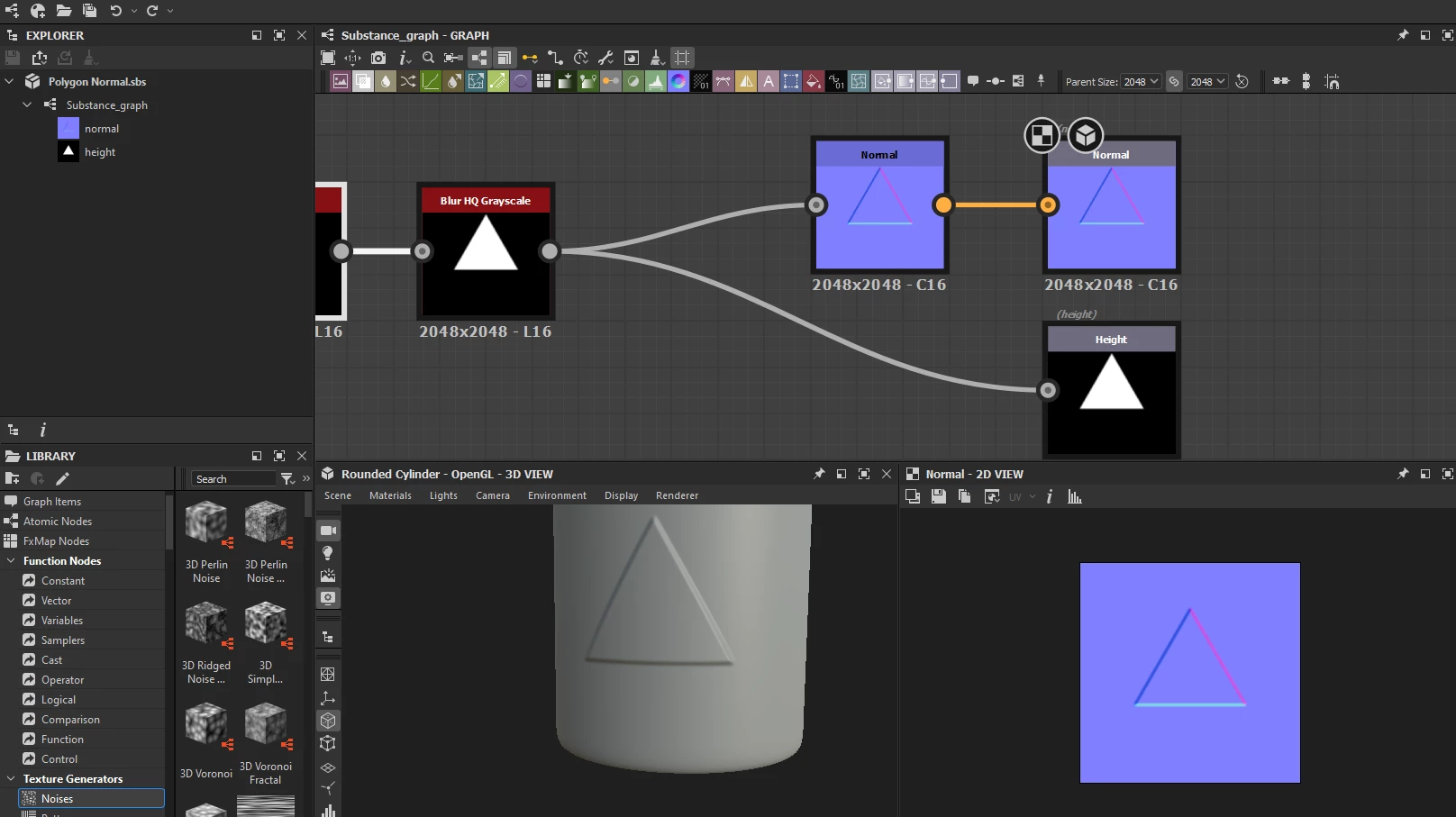


I want to export it into something like this, with scalable proportions:
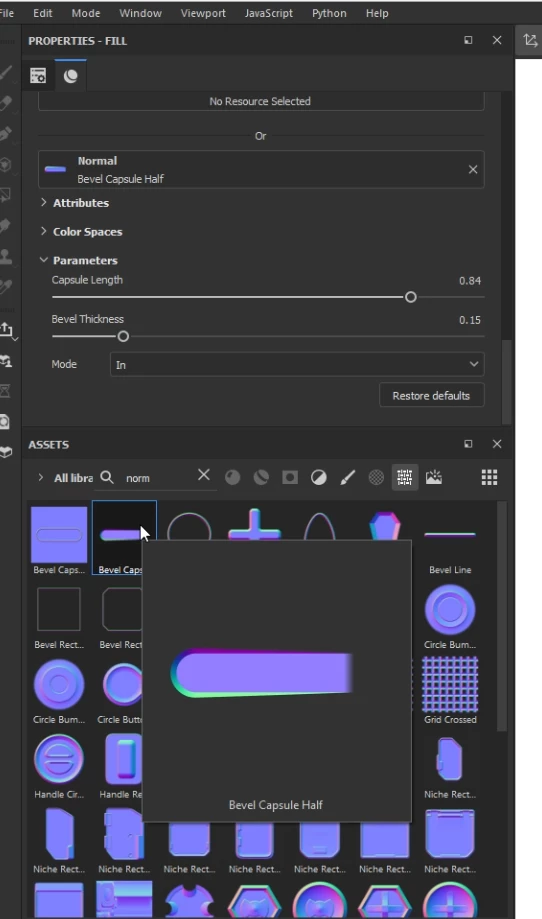
 

But instead I just get this:


This topic has been closed for replies.
Correct answer davescm
Polygon_Normal.sbsar

Thanks - in the sbs graph properties change the material type from 'Standard Material' to 'Unspecified' and republish to the texture location in your painter shelf.


Dave

4 replies

Lucia.
Lucia.Author
Known Participant
August 19, 2024

Bump

Lucia.
Lucia.Author
Known Participant
August 14, 2024

Bump

davescm
Community Expert
Community Expert
July 5, 2024

There are a couple of steps

1. Add an Alpha merge to your normal output to create the transparency

2. Add a normal tag to the graph

3. Export the normal output as a png then for the icon - click browse and use that exported png as the Icon


4. Publish the material as sbsar to your Painter shelf location under 'Textures'. It should appear when you next open Painter.


Dave

Lucia.
Lucia.Author
Known Participant
August 8, 2024

which one do i add normal tag to

Lucia.
Lucia.Author
Known Participant
August 8, 2024

also none of the nodes have an "add icon" section

Lucia.
Lucia.Author
Known Participant
July 4, 2024

Bump
