Answered

This topic is closed to new replies. Start a new post to keep the conversation going.
Hi Dave,
I have 1 graph with about 50 colors 3 of them are blended colors and when I use any node be it blend or whatever I cannot get the output list to go into the same numbered uniform color list I have with names. Please see attached, and note I plan to bring these colors into a multi-material where I can flip through the colors and if a blended color cannot be put in the list because of the output is opacity or anything but the same parameters as the uniform colors I do not see how I can add those to the list of output colors and hence be able to flip through color names when I bring into a multi material graph?
Please advise,
Thanks!
The list of names in the multi switch input dropdown that you have shown can be overtyped with whatever name you choose. So where you have used blended colours, note the input slot that you plugged them into and find that integer in the list and give it whatever name matches your customers name for that colour.
See if this helps :
The multi switch colour node has a number of inputs and the control for selecting that input can be exposed as an input for the graph. If it is it will look like this (in my example I've just used four inputs but works the same for 44) :
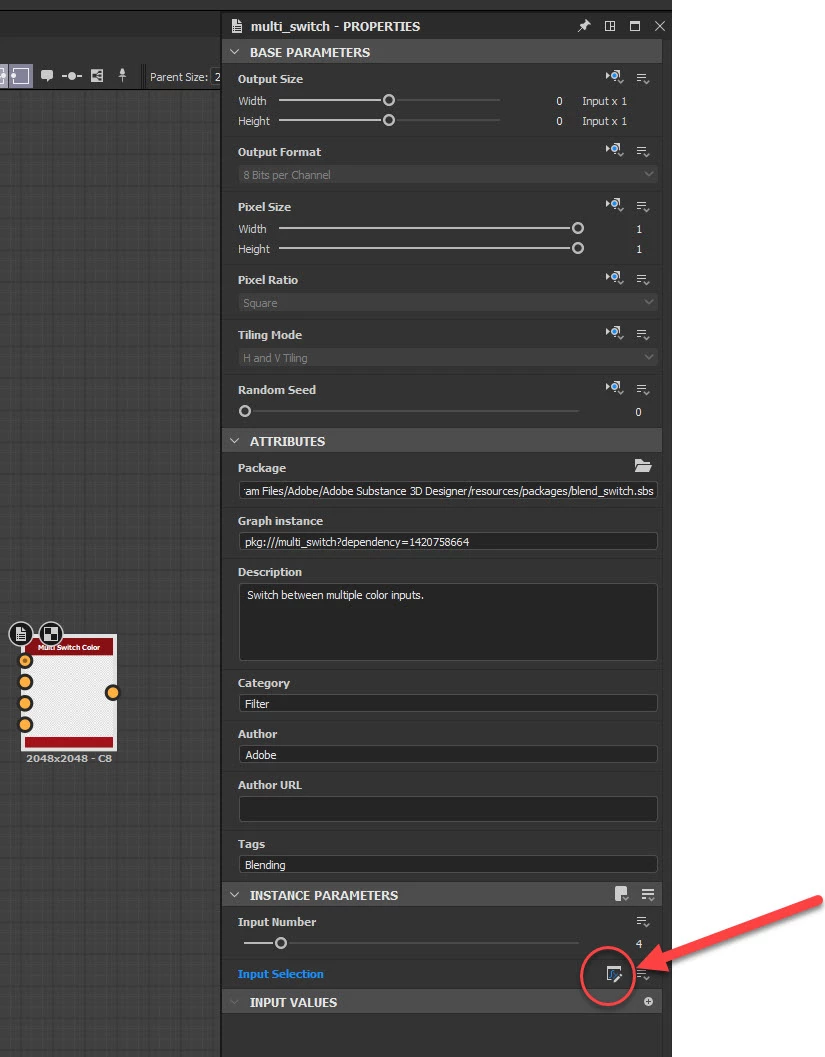
Click where I've circled in red and you will see what function is being used to select that input.
In my example it is a value called input_number :
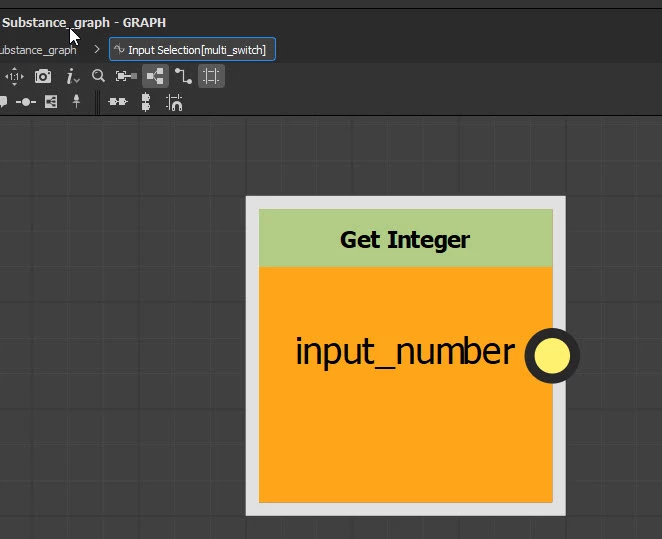
In my main graph I have an exposed input parameter called input Colour Name that sets the value of input_number, based on a dropdown list of values. So if I select "Name of first colour" from teh dropdown list I will select whatever is plugged into input 1. If I select "Name of Second Colour" I will get whatever is plugged into input 2. The name in the drop-down list though can be overtyped to be anything I want e.g. Red, Green, Sky Blue, Fred or Sally.
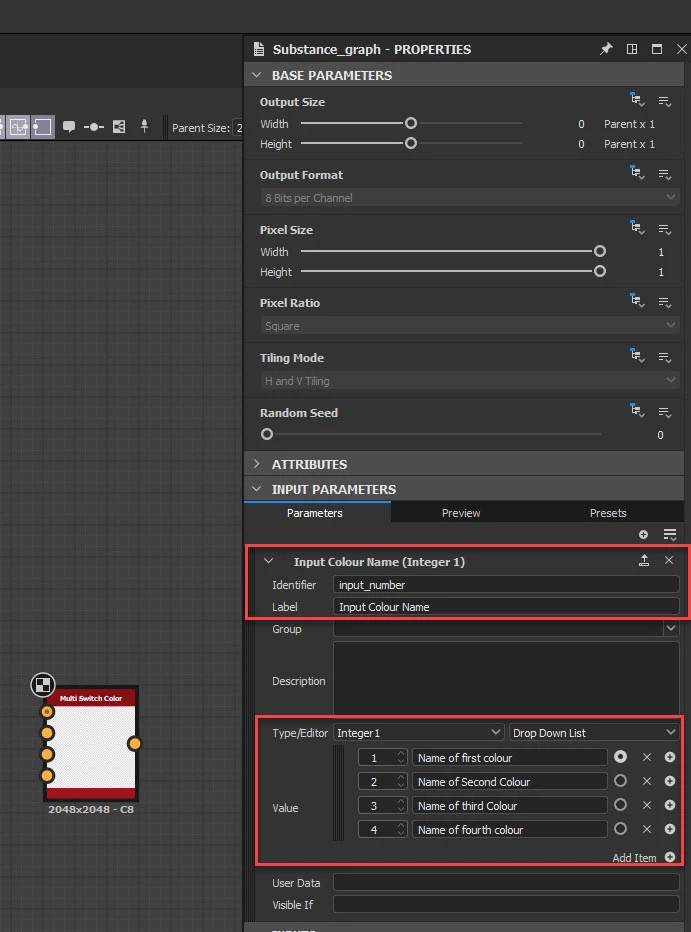
So naming your colours should just be a case of overtyping the name in that list for the appropriate multiswitch input
Dave


Sign up
Already have an account? Login
To post, reply, or follow discussions, please sign in with your Adobe ID.
Sign inSign in to Adobe Community
No account yet? Create an account
To post, reply, or follow discussions, please sign in with your Adobe ID.
Sign inEnter your E-mail address. We'll send you an e-mail with instructions to reset your password.
 AdChoices