Participant
July 4, 2025
Answered

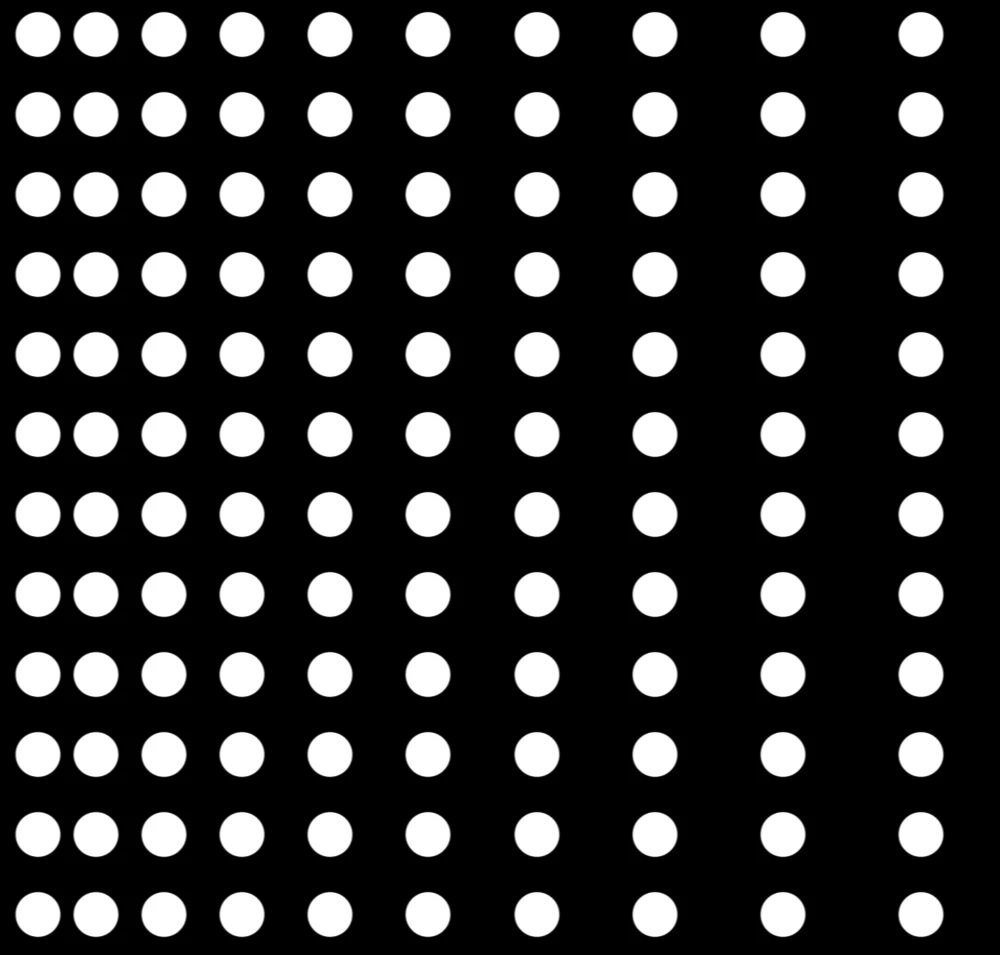
Is there a node for distributing shapes from densely packed to spaced out.

  • July 4, 2025
  • 1 reply
  • 156 views

I'm trying to create a pattern that uses a line of shapes that starts dense and then spaces out as the pattern goes along. I have created an example in Photoshop to depict what I mean. Any help would be grealy appricited.


Thank you. 
Correct answer davescm

Hi,
Tile sampler will do that. 

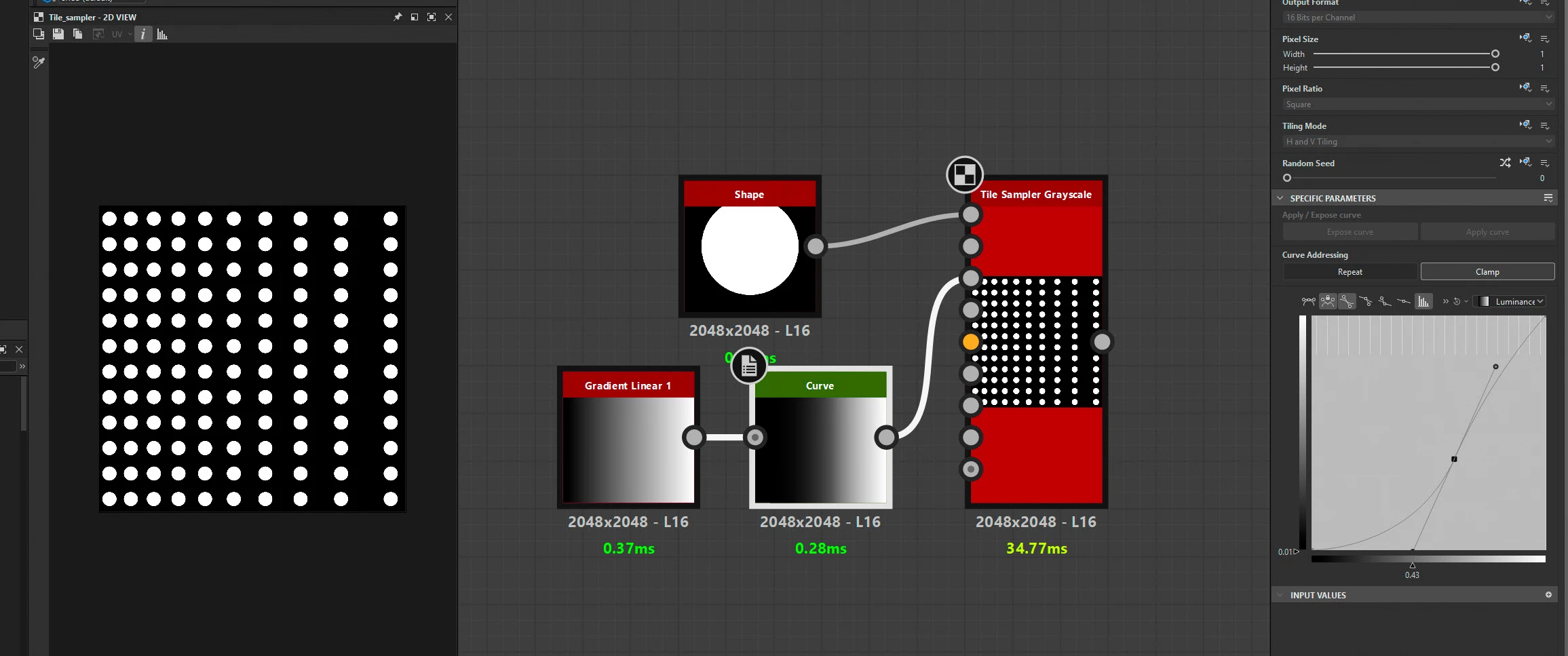
To replicate your example I :

1. Plugged a shape in the pattern input.

2. Plugged a linear gradient via a curve into the displacement map input

3 Inside tile sampler I set : 
3.a. Tiling mode to absolute then no tiling

3.b. X amount to 16 and y amount to 12

3.c. Selected pattern input
3.d. Size mode to 'Keep Ratio' 

3.e. Displacement Map intensity to 1

3.f.  Displacement angle to 180 degrees

4. Then I adjusted the curve node to get a suitable distribution. You could use a levels node instead of the curve but the curve gives more control.


Dave


1 reply

davescm
Community Expert
davescmCommunity ExpertCorrect answer
Community Expert
July 10, 2025

Hi,
Tile sampler will do that. 

To replicate your example I :

1. Plugged a shape in the pattern input.

2. Plugged a linear gradient via a curve into the displacement map input

3 Inside tile sampler I set : 
3.a. Tiling mode to absolute then no tiling

3.b. X amount to 16 and y amount to 12

3.c. Selected pattern input
3.d. Size mode to 'Keep Ratio' 

3.e. Displacement Map intensity to 1

3.f.  Displacement angle to 180 degrees

4. Then I adjusted the curve node to get a suitable distribution. You could use a levels node instead of the curve but the curve gives more control.


Dave


Participant
July 11, 2025

Yes. this works perfectly. Thank you for taking the time to look ino this. 

davescm
Community Expert
Community Expert
July 11, 2025

You're welcome 🙂
Dave