Cristóbal Vila
Known Participant
September 23, 2022
Answered

Kind of “Master & Slave” nodes?

  • September 23, 2022
  • 1 reply
  • 346 views

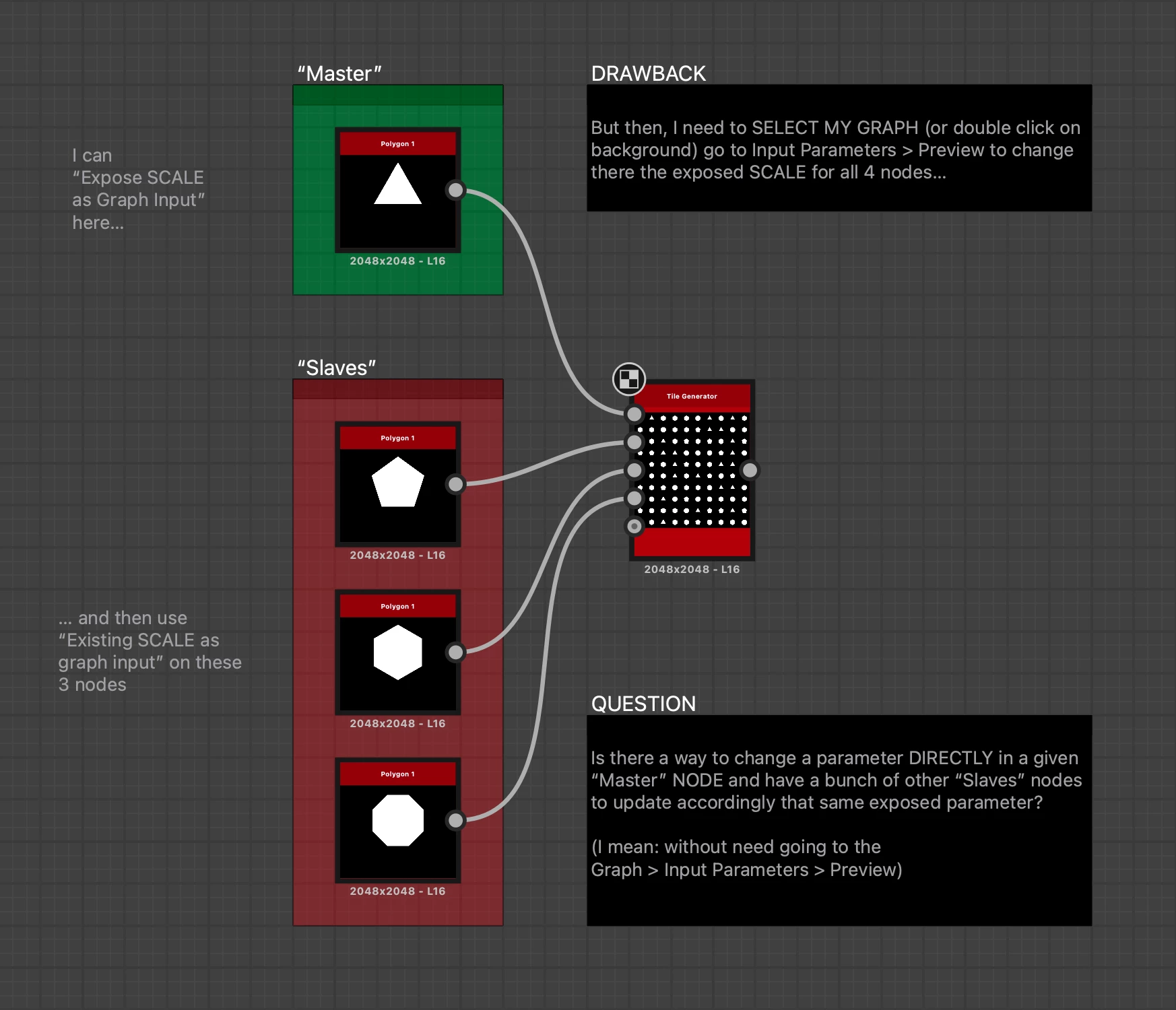
I know we can “Expose SCALE as Graph Input” on a “Master” Polygon1 node and then use “Existing SCALE as graph input” on a bunch of other Polygon1 nodes. Then, we must to SELECT OUR GRAPH (or double click on background) go to Input Parameters > Preview to change there the exposed SCALE for all 4 nodes…


QUESTION

Is there a way to change a parameter DIRECTLY in a given “Master” NODE and have a bunch of other “Slave” nodes to update accordingly that same exposed parameter?


IMPORTANT: without need going to the Graph > Input Parameters > Preview


Or maybe, creating

some kind of “Null Node” or “Controller” (visible as another extra node in my Graph) to change a Parameter who affect to several “slave” nodes?

Thanks!
This topic has been closed for replies.
Correct answer davescm

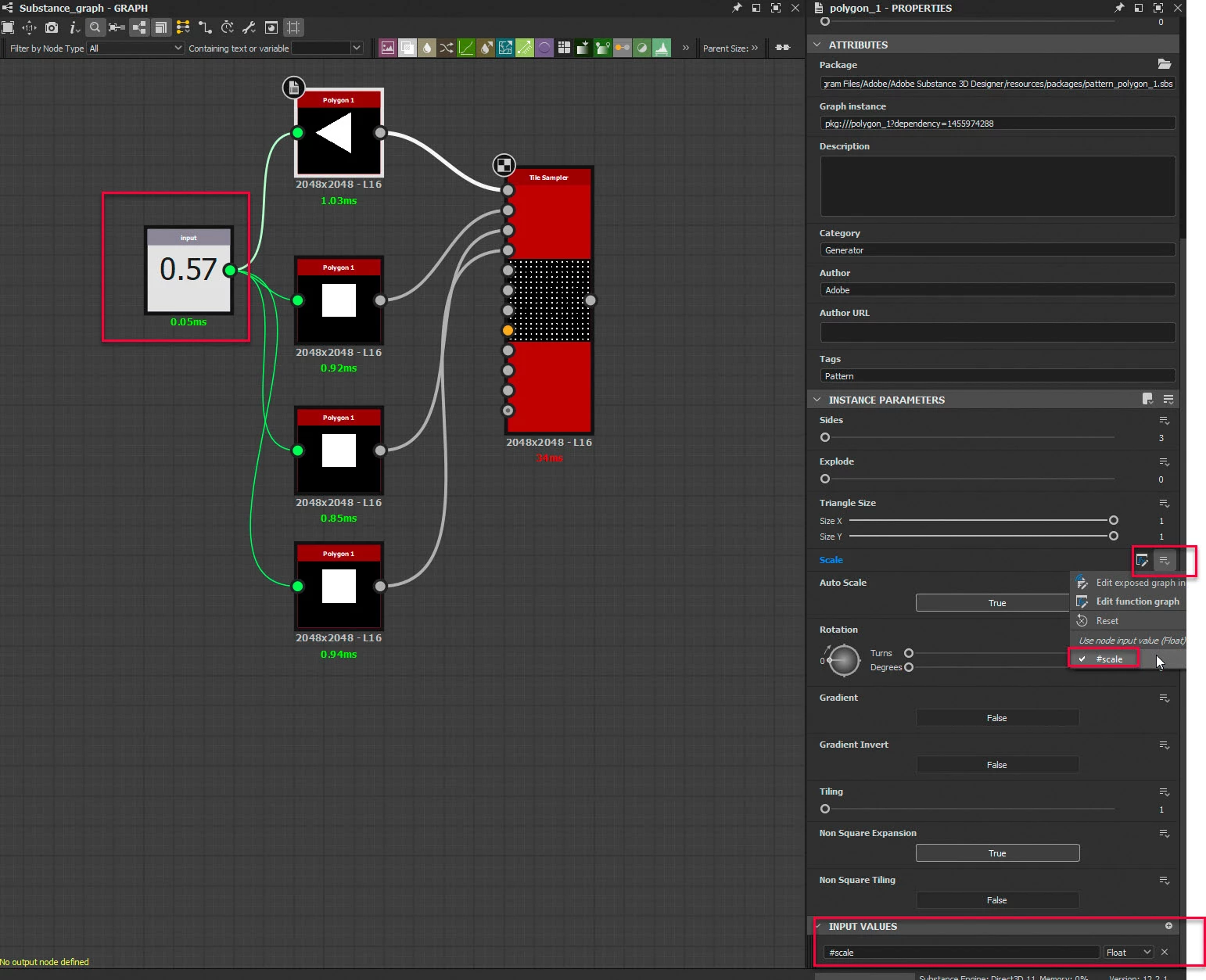
You could use a node to control the scale value.

Add an input to the polygon nodes (called for example #scale). Set the Scale Parameter to use that input

Add an 'input value' node set to the scale value

1 reply

davescm
Community Expert
davescmCommunity ExpertCorrect answer
Community Expert
September 23, 2022

You could use a node to control the scale value.

Add an input to the polygon nodes (called for example #scale). Set the Scale Parameter to use that input

Add an 'input value' node set to the scale value

Cristóbal Vila
Known Participant
September 26, 2022

Thank you soooo much, again, Dave.


Not sure what is happening: I'm completely sure I answered to your post, already. But my response dissapeared… And this is not the first time it occurs with this forums…

This was using Safari, as browser. Now I'm using Chrome, just in case.