


Inspiring
February 23, 2024
Answered

Low resolution outputs from Batch render

  • February 23, 2024
  • 1 reply
  • 700 views

Hi,


I have 8K project and every time I export outputs using batch render (as it's more performance efficient) I get this super lowres renders even though I set resolution there to be 8K:
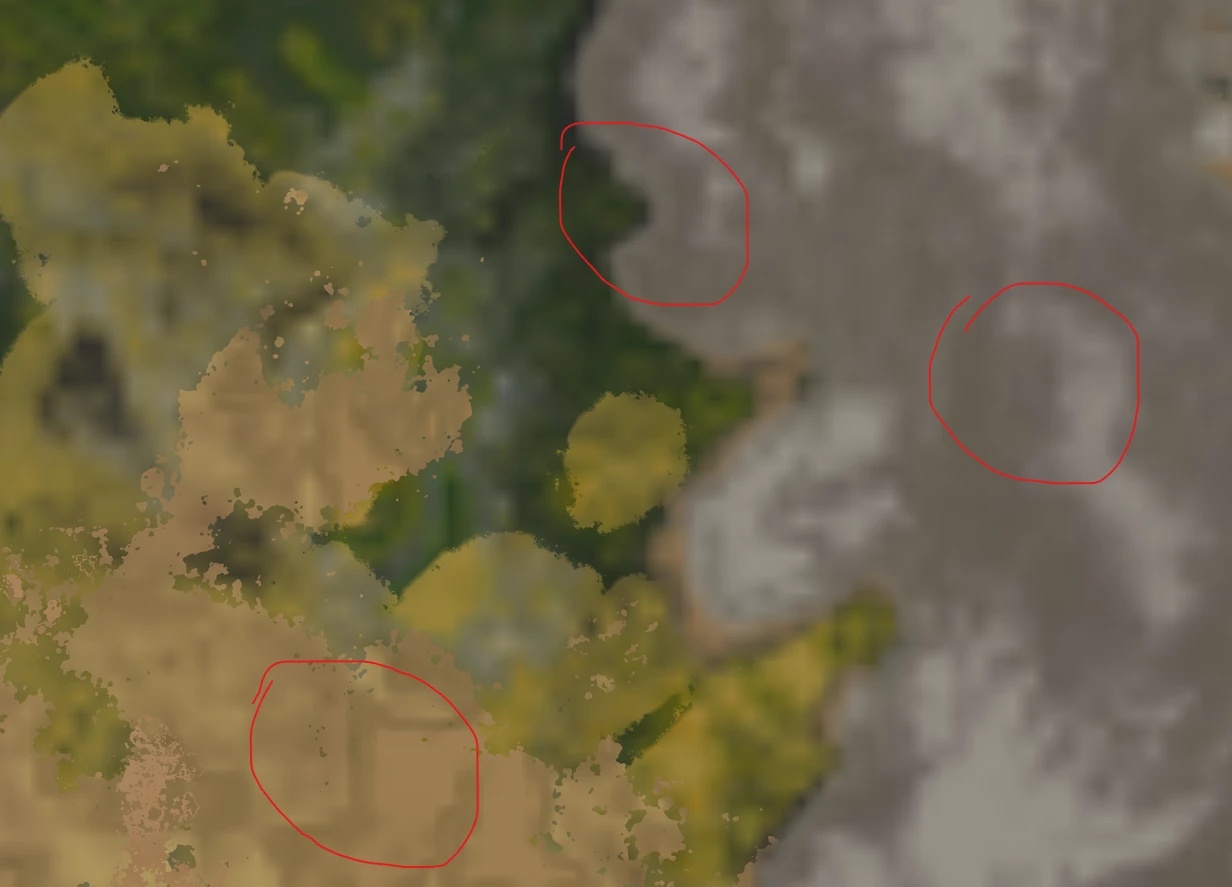
 

I can get crisp renders only if I render from main "From Graph" window:
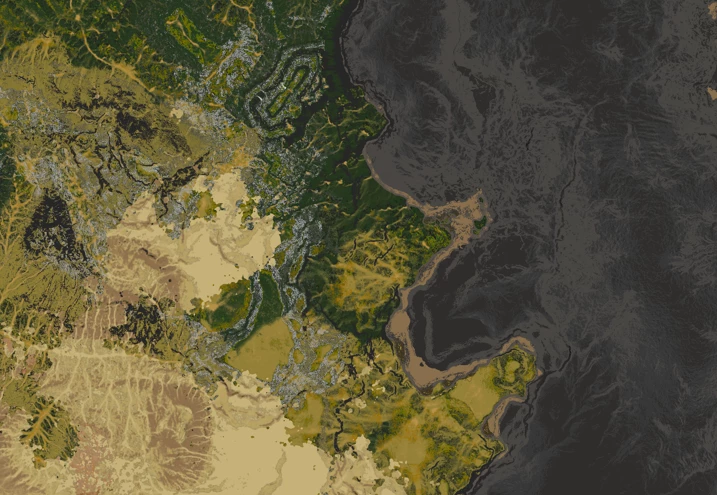
 

I would render it From Graph of course but it's very often crashes as the project is quite big and I probably run out of memory fast which results in SD crashing. Is there a way to render my 8K outputs from Batch render window while still having all nodes being crisp? Thanks for any advice!



This topic has been closed for replies.
Correct answer Cyril Dellenbach

The Batch Export makes a SBSAR anyway in the backroom to export all the maps, thus the low resolution issue.


Only the Bitmap has to be in Absolute, other nodes can keep their Output Size as it is. We usually advise to add a Tranform node after a Bitmap, and set its Output size to "Relative to Parent".  This way, only bitmaps will keep their resolution, and the rest of the graph can switch between 4K and 8K without issues.


Regards,

1 reply

Cyril Dellenbach
Community Manager
Community Manager
February 23, 2024

Hello @Defonten,


This low resolution issue is probably due to a Bitmap in the graph with its resolution set to Relative to...


When publishing a SBSAR, the Bitmap resolution has to be in Absolute, otherwise its resolution will switch for 256x256 (which is the native engine resolution). Considering a Batch export publish the package as a SBSAR in the backroom, you have to set the bitmaps resolution to Absolute.


Regards,

Cyril Dellenbach (Micro) | QA Support Artist | Adobe
DefontenAuthor
Inspiring
February 23, 2024

Aha that makes sense thank you! I indeed have all nodes set to Relative to Parent because I  very often switch from 8K to 4K while working with nodes to save some calculating time. Also I'm not actually exporting sbsar I just want to render outputs using batch render.


The problem is that if I would change the nodes' Output Size to Absolute then I won't be able to easily change project resolution from 8K to 4K for all nodes in one click. Or am I missing anything and there is actually way how to have all nodes' Output Size to be Absolute and still being able to switch from 8K to 4K resolutions while working with the project ? Thanks a lot!


Cyril Dellenbach
Community Manager
Cyril DellenbachCommunity ManagerCorrect answer
Community Manager
February 26, 2024

The Batch Export makes a SBSAR anyway in the backroom to export all the maps, thus the low resolution issue.


Only the Bitmap has to be in Absolute, other nodes can keep their Output Size as it is. We usually advise to add a Tranform node after a Bitmap, and set its Output size to "Relative to Parent".  This way, only bitmaps will keep their resolution, and the rest of the graph can switch between 4K and 8K without issues.


Regards,

Cyril Dellenbach (Micro) | QA Support Artist | Adobe