Nitroleum
Known Participant
May 19, 2023
Answered

Mask based on the slope angle of the height map?

  • May 19, 2023
  • 2 replies
  • 2865 views

Hey guys, 


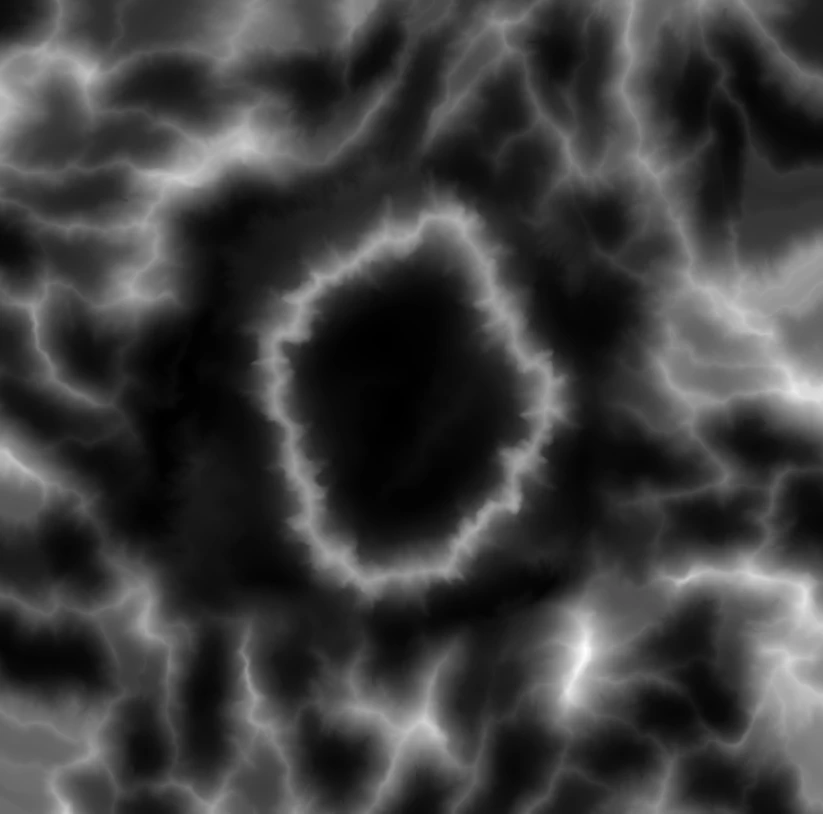
Is there a way in designer to generate a mask by slope angles of the terrain height map? Here's the height map I have:


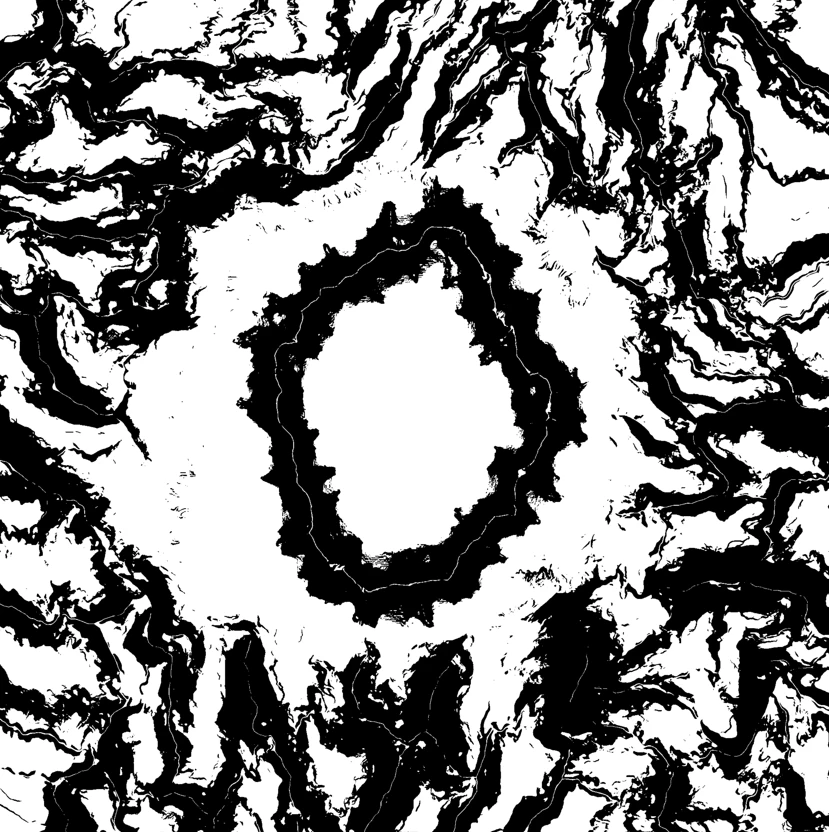
Can I generate a mask in areas that have angles let's say from 0 to 20degrees? Just for a reference here's how it should look like:


Thank you very much!


This topic has been closed for replies.
Correct answer davescm

Hi

The floor of your map example map measures 1000 x 1000 metres in each direction . But what does the height range (0 minimum to 1 maximum) represent?  If it represents 0 to 1 metre then you would enter height/length = 1/1000 = 0.001 and all the angles are going to be very shallow, if it represents 0 to 1000 metres then you would enter height / length = 1000/1000 = 1 and some of the angles are going to be very steep. If you use want accurate min/max angles in the mask then what that height scale represents is an essential input.


'The heightmap represents 1000x1000 meters and was rendered as a 8192x8192px grayscale 16bit single channel png file (the one I provided a few posts earlier but downsaled to 2048x2048 so that I can attach it here). So I'm not sure which values should I input into height ratio input - would 0.5 be fine for that?'


In your example, by entering 0.5 you are saying that the height range represented by 0 to 1 values in the map is 0 to 0.5 x 1000 = 500 metres


'Another question so if I want to have a 0 - 20° mask - should I need to set Min Angle to 0 and Max Angle to 20?'


Yes but, as stated above, those values can only be accurate if you have entered the height proportion value accurately.


Dave 

2 replies

davescm
Community Expert
Community Expert
May 23, 2023

Hi

After some thought, I came up with this much nicer solution based on the pixel processor and a bit of math to calculate the surface normal at any point and then the angle between that and a vertical normal. It needs three inputs to generate a mask.
1. The ratio of height to pixel width of the map which is needed in order to calculate an angle. So if your height map is x metres, or miles, wide, what does value 1 (full white) represent as a ratio of that height. Example : If the map represents 1024 metres wide and the difference between full black and full white is 512 metres height then set that ratio to 0.5. This is needed in order to calculate an angle.

2. A minimum angle for the mask

3. A maximum angle for the mask

The pixel processor function:


I hope it helps


Dave

Nitroleum
NitroleumAuthor
Known Participant
May 24, 2023

Thanks for getting back to me with this solution!


But I have a couple questions still.. (sorry my math skills are terrible)


I'm a bit puzzled what this phrase means:

If the map represents 1024 metres wide and the difference between full black and full white is 512 metres height then set that ratio to 0.5


The heightmap represents 1000x1000 meters and was rendered as a 8192x8192px grayscale 16bit single channel png file (the one I provided a few posts earlier but downsaled to 2048x2048 so that I can attach it here). So I'm not sure which values should I input into height ratio input - would 0.5 be fine for that?


Another question so if I want to have a 0 - 20° mask - should I need to set Min Angle to 0 and Max Angle to 20? 


Thanks!


davescm
Community Expert
davescmCommunity ExpertCorrect answer
Community Expert
May 24, 2023

Hi

The floor of your map example map measures 1000 x 1000 metres in each direction . But what does the height range (0 minimum to 1 maximum) represent?  If it represents 0 to 1 metre then you would enter height/length = 1/1000 = 0.001 and all the angles are going to be very shallow, if it represents 0 to 1000 metres then you would enter height / length = 1000/1000 = 1 and some of the angles are going to be very steep. If you use want accurate min/max angles in the mask then what that height scale represents is an essential input.


'The heightmap represents 1000x1000 meters and was rendered as a 8192x8192px grayscale 16bit single channel png file (the one I provided a few posts earlier but downsaled to 2048x2048 so that I can attach it here). So I'm not sure which values should I input into height ratio input - would 0.5 be fine for that?'


In your example, by entering 0.5 you are saying that the height range represented by 0 to 1 values in the map is 0 to 0.5 x 1000 = 500 metres


'Another question so if I want to have a 0 - 20° mask - should I need to set Min Angle to 0 and Max Angle to 20?'


Yes but, as stated above, those values can only be accurate if you have entered the height proportion value accurately.


Dave 

davescm
Community Expert
Community Expert
May 20, 2023

One way:

You could use a pixel processor to sample the 8 neighbouring pixels around each heightmap pixel and calculate the difference. In the example below I used the largest difference out of those 8 but you could refine that. The function in the pixel processor below returns 1 for no difference i.e. flat and 0 for maximum difference i.e. vertical. Then use a histogram scan to adjust what you want included in the mask.


Note : Your sample heightmap was only 8 bit - I would recommend at least 16F, to get decent results as the height differences between neighbouring pixels are small.


Dave

Nitroleum
NitroleumAuthor
Known Participant
May 20, 2023

Thanks for the reply Dave! This looks very promising! I'm not too familiar with pixel processor workflows though. Could you please send me the actual node in SD file so I can just use it in my graph?