

Known Participant
December 16, 2023
Question

Material Channels

  • December 16, 2023
  • 2 replies
  • 465 views

Hi
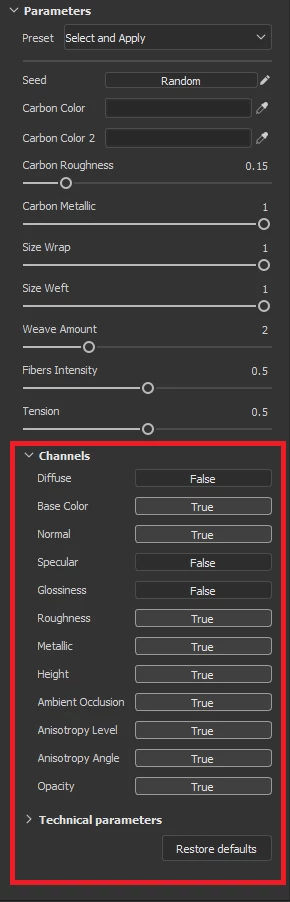
I am looking for the usage of the channel parameter group that I see in some of the default Substance Painter materials. When I activate or deactivate them nothing seems to happen.

Thank you!

This topic has been closed for replies.

2 replies

Cyril Dellenbach
Community Manager
Community Manager
December 19, 2023

Hi @Dazzle5FF7,


As Dave mentioned, these channels are here to activate or deactivate which channels/outputs you're gonna use for the SBSAR. You indeed won't see any changes inside Painter, because each layer already has its own channel management who "overrides" the one from the Material.


However, tier softwares might need these parameters in order to switch channels. This is a behavior you can see inside Substance 3D Player for example.


Regards,

Cyril Dellenbach (Micro) | QA Support Artist | Adobe
davescm
Community Expert
Community Expert
December 16, 2023

They allow you to prepare the material channels needed for use with other shaders, for example Diffuse/Specular/Gloss instead of Base/Metal/Roughness. You wont see any impact if your current shader is not set up to use those channels.


Dave

Known Participant
December 17, 2023

I switched to the pbr-spec-gloss shader, and I'm not seeing any changes when I activate or deactivate the channel parameters, even with Diffuse/Specular/Gloss enabled in the Texture Set Setting panel. Similarly, with the shader set to pbr-metal-rough, toggling Base Color, Metallic, and Roughness doesn't seem to have any impact.
