


Inspiring
June 29, 2026
Question

Materials not showing what I expect (tesselation + Displacement)

  • June 29, 2026
  • 1 reply
  • 11 views

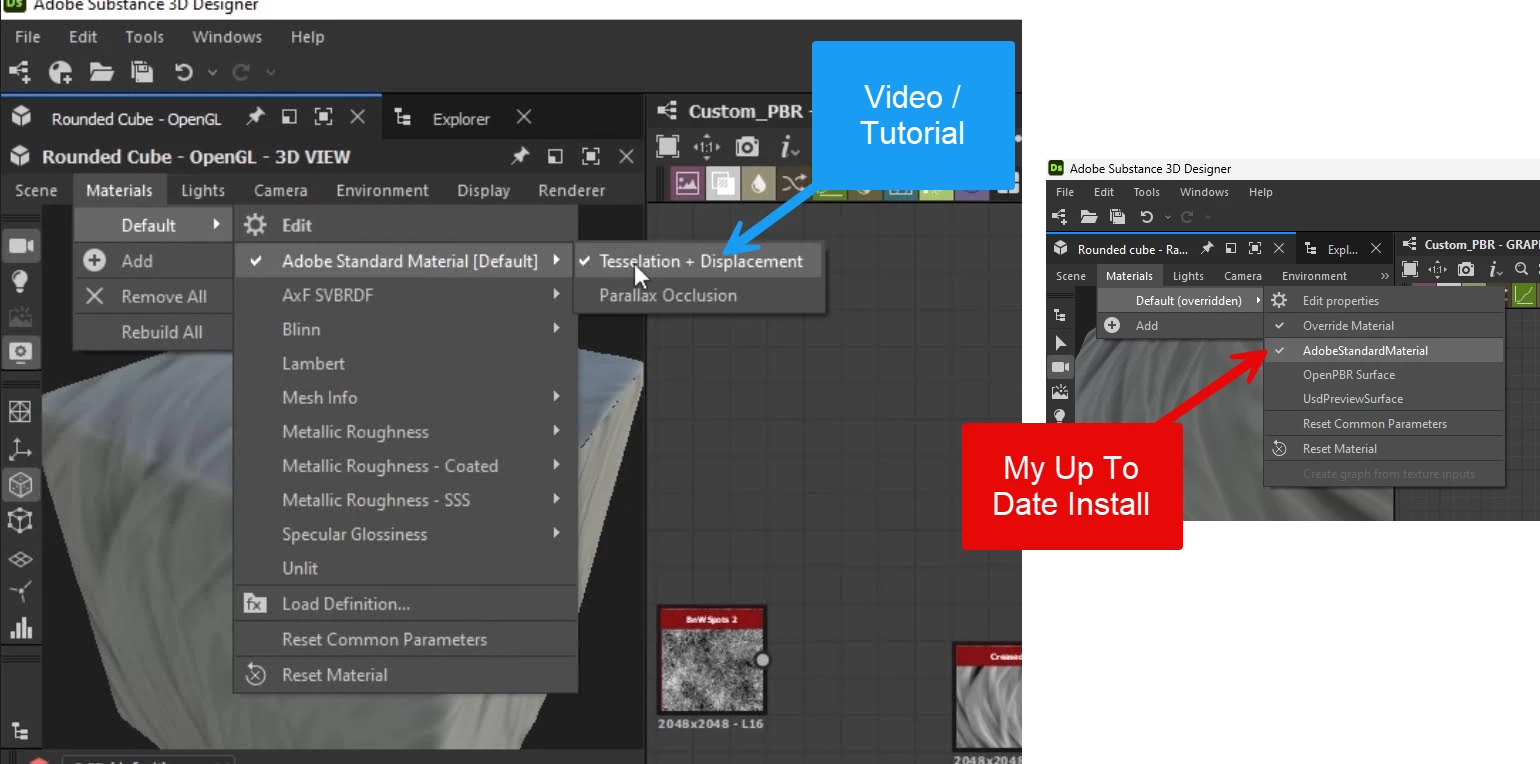
Hi.. I’m following a course on Udemy, and got to this point where what I see in the UI doesn’t match the course… 

E.g., I’m missing the ‘Tesselation + Displacement” flyout in the menu… I also noticed the view title indicates ‘OpenGL’ in the tutorial… whereas mine does not.  Can someone help get me back on track

Thanks!
 

    1 reply

    davescm
    Community Expert
    Community Expert
    July 3, 2026

    Your tutorial does not match the recent changes in Substance Designer.
    You can still adjust the tessellation by clicking on the displacement icon in the 3D view window.


    The default renderer is now ‘Rasterizer’. You can go back to the, now deprecated, OpenGL renderer by clicking on the ‘Renderer tab in the 3D view window.

    Dave