Participant
February 17, 2022
Answered

Need help: Change UV scale in Substance Designer for all maps at once

  • February 17, 2022
  • 1 reply
  • 1106 views

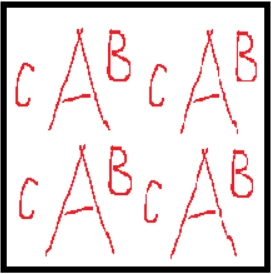
Hello, I'm newbie in Substance product. Recently, I purchased material (SBSAR & SBS) from Artstation. However I would like to scale down the UV of the material (not sure if this is the correct term) so that it's more "packed". Example shown below.


Is there any easy way to do this directly in Designer for all maps at once (basecolor, normal, roughness, metallic, height, AO)? Or what would be the easiest way to do this outside of Designer? I'm thinking about Photoshop but I don't know how to do that while preserving current pixel size, sharpness & details for all of the maps. Any advice appreciated. Thanks.


Original material output:

 

Expected material output:
 

This topic has been closed for replies.
Correct answer davescm

Hi

On the face of it your question seems contradictory. Tiling an area four times in an area covering the same number of pixels, by it's very nature, reduces resolution, in that detail covering four pixels are now packed into 1.  It would also be unusual to tile the material in the Designer output rather than when applying it to an object surface.


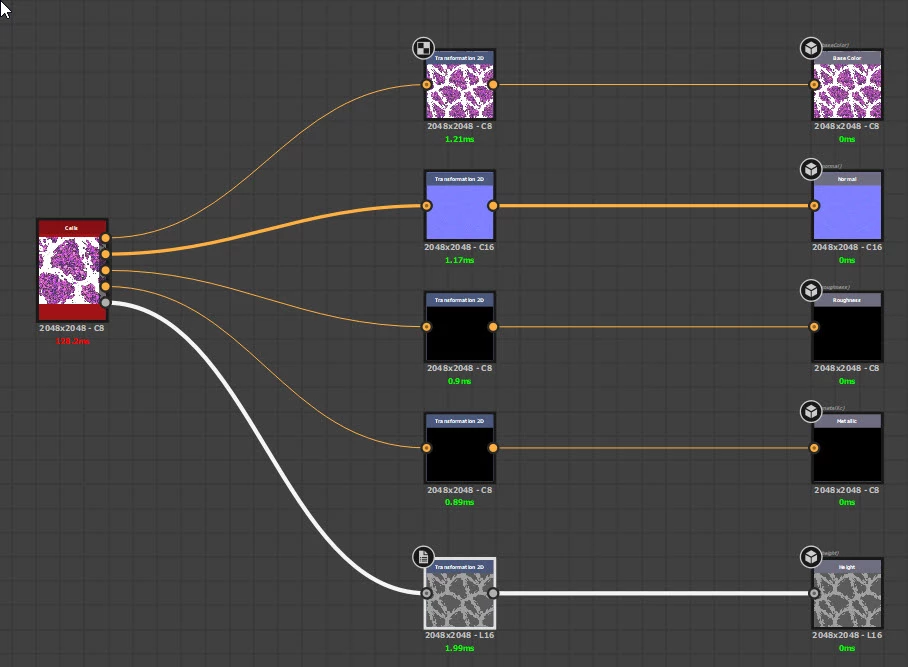
That said you could do what you want by adding a transform 2D node to each material output and selecting /2 in it's properties.


Then if you want to retain the original pixel size of each of the four areas, double the parent size of the graph - for example changing it from 2048 x 2048 to  4096 x 4096. That step though would normally be done when using the published SBSAR by setting the published SBSAR to "relative to parent" and then setting that parent size in Substance Painter or whatever app you are using to apply the material.


Dave

1 reply

davescm
Community Expert
davescmCommunity ExpertCorrect answer
Community Expert
February 18, 2022

Hi

On the face of it your question seems contradictory. Tiling an area four times in an area covering the same number of pixels, by it's very nature, reduces resolution, in that detail covering four pixels are now packed into 1.  It would also be unusual to tile the material in the Designer output rather than when applying it to an object surface.


That said you could do what you want by adding a transform 2D node to each material output and selecting /2 in it's properties.


Then if you want to retain the original pixel size of each of the four areas, double the parent size of the graph - for example changing it from 2048 x 2048 to  4096 x 4096. That step though would normally be done when using the published SBSAR by setting the published SBSAR to "relative to parent" and then setting that parent size in Substance Painter or whatever app you are using to apply the material.


Dave

duminjuAuthor
Participant
February 19, 2022

Thank you for your detail instruction! I've got to know transform 2D node recently too. Gotta try that. I need to watch more tutorials & play around with the nodes  😄