


ryanj72888116
Participant
September 14, 2023
Answered

Need Help Creating this Pattern

  • September 14, 2023
  • 1 reply
  • 361 views

Hi Guys. I'm having a lot of trouble creating this pattern. I thought this would be simple, since I've made much more complicated things before, but I've spent several hours now with nothing to show for it.
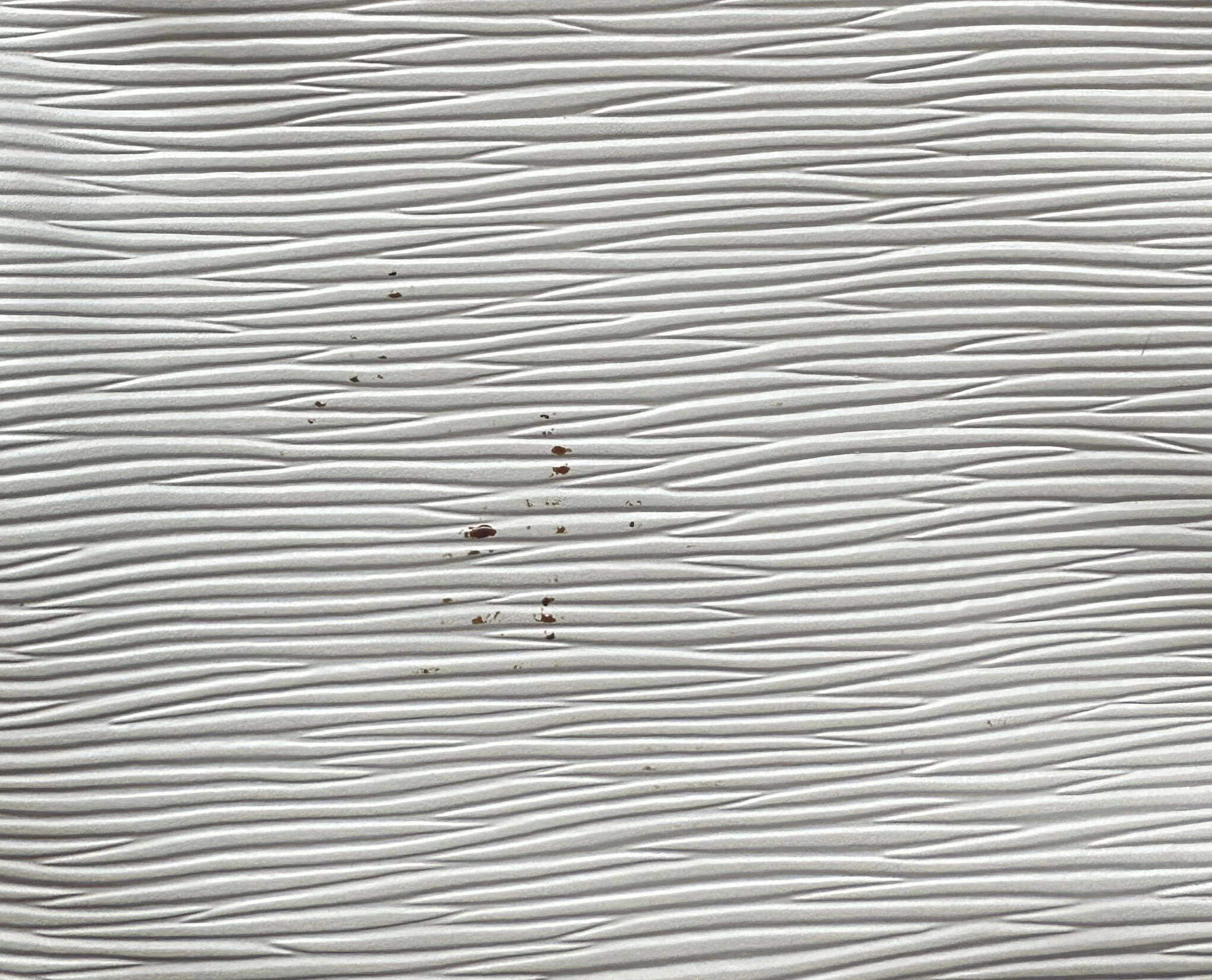
 

(don't mind the paint marks)


I've tried a whole lot of tinkering with voronoi, tile sampler, shape splatter, stripes, fibers, etc and I just cannot get this pattern to emerge.


Any insight would be very much appreciated. This is for a product visualization job and I'm in danger of falling behind on time. Thank you!

This topic has been closed for replies.
Correct answer Cyril Dellenbach

Hello Ryan,


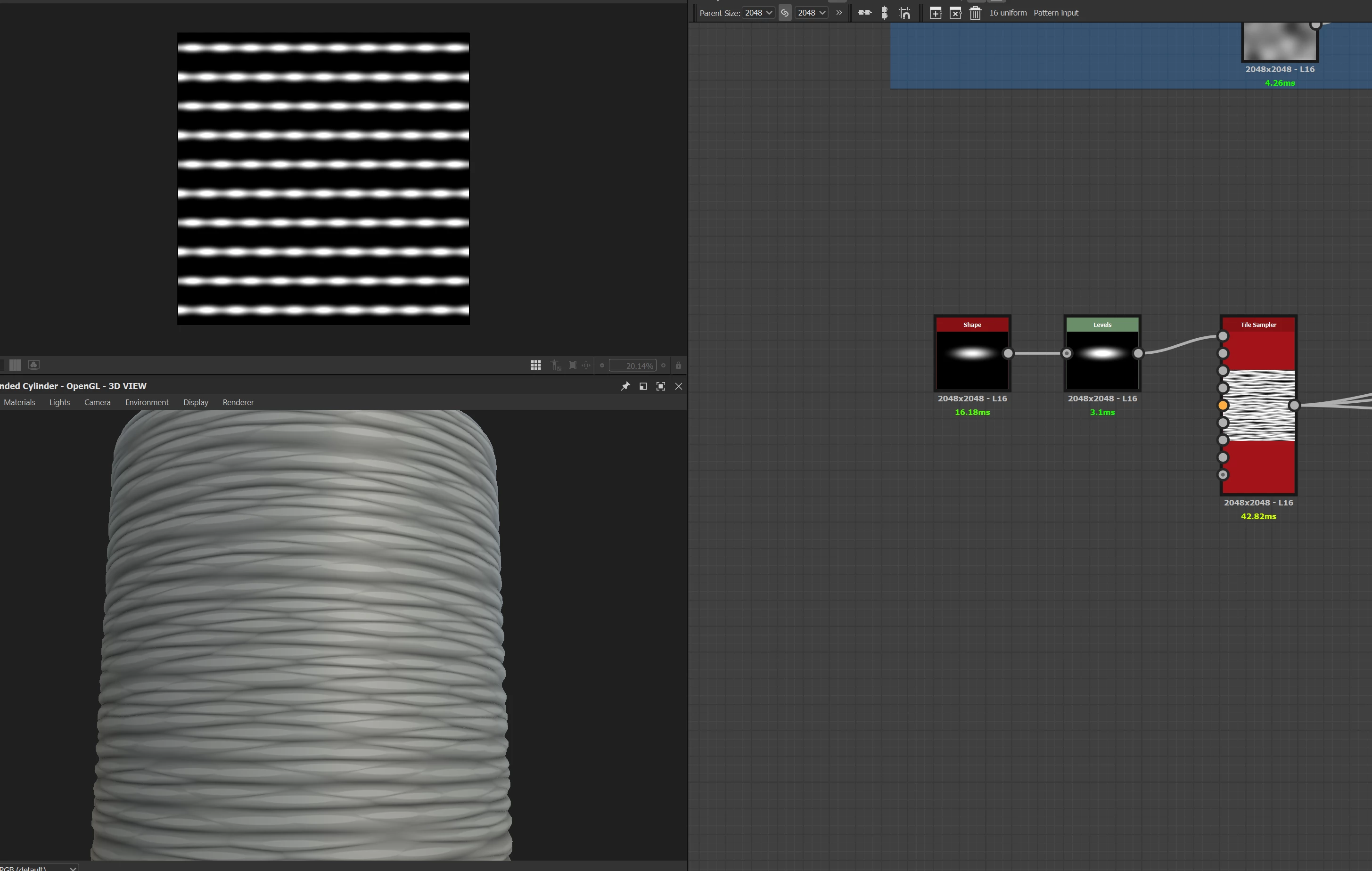
Something like this could be a good start


Another solution if you have access to the full substance suite, could be to directly use the attached image in Substance Sampler in order to reproduce the material.


Best regards,


1 reply

Cyril Dellenbach
Community Manager
Cyril DellenbachCommunity ManagerCorrect answer
Community Manager
September 14, 2023

Hello Ryan,


Something like this could be a good start


Another solution if you have access to the full substance suite, could be to directly use the attached image in Substance Sampler in order to reproduce the material.


Best regards,


Cyril Dellenbach (Micro) | QA Support Artist | Adobe
ryanj72888116
Participant
September 14, 2023

Thanks Cyril. I have gone that route and gotten the same result you have, but unfortunately that method does not quite get me there. Since this is for promotional materials for a real product, the pattern must be exact.


I didn't think to try Substance Sampler though, so I'm installing that now. Looks promising! Thanks for the tip.