


Participant
November 11, 2022
Answered

Organic irregular texture in Designer

  • November 11, 2022
  • 1 reply
  • 389 views

I'm trying to make an editable organic texture in Designer, but I'm finding the resulting shapes' borders too clean and regular. Is there a way to edit the Shape node output for something a bit more distorted? I've tried blending with noises at different modes, but it kept affecting the center of the shape as well.

This topic has been closed for replies.
Correct answer davescm

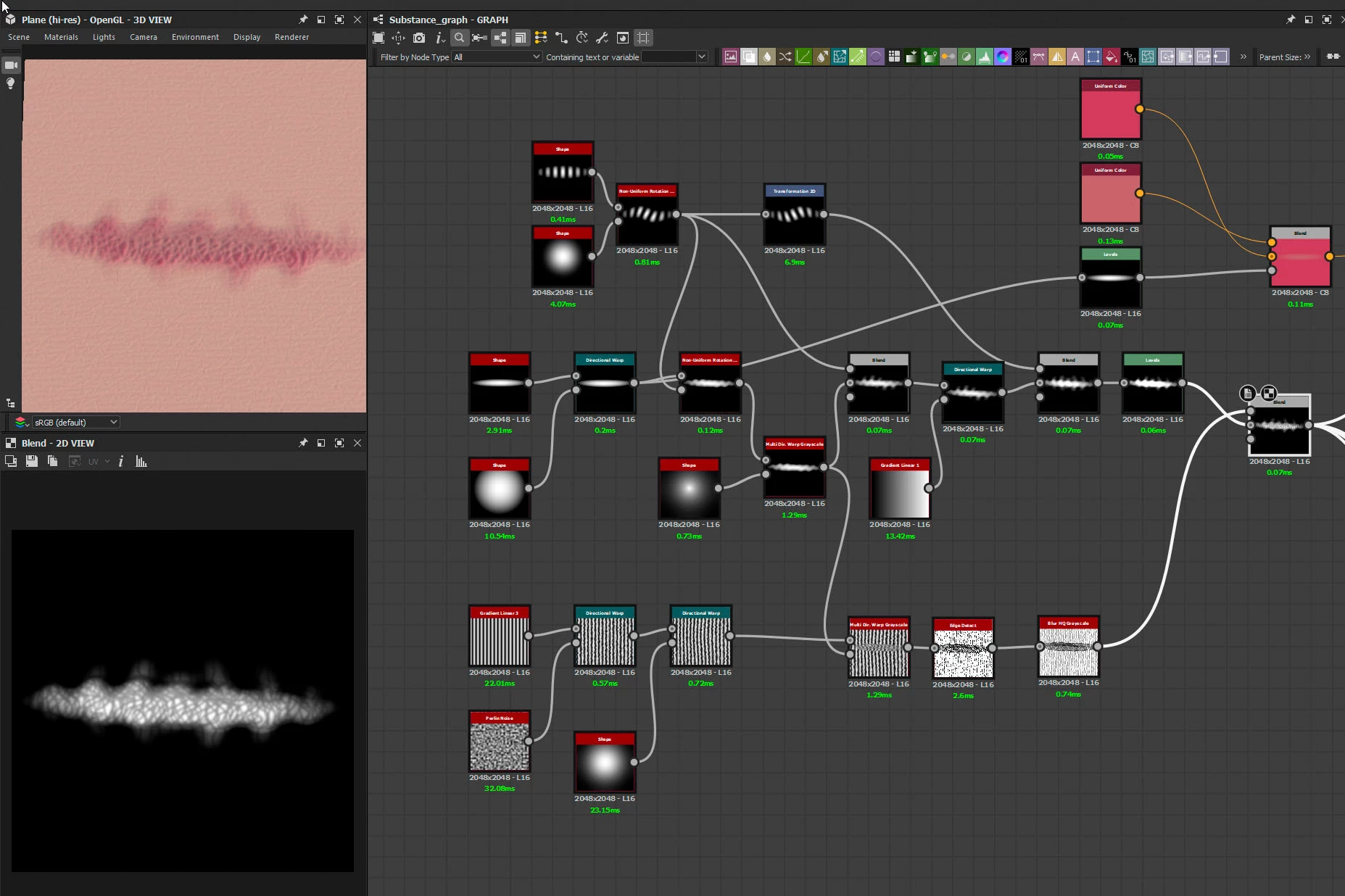
Something like this?


I've just blended it here with a skin sbsar supplied with Substance Painter

Dave

1 reply

davescm
Community Expert
Community Expert
November 12, 2022

Can you describe what you are trying to achieve?

Have you tried the various warp nodes, they can create very soft organic shapes?


Dave

Participant
November 13, 2022

I'm trying to make a surgical scar by randomizing the borders of an ovaloid shape to look more natural and less geometric.

Thanks for the tip! Maybe it might help me make the shape editable as well.

davescm
Community Expert
davescmCommunity ExpertCorrect answer
Community Expert
November 14, 2022

Something like this?


I've just blended it here with a skin sbsar supplied with Substance Painter

Dave