

sarahk69831203
Participant
December 16, 2021
Answered

PBR template missing

  • December 16, 2021
  • 1 reply
  • 789 views

Hello, 


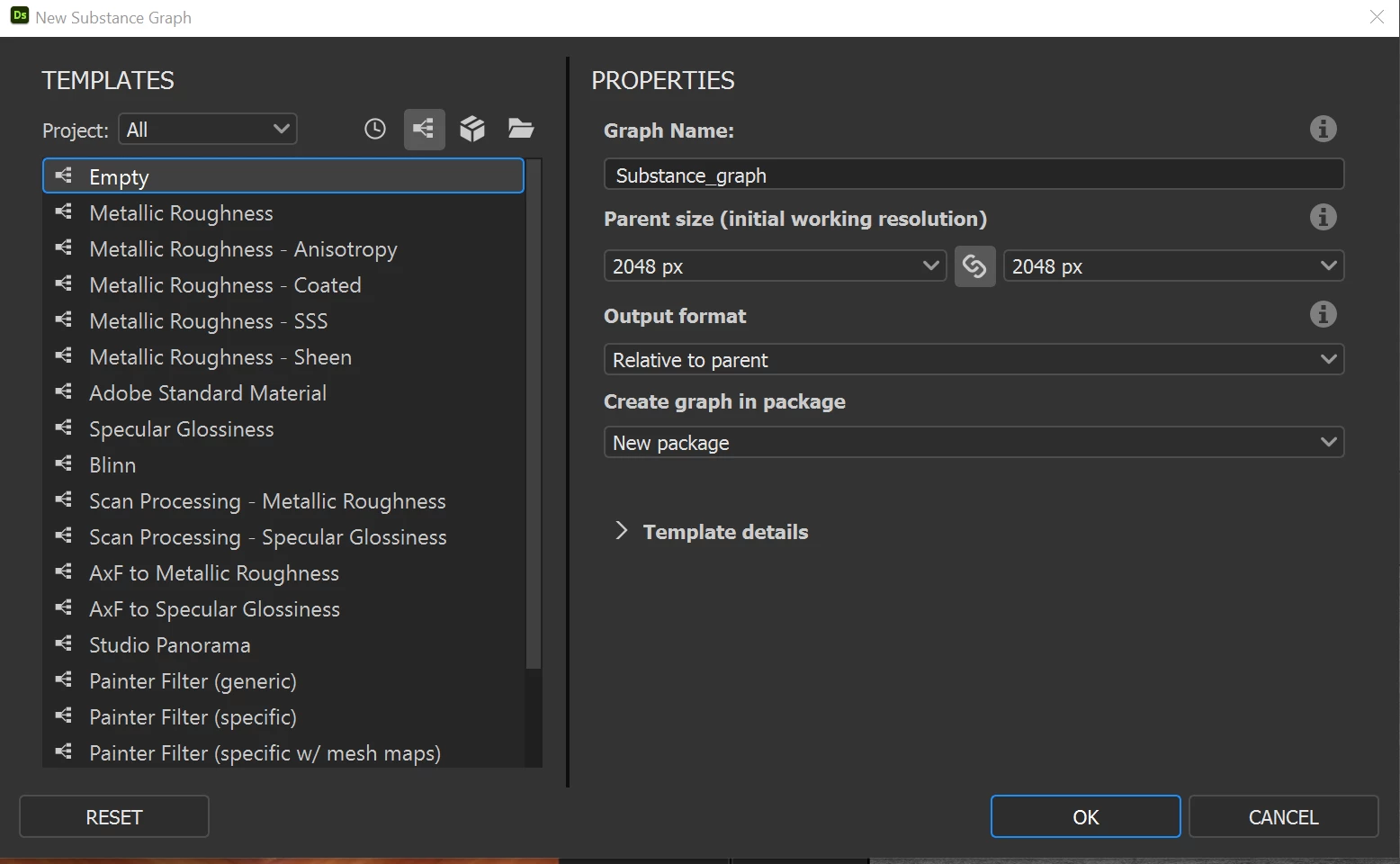
I am not able to find the PBR template when I try to creat a new substance graph.


Please see the image below, hope someone can help me! 
This topic has been closed for replies.
Correct answer davescm

Just choose Metallic Roughness it will give you the outputs for BaseColor, Metallic, Roughness, Normal, AO and Height.

If you need others you can add them and save as a new template.


Dave

1 reply

davescm
Community Expert
davescmCommunity ExpertCorrect answer
Community Expert
December 16, 2021

Just choose Metallic Roughness it will give you the outputs for BaseColor, Metallic, Roughness, Normal, AO and Height.

If you need others you can add them and save as a new template.


Dave

Luca Giarrizzo
Community Manager
Community Manager
December 17, 2021

Hello @sarahk69831203 and @davescm,


Indeed, the PBR templates were renamed to remove the PBR prefix, as this shading pipeline is now considered as the default one for real-time 3D rendering. Templates which rely on a different pipeline remain explicitly named (Blinn, Painter/Sampler templates, etc.).


Best regards.


Luca Giarrizzo | Quality Engineer - Substance 3D Designer | Adobe

