Known Participant
March 18, 2024
Answered

Publish .sbsar file

  • March 18, 2024
  • 1 reply
  • 1080 views

Hello!


I'm working on a material in Substance Designer and I'd like to test it efficiently in Painter. Publishing the .sbsar file to Painter is straightforward, but the process becomes cumbersome when I need to make adjustments. Currently, my workflow involves:


  1. Publishing the material in Designer.
  2. Importing the .sbsar file into Painter.
  3. Making adjustments in Designer.
  4. Deleting the old .sbsar from Painter.
  5. Repeating steps 1 and 2.


This cycle is time-consuming, especially for minor tweaks. Ideally, I'd like a more streamlined workflow where changes made in Designer are reflected live in Painter, eliminating the need for constant republishing and re-importing. Is there a built-in functionality between Substance Designer and Painter that allows for this type of real-time connection?

This topic has been closed for replies.
Correct answer Cyril Dellenbach

Hi @RoxanaMD,


My previous message contained a false info, so I've deleted it to avoid spreading misinformation.


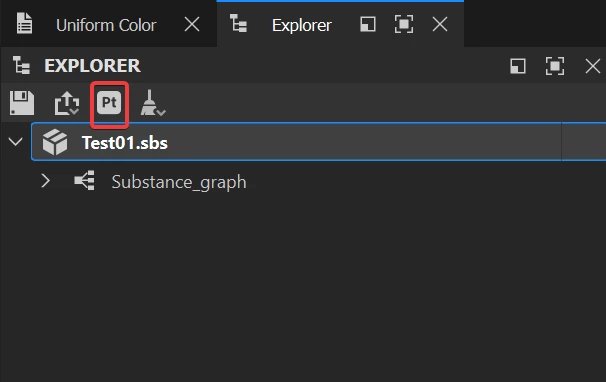
The option Send to Painter allows you to quickly send your graph to Substance 3D Painter. If you do it again, the current graph will override the previous one in Painter's library. Therefore, there's already a "real-time" connection.


However, Painter doesn't automatically update resources in the layer stack accordingly to the library. This behavior is due to how resources are handled to keep autonomous files.


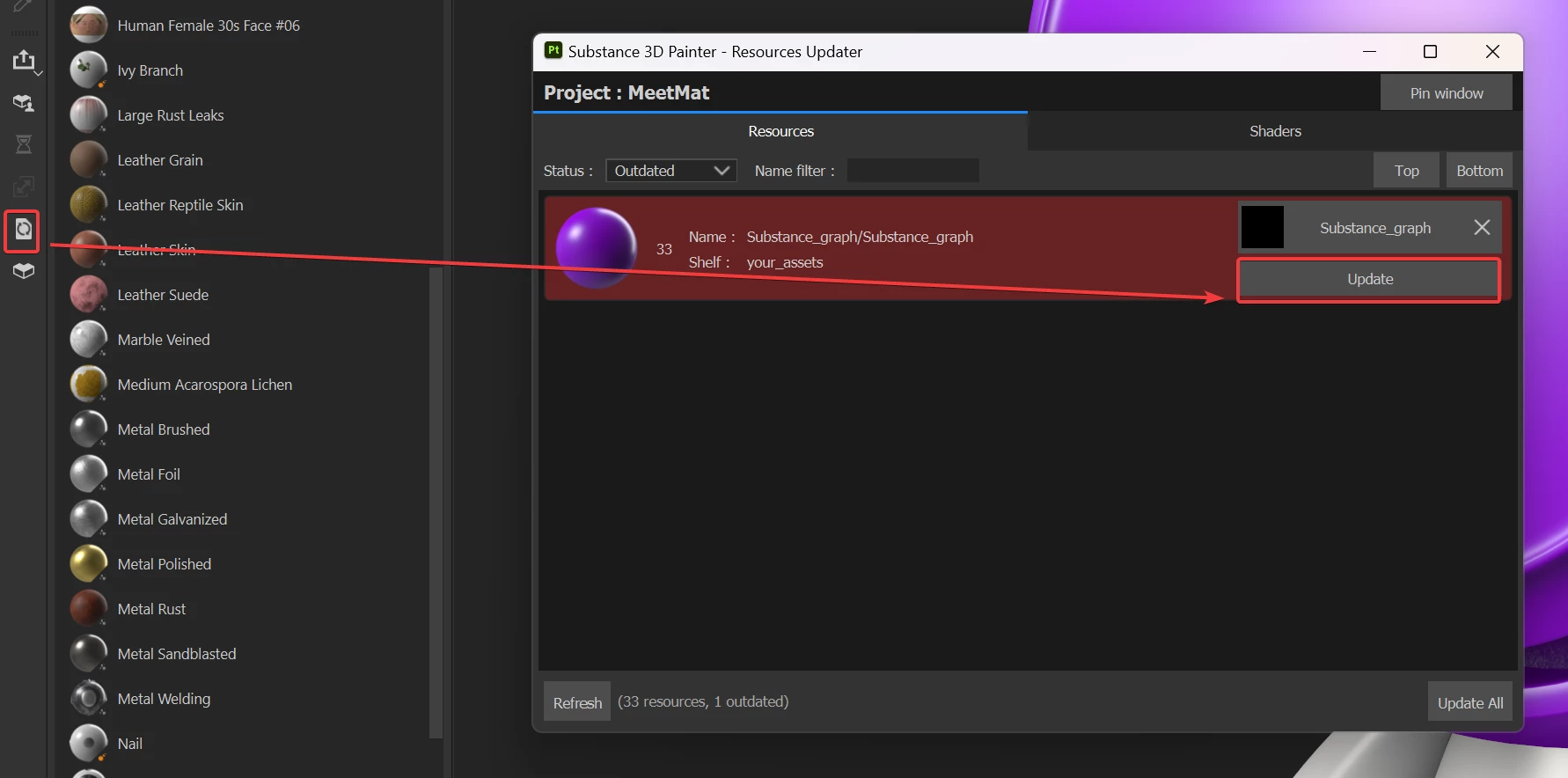
Consequently, you can use the Resources Updater tool to manually update the outdated resources in the Layer stack.


If you want some sort of auto-updater in Painter, we are currently reviewing users' needs and a thread dedicated to this topic is existing. Feel free to vote for the feature.


Regards,


1 reply

Cyril Dellenbach
Community Manager
Cyril DellenbachCommunity ManagerCorrect answer
Community Manager
March 18, 2024

Hi @RoxanaMD,


My previous message contained a false info, so I've deleted it to avoid spreading misinformation.


The option Send to Painter allows you to quickly send your graph to Substance 3D Painter. If you do it again, the current graph will override the previous one in Painter's library. Therefore, there's already a "real-time" connection.


However, Painter doesn't automatically update resources in the layer stack accordingly to the library. This behavior is due to how resources are handled to keep autonomous files.


Consequently, you can use the Resources Updater tool to manually update the outdated resources in the Layer stack.


If you want some sort of auto-updater in Painter, we are currently reviewing users' needs and a thread dedicated to this topic is existing. Feel free to vote for the feature.


Regards,


Cyril Dellenbach (Micro) | QA Support Artist | Adobe
RoxanaMDAuthor
Known Participant
March 18, 2024

I will give this a try. Thank you so much!


I couldn't see a way to vote for this feature in the link you provided. I just hit thumbs up on that post. Is that enough?

RoxanaMDAuthor
Known Participant
March 18, 2024

It seems I don't have that button. I searched in Preferences, but didn't find anything.