Mifuyneh
Participant
October 31, 2021
Answered

Publish sbsar option missing (Substance Edition)

  • October 31, 2021
  • 1 reply
  • 3209 views

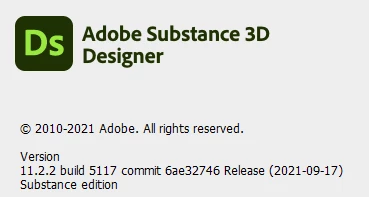
I'm using the Substance edition, version 11.2.2 build 5117:

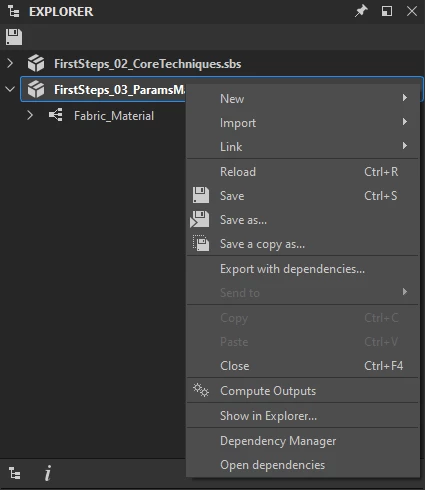
I do not have the option to publish a substance graph to SBSAR format in the context menu, nor is the button for it available in the Explorer panel. I followed the documentation page on publishing SBSAR:

I tried searching to see if this is an expected behaviour for Substance Edition, but I had no luck finding an answer.


Thank you!

This topic has been closed for replies.
Correct answer Mifuyneh

Hello again,


The issue may be caused by conflicting PySide2 installations. You may check for an existing PySide2 installation by starting a Python command line and trying to import PySide2. This should fail if there is an existing global installation.

λ python
Python 3.9.6 (tags/v3.9.6:db3ff76, Jun 28 2021, 15:26:21) [MSC v.1929 64 bit (AMD64)] on win32
Type "help", "copyright", "credits" or "license" for more information.
>>> import PySide2
Traceback (most recent call last):
  File "<stdin>", line 1, in <module>
ModuleNotFoundError: No module named 'PySide2'

If the command succeeds, you need to uninstall the global installation of PySide2 so that Designer can use its bundled installation without interference.


Best regards.


Hi Luca,

Thank you! While I didn't have PySide2 installed, it did occur to me to look in Designer's console panel. Turns out I had some old packages in the Python 3.7 site-packages folder (using 3.9.7 now), and it was trying to load shiboken2 from there. Removing that fixed my problem.


Thank you very much for looking into this! I'm thrilled to have a fully functional Substance 3D Designer now 😊


1 reply

Luca Giarrizzo
Community Manager
Community Manager
November 2, 2021

Hello @Mifuyneh,


Publishing options are not available for a Substance 3D file (SBS) in the following cases:


  • No graph is exposed. You may check the exposed status of a graph by clicking on the graph item in the Explorer panel to display its properties, then find the value of the Exposed in SBSAR property in the Properties panel. This value must be True for at least one graph in the package.
  • No exposed graph has at least one Output node. These nodes provide the bitmap output(s) for a Substance 3D asset (SBSAR).


Please check for these conditions and let me know the outcome.


Best regards.


Luca Giarrizzo | Quality Engineer - Substance 3D Designer | Adobe
Mifuyneh
MifuynehAuthor
Participant
November 2, 2021

Hi Luca,


Thank you for your response! I checked and the material I tried to publish have multiple outputs and exposed in SBSAR is turned on. I tried creating a new substance graph using the metallic/roughness template and still do not see the option to publish:

Luca Giarrizzo
Community Manager
Community Manager
November 3, 2021

Hello @Mifuyneh,


Thank you for following up on this issue.

I had not noticed at first, but the Explorer panel is missing buttons in its toolbar.


This image shows the expected items which should be present in the Explorer toolbar, regardless of the package one is working on.


Please note the Send to Sampler/Painter/Stager option should be absent in your case, as your are using the Substance edition of Designer which does not include interoperability features.


It is possible a component did not load properly. Please open the Help menu and select the Report a bug option. In the Bug report dialog, please input a link to this thread into the Description field and make sure the Send additional information checkbox is checked. This will provide me with helpful logs and settings files for your Designer working environment.


Thank you for your help and patience!


Best regards.


Luca Giarrizzo | Quality Engineer - Substance 3D Designer | Adobe