


Participant
April 5, 2024
Answered

Question: How to set up a mask output so it is automatically recognized by Substance Painter

  • April 5, 2024
  • 1 reply
  • 564 views

Hello! I have been working on a material that is intended to be overlaid on other materials in painter. I have set up a mask output with the following settings:
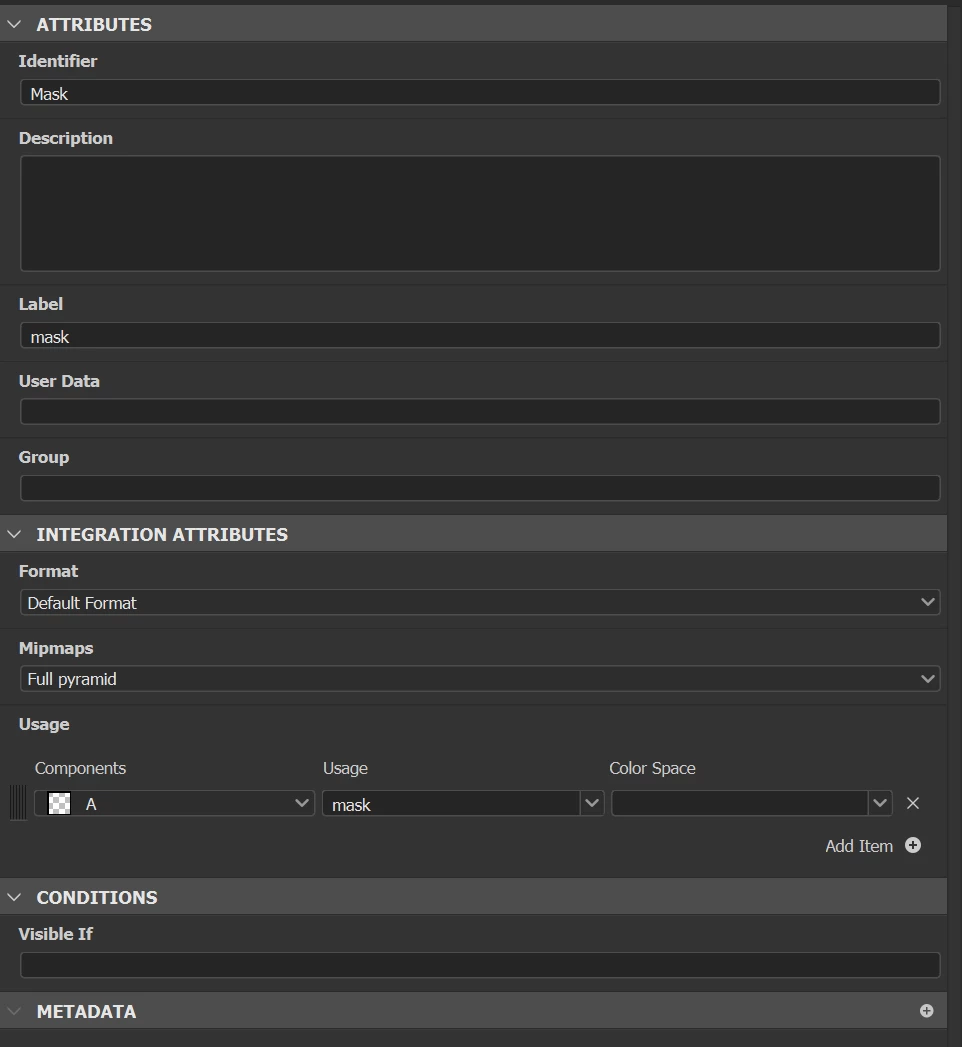
My issue is that when i import the material into substance painter, I have to set the mask output manually under the materials channel mapping. As you can see here, the channel defaults to <no alpha>.
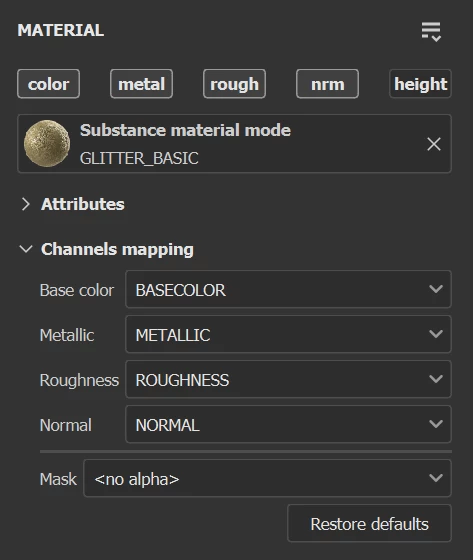
 

When i select my mask output from the dropdown, everything works as intended. How can i set up my output to be recognized by Painter automatically? Or am i misunderstanding and this is actually a problem on the painter end?

This topic has been closed for replies.
Correct answer Luca Giarrizzo

Hello,


This automatic assignment is performed based on the 'user data' attribute set on a graph's output.

You may follow the instructions in the 'Designate an output as a common mask/alpha' of the User data page in Painter's documentation. I hope this is helpful!


Best regards.

1 reply

Luca Giarrizzo
Community Manager
Luca GiarrizzoCommunity ManagerCorrect answer
Community Manager
April 8, 2024

Hello,


This automatic assignment is performed based on the 'user data' attribute set on a graph's output.

You may follow the instructions in the 'Designate an output as a common mask/alpha' of the User data page in Painter's documentation. I hope this is helpful!


Best regards.

Luca Giarrizzo | Quality Engineer - Substance 3D Designer | Adobe
Ben HDAuthor
Participant
April 8, 2024

That is exactly the solution i was looking for thank you very much!